web
You’re offline. This is a read only version of the page.
close
Skip to main content

Announcements

No record found.

News and Announcements icon
Community site session details

Community site session details

Session Id :
Small and medium business | Business Central, N...
Suggested Answer

VAT product posting not defaulted by Vendor and item VAT posting groups

(0) ShareShare
ReportReport
Posted on by 90

Hi everyone, I am facing some issues drawing out the correct VAT percentage and product posting group automatically from the item card.

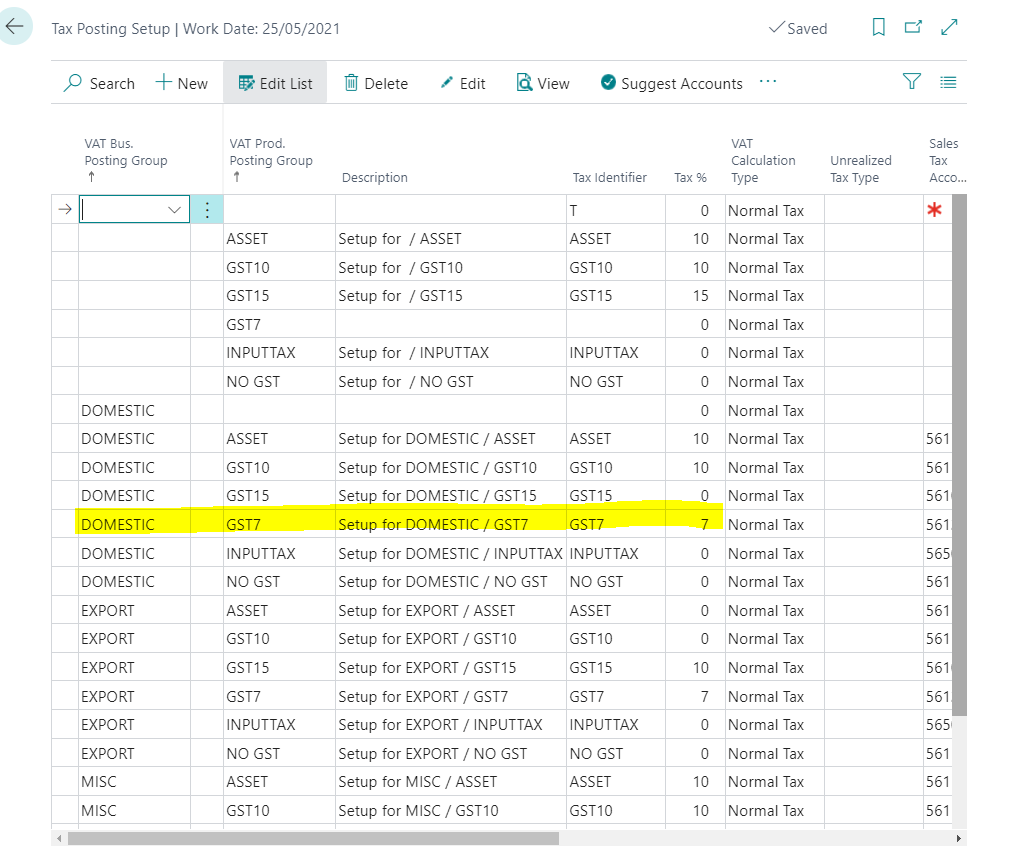
Below is my VAT posting setup with the combination from my vendor vat business posting group (Domestic) and item vat product posting group (GST 7)
pastedimage1623224793226v2.png

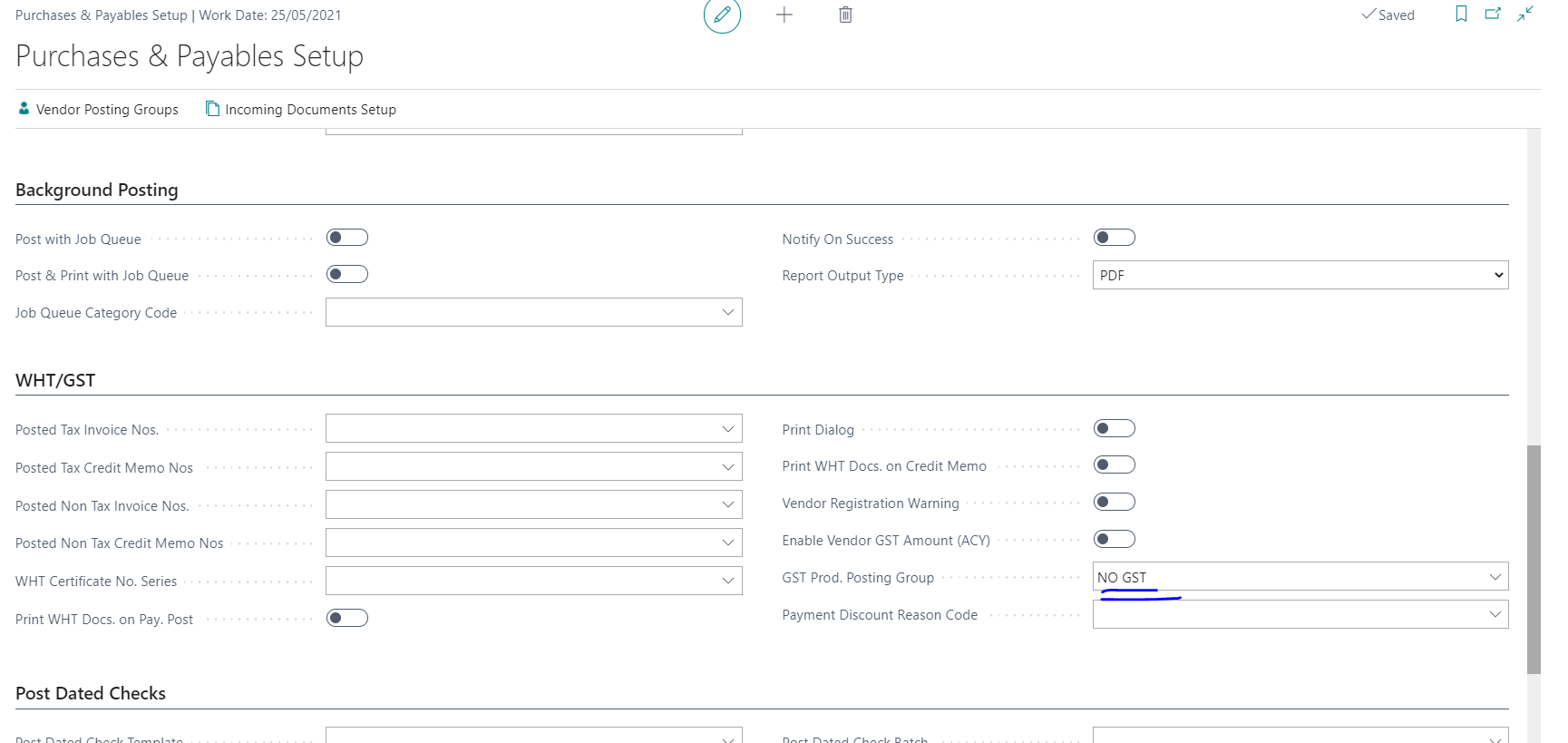
However, when I create a purchase order, the VAT product posting group is derived based on the "GST prod. posting group" field on the Purchases & Payables Setup. I want it to reflect based on the vendor and item. 
pastedimage1623224714116v1.png

If I delete the field in the "GST prod. posting group" field on the Purchases & Payables Setup, I will get an error.

How do I resolve this so that the system will not draw the prod posting group from the purchases & payables setup?


Thank you very much.

ZJ

I have the same question (0)
  • zj95 Profile Picture
    90 on at

    In the "GST prod. posting group" field on the Purchases & Payables Setup, I will also get an error if the VAT % in the posting setup is not equal to 0.

  • Suggested answer
    Community Member Profile Picture
    on at

    Hello,

    I am in the US and have setup VAT for many countries. I know GST is in India and AU but cannot speak about the field on the Purchase & Payables page. If you leave that blank does it effect processing? I am wondering if this is a default vs. look at the Item Card.

    Possible someone in the Forum can speak about this more.

    Hope this helps.

    Thanks,

    Steve

Under review

Thank you for your reply! To ensure a great experience for everyone, your content is awaiting approval by our Community Managers. Please check back later.

Helpful resources

Quick Links

Introducing the 2026 Season 1 community Super Users

Congratulations to our 2026 Super Stars!

Congratulations to our 2025 Community Spotlights

Thanks to all of our 2025 Community Spotlight stars!

Leaderboard > Small and medium business | Business Central, NAV, RMS

#1
OussamaSabbouh Profile Picture

OussamaSabbouh 1,870 Super User 2026 Season 1

#2
YUN ZHU Profile Picture

YUN ZHU 1,138 Super User 2026 Season 1

#3
Dhiren Nagar Profile Picture

Dhiren Nagar 915 Super User 2026 Season 1

Last 30 days Overall leaderboard

Featured topics

Product updates

Dynamics 365 release plans
