Hi Carsten,
Unfortunately, you can’t show related activities for one account directly in the view, you can view activities in the timeline in the form.
Or you can filter account in the activity view, the account and activity entities are 1:N relationship, regarding field is a oob lookup field, which store account and other related entity records.
Go Settings > Customization > Customize the system > Entities > Activity > View to select one view you need or create view.
Click ‘Edit Filter Criteria’ to filter Related account field contains data.
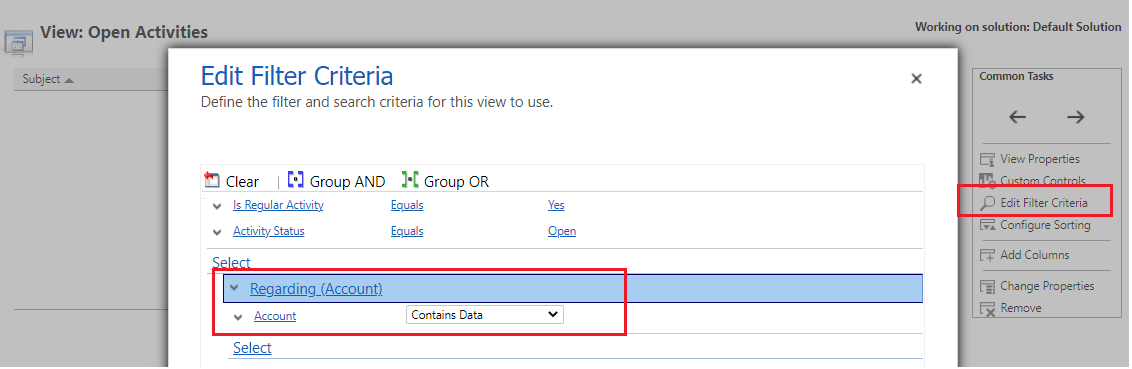
save and publish all customizations.
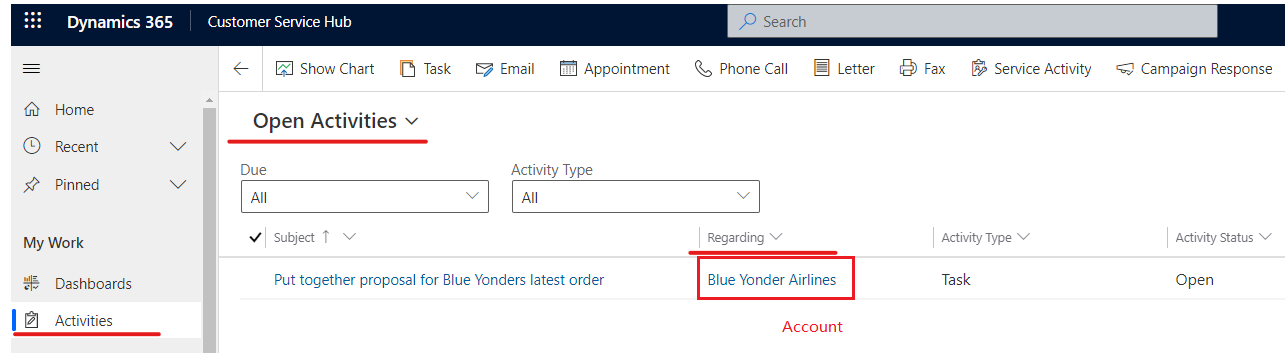
Go to the view you edit and ii will only show records that regarding field is account.
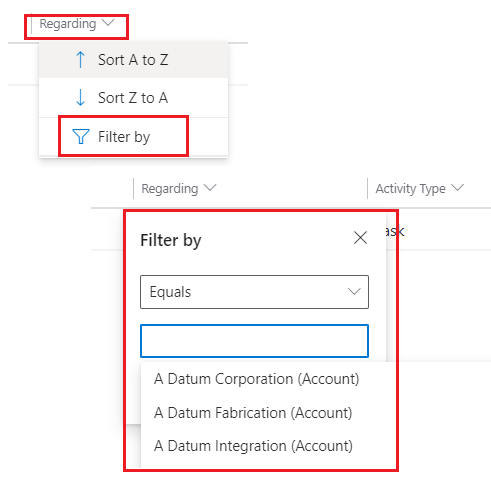
if you want to view activities for one account, you can filter regarding field by account value you need.
Regards,
Leah Ju
Please mark as verified if the answer is helpful. Welcome to join hot discussions in Dynamics 365 Forums.


