Hello,
I am working on production floor execution feature, and I have a question on this.
I am trying to add my custom actions in Production floor execution screen(In the ProductionFloorExecutionMainGrid form to be exact).
My requirement is I want to show some details related to Job in AllJobs menu. So I created action(Job Details) as per https://docs.microsoft.com/en-us/dynamics365/supply-chain/production-control/production-floor-execution-customize, And it was successfully added. I configured the floor execution as per my requirement and I can see this action in the form of button in Production floor execution screen.
But on clicking that button, new form opens, but in classic d365 UI(White one), not the new production floor UI i.e. the blue UI we see.
Let me show you:
Production floor execution Main screen:

There is JobDetails button on the right, when I click that, this form opens(Custom Form):
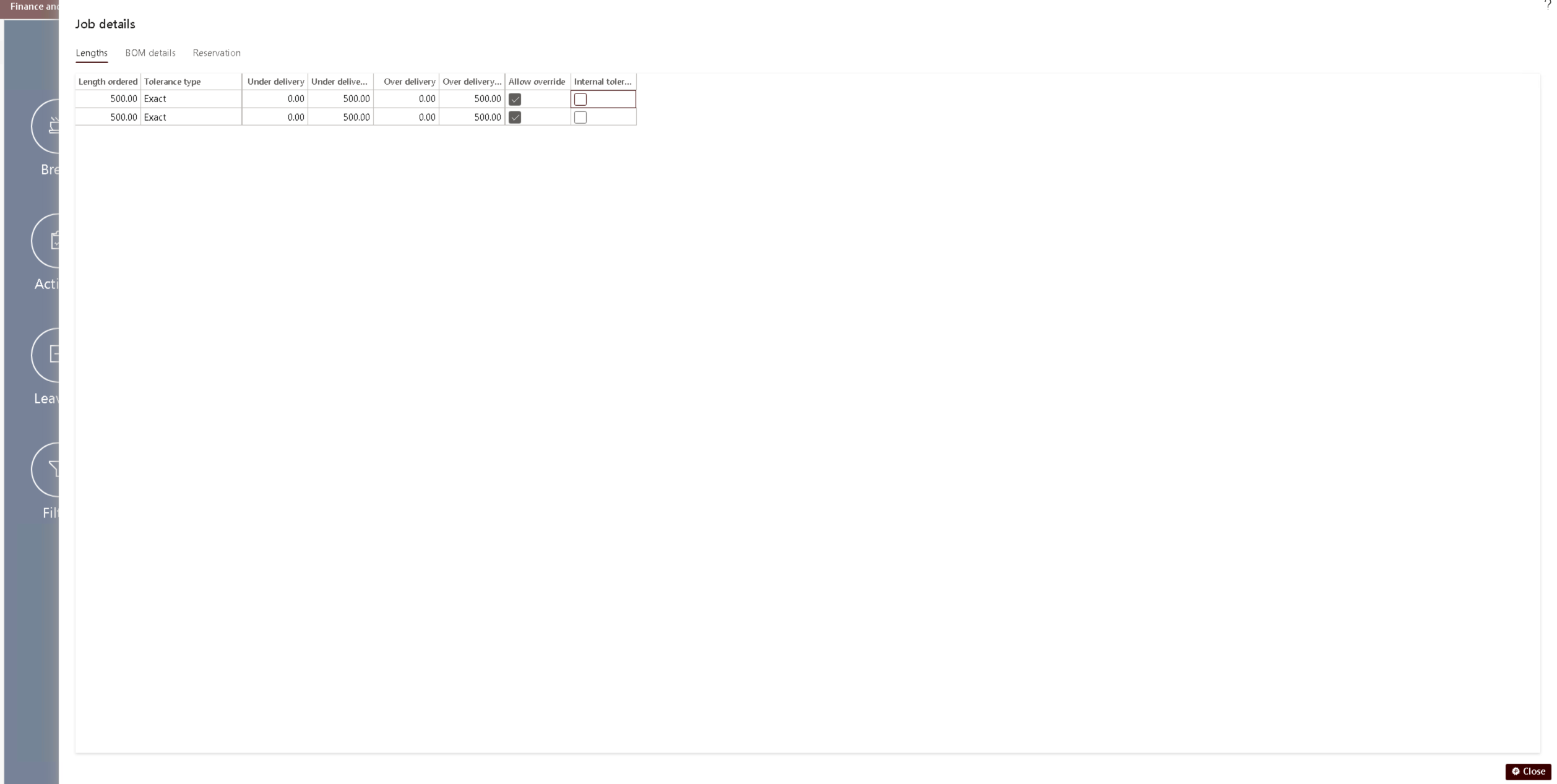
Is there any way I can open this new form also in the dark blue UI, we see in main grid? Is that possible?
Because we have StartJob action also, which opens blue UI:

This is also a action. I tried to see all the references of this form, if I am missing anything, but dint find any.
Can anyone help me here?
-Thanks in advance,
Hardik.


