Hello,
Yes, you can use Copy/Paste into the Purchase Journal or a Configuration Package against the Purchase Header and Lines table with appropriate fields populated. I will demonstrate the copy/paste to the Purchase Journal below:
1. Open the Purchase Journal. Below is just a sample line I entered to fill in fields I will use to create the payables Invoices. Note, I could have Dimensions entered too but they are not shown in my pic.
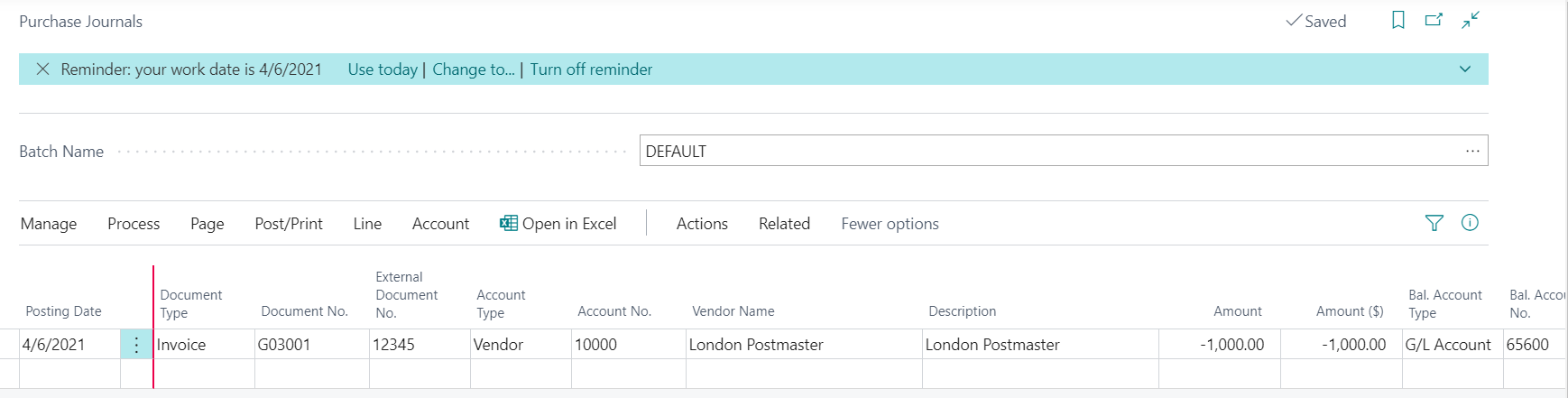
2. I click Open in Excel. I have deleted those columns not matching my Journal Page.

3. Enter all the Invoices you want. If you want to enter a Credit Memo Document Type you can too (see my 2nd row). If you want to enter a payment on account, you can (see my 3rd row). NOTE! If these are opening Payables the Balancing will need to offset to the Vendor AP account, since your G/L History load updated the GL Balances. If these are real transaction you want to process, then make sure the Balancing Account you select is correct.
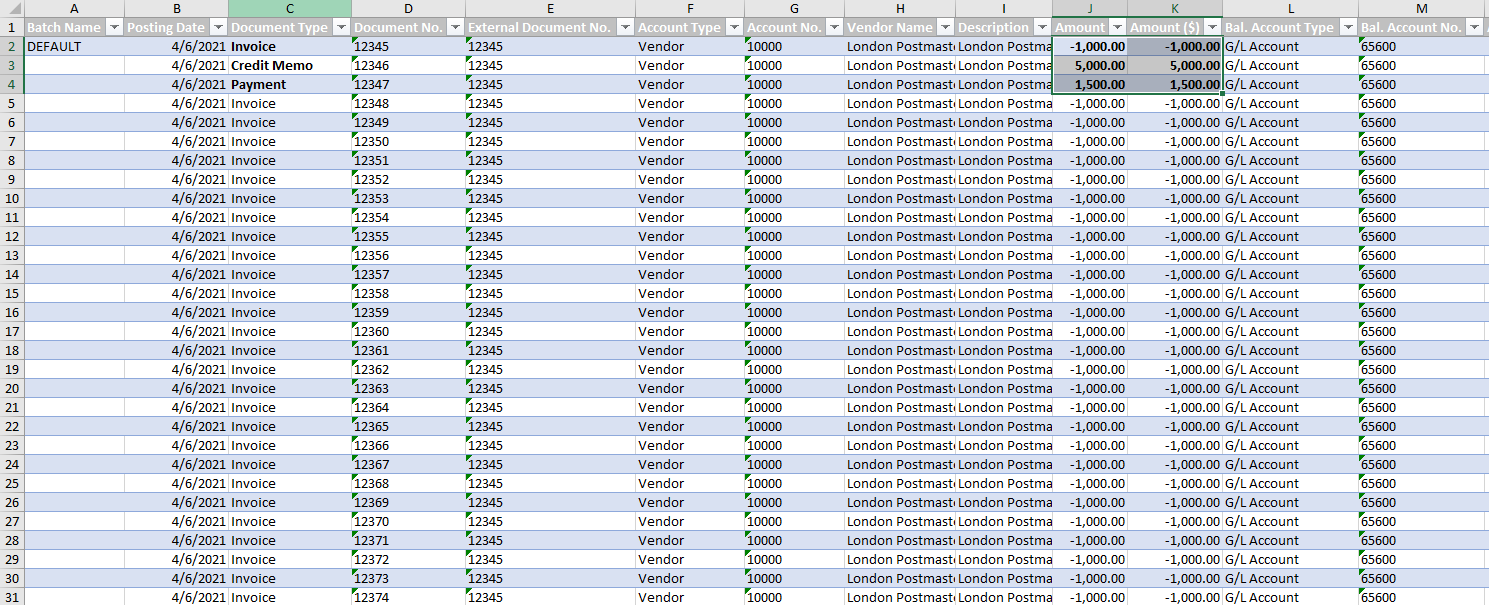
4. Now we will copy/paste the rows into BC. Highlight starting in cell B2 thru M31, in my example. You do not need Column A. Hit COPY (CTRL-C) and go to the Purchase Journal. DELETE the sample line you entered. Now while clicked into the Posting Date field, hit CTRL-V.

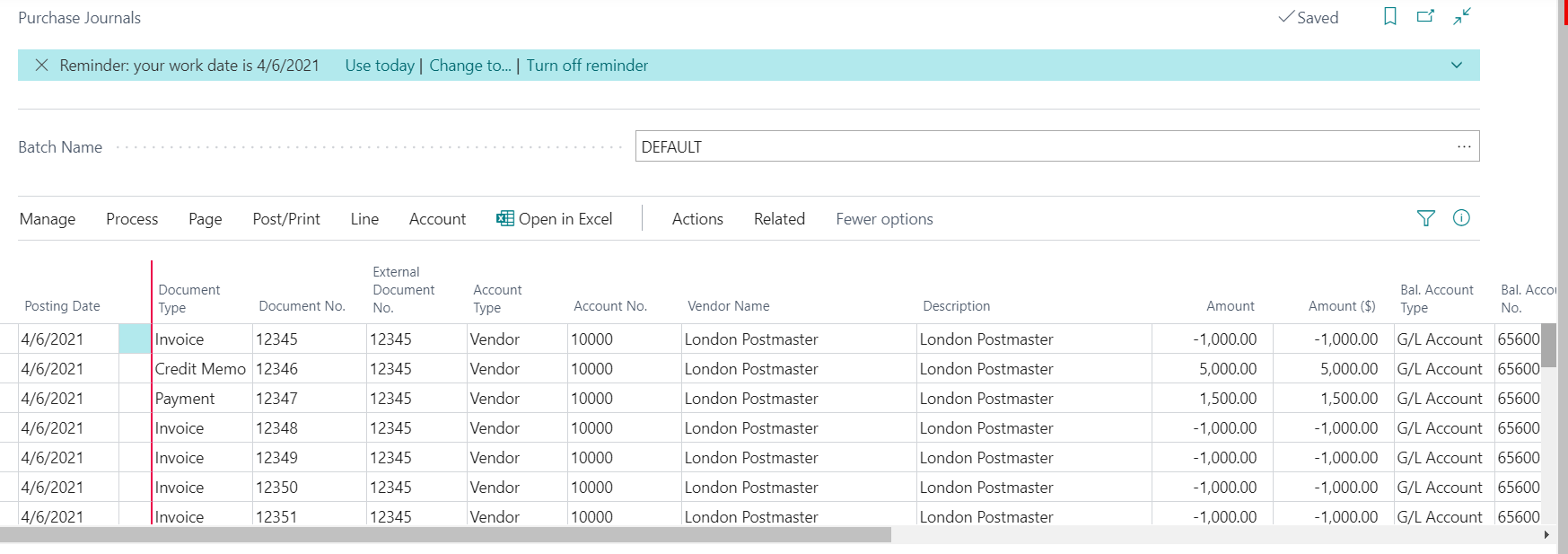
Now you can Preview Post and complete the posting process.
Hope this helps.
Thanks,
Steve


