web
You’re offline. This is a read only version of the page.
close
Skip to main content

Announcements

No record found.

News and Announcements icon
Community site session details

Community site session details

Session Id :
Microsoft Dynamics 365 | Integration, Dataverse...
Unanswered

Microsoft Portal Embed a Chart inside a Form

(0) ShareShare
ReportReport
Posted on by 45 User Group Leader

Currently in Dynamics 365 CE, you are able to turn a subgrid on a form into a chart using the classic interface.

We are building out a client portal so that clients can also see these same charts when viewing the records. Unfortunately, the current version of displaying charts from CE on the portal require you to pass in the Chart ID as well as the System View ID. The problem is that the view is not filtered based on the context of the record.
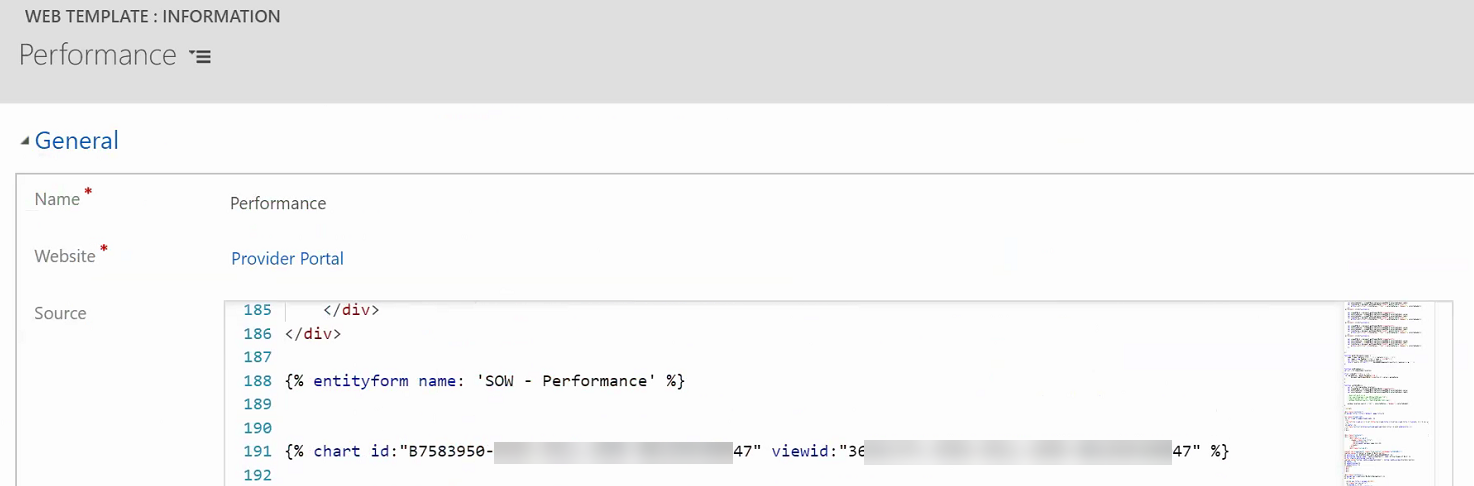
2019_2D00_10_2D00_23_5F00_10_2D00_54_2D00_02.png

The work around that we are considering right now is to use Liquid to pass in the ID from the URL to do a query and then display the results in a HTML chart. This gets away from the ability of the user internal and external seeing the information the same way.

I have the same question (0)
  • RaviKashyap Profile Picture
    55,410 Moderator on at

    Hi,

    If I am not wrong, you can apply a filter to views by  adding additional filter to the contact entity something like Contact equals "<pick any random contact record>" along with the existing filters.

    Try this and see if it helps. If not, i guess your alternate workaround is best.

    Hope this helps.

  • Seth T Bacon Profile Picture
    45 User Group Leader on at

    Passing through the Contact does make the Contact field dynamic which can be helpful with the concept of "My Records". I'm not sure if that applies to custom entities but it's worth a try!

    Thanks for the help and will keep you posted.

  • Seth T Bacon Profile Picture
    45 User Group Leader on at

    Have confirmed that adding a filter on the view does not filter the view if it's on a web page that contains a form.

    The other route that I have started to go down is using liquid combined with FetchXML. Using the "{{request.params.id}}" in liquid will return the GUID of the record and then have attempted to place it in the FetchXML query that is being passed.

    The idea would be then to use the liquid command to return the chart using, "{% chart id:EE3C733D-5693-DE11-97D4-00155DA3B01E %}". I am hoping that I can then define the view having used the FetchXML.

  • Seth T Bacon Profile Picture
    45 User Group Leader on at

    Haven't been able to find an answer yet so submitted an idea to Microsoft. Be sure to go over and upvote it!

Under review

Thank you for your reply! To ensure a great experience for everyone, your content is awaiting approval by our Community Managers. Please check back later.

Helpful resources

Quick Links

Introducing the 2026 Season 1 community Super Users

Congratulations to our 2026 Super Stars!

Meet the Microsoft Dynamics 365 Contact Center Champions

We are thrilled to have these Champions in our Community!

Congratulations to the March Top 10 Community Leaders

These are the community rock stars!

Leaderboard > Microsoft Dynamics 365 | Integration, Dataverse, and general topics

#1
11manish Profile Picture

11manish 174

#2
ManoVerse Profile Picture

ManoVerse 58 Super User 2026 Season 1

#3
Niki Patel Profile Picture

Niki Patel 42

Last 30 days Overall leaderboard

Product updates

Dynamics 365 release plans
