web
You’re offline. This is a read only version of the page.
close
Skip to main content

Announcements

No record found.

News and Announcements icon
Community site session details

Community site session details

Session Id :
Microsoft Dynamics CRM (Archived)

CRM 2016 Online Email Signature issue

(1) ShareShare
ReportReport
Posted on by

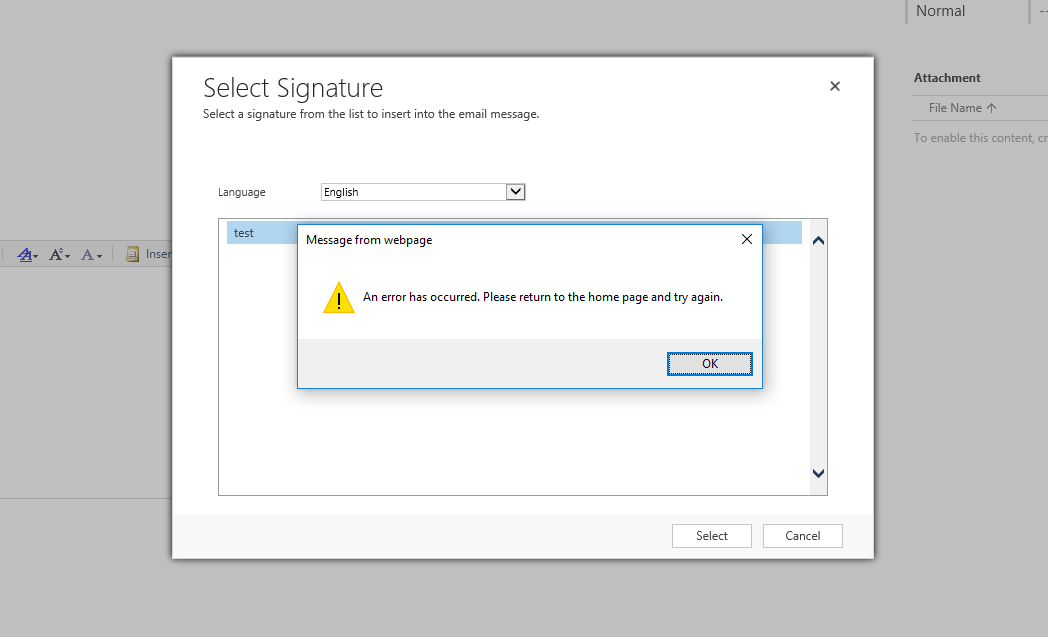
I have created a email signature in my personal options, however, whenever I click on "insert signature" I get a generic error - "An error has occurred. Please return to homepage and try again".  I have system Admin security role. I have tried on internet explorer 11, chrome v52.0.2743.116. Does anyone else get the same issue ? See below screens for series of steps.

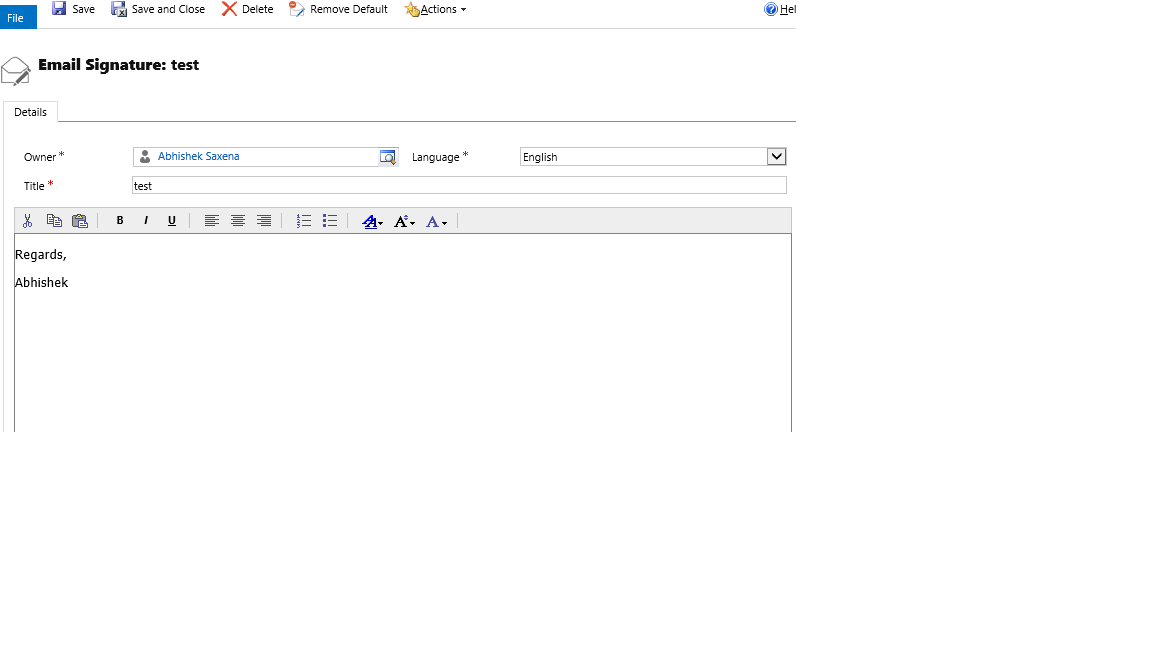
1. Created an email signature under personal options and set it as default.
3806.screen1.png

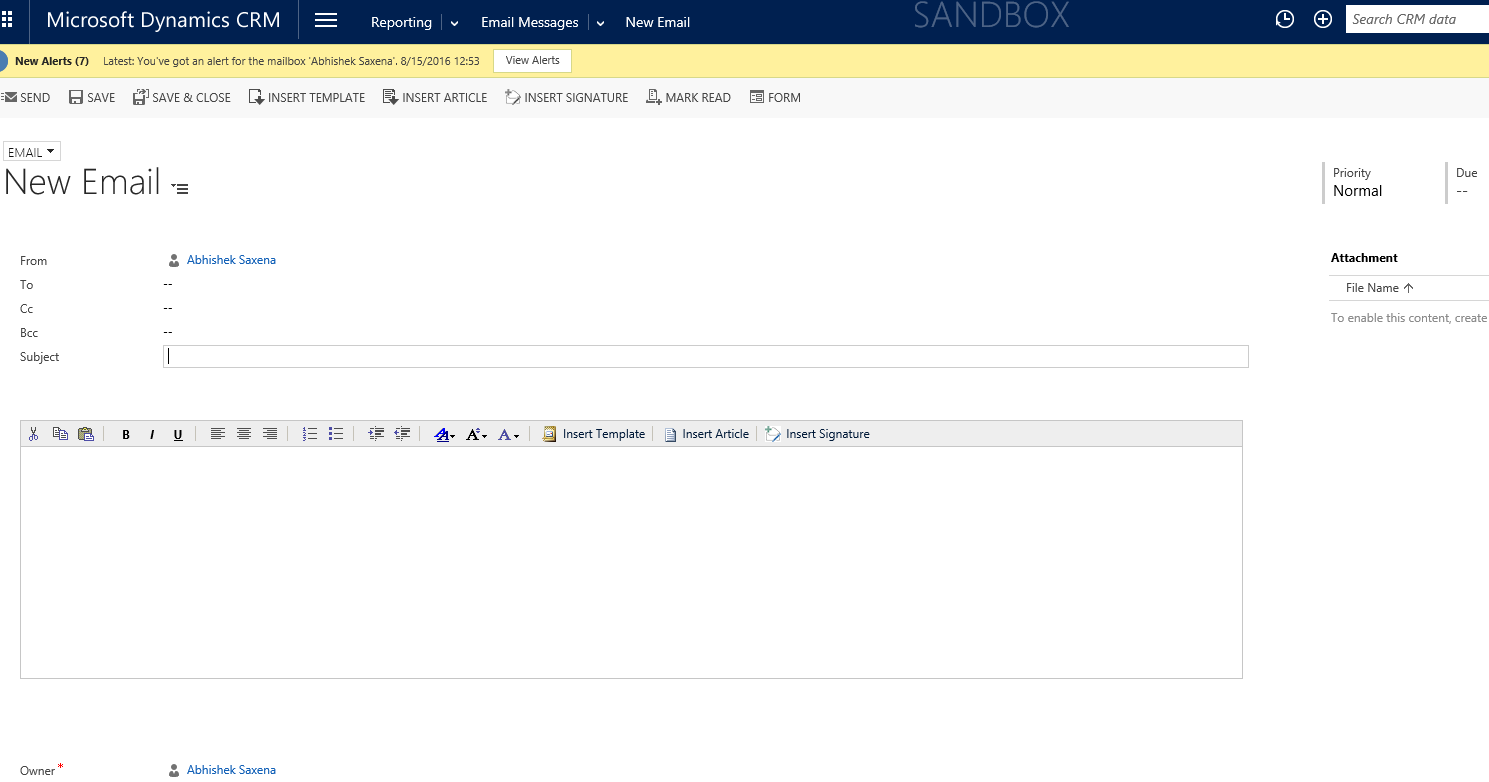
2.  Clicked on quick create to create an email activity but the email signature did not automatically get populated in the body of the email. See below screen. Even if I go to a case and create an email activity from there it does not populate the email signature automatically.
1258.Untitled.png

3. Now if I click on "insert Signature" button to manually insert the signature I get an error.
17174.Capture.PNG

*This post is locked for comments

I have the same question (0)
  • Community Member Profile Picture
    on at

    Hi Abhishek,

    we have the same issue here. Did you find a solution for this?

    Best regards

    Brian

  • Community Member Profile Picture
    on at

    Hi Brian,

    This is not yet resolved.

    Thanks,

    Abhi

  • Community Member Profile Picture
    on at

    Hi, Were you able to find a solution to this issue as i am experiencing the exact same thing. I've even edited the security roles but still get the same issue. assistance would be much appreciated.

  • Suggested answer
    Tushar2016CRM Profile Picture
    1,130 on at

    HI

    Please check the below link if it helps:

    www.powerobjects.com/.../custom-email-signatures-crm-2016

    Thanks !

  • Community Member Profile Picture
    on at

    Not yet

  • Community Member Profile Picture
    on at

    Thanks for the help Tushar but this does not resolve my issue. The link you shared has the same steps what I depicted in my issue. Regarding role, I have a system admin role in CRM.

  • Inogic Profile Picture
    764 on at

    Hi Abhishek,

    Please check if this issue is also replicating for all other users or only for one specific user.

    Thanks!
    Sam

  • Community Member Profile Picture
    on at

    In my case im experiencing this issue for all users.

  • Community Member Profile Picture
    on at

    Hi Sam,

    This is for all users.

    Thanks,

    Abhishek

  • Suggested answer
    Community Member Profile Picture
    on at

    Hi,

    for me it seems like this is only working with new rendering engine.

    Best regards

    Brian

Under review

Thank you for your reply! To ensure a great experience for everyone, your content is awaiting approval by our Community Managers. Please check back later.

Helpful resources

Quick Links

Introducing the 2026 Season 1 community Super Users

Congratulations to our 2026 Super Stars!

Meet the Microsoft Dynamics 365 Contact Center Champions

We are thrilled to have these Champions in our Community!

Congratulations to the April Top 10 Community Leaders

These are the community rock stars!

Leaderboard > 🔒一 Microsoft Dynamics CRM (Archived)

#1
ScottDurow Profile Picture

ScottDurow 2

#2
GJones Profile Picture

GJones 1

Last 30 days Overall leaderboard

Featured topics

Product updates

Dynamics 365 release plans
