web
You’re offline. This is a read only version of the page.
close
Skip to main content

Announcements

No record found.

News and Announcements icon
Community site session details

Community site session details

Session Id :
Microsoft Dynamics CRM (Archived)

Business Process Error : Invalid business process. If you contact support, please provide the technical details.

(0) ShareShare
ReportReport
Posted on by

Hi all 

Im try to activate my BPF but it gives the following error Invalid business process. If you contact support, please provide the technical details. My BPF is valid but it wont be activated for a reason
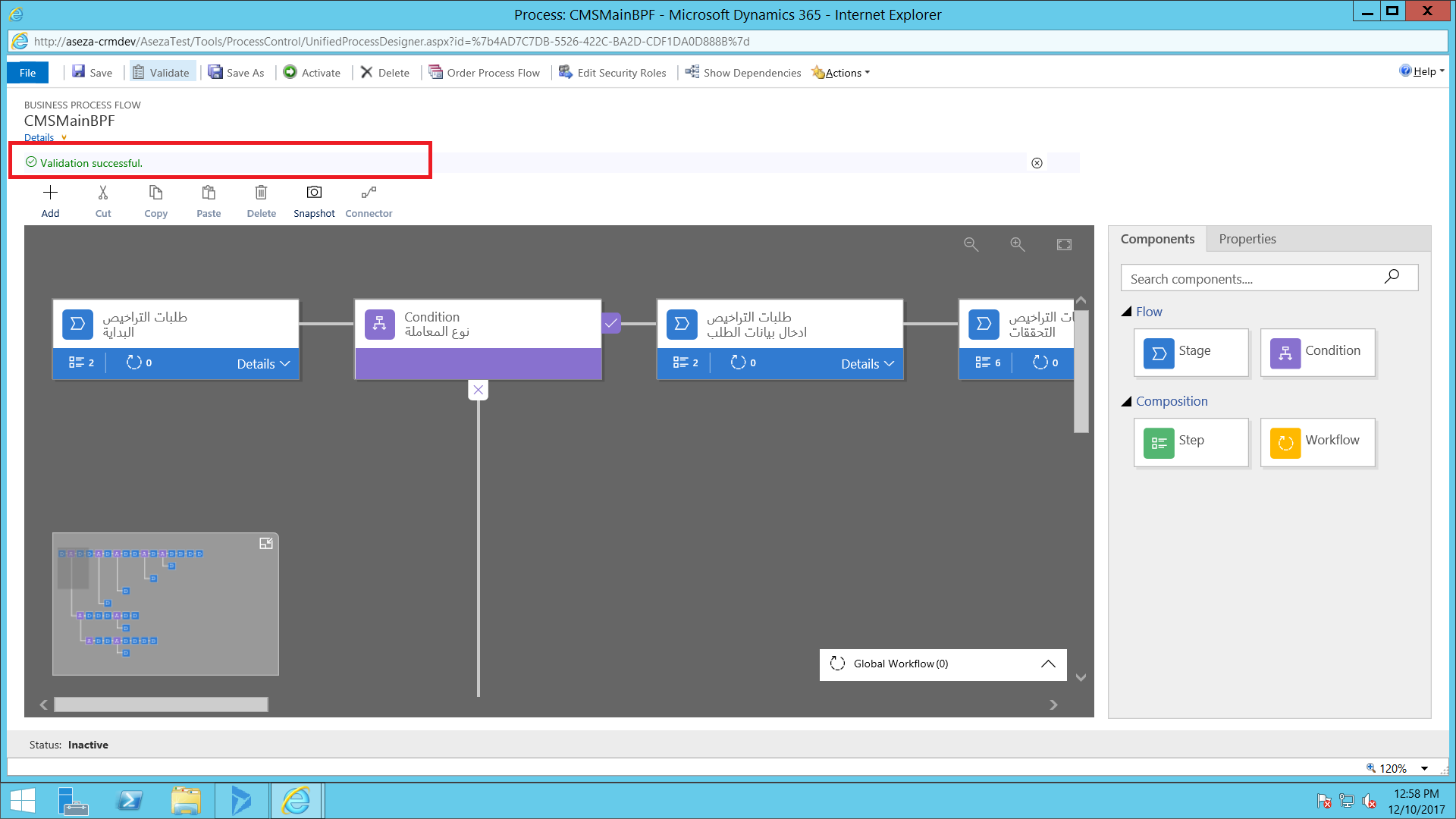
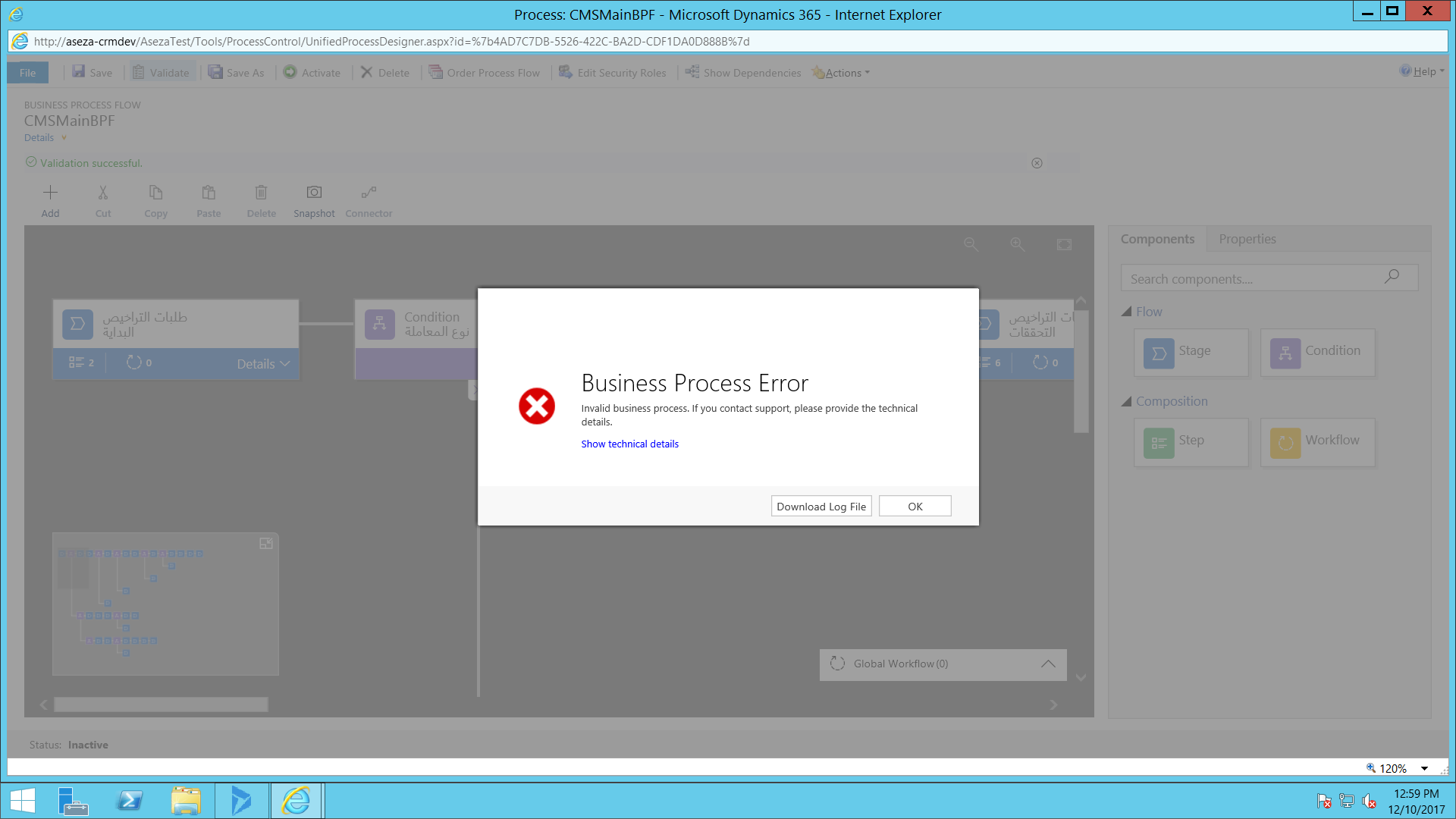
CMS_5F00_BPF2.PNGCMS_5F00_Solution_5F00_BPF3.PNG

Here`s the log file details: 

Unhandled Exception: System.ServiceModel.FaultException`1[[Microsoft.Xrm.Sdk.OrganizationServiceFault, Microsoft.Xrm.Sdk, Version=8.0.0.0, Culture=neutral, PublicKeyToken=31bf3856ad364e35]]: System.Web.HttpUnhandledException: Microsoft Dynamics CRM has experienced an error. Reference number for administrators or support: #8E984FCDDetail:
<OrganizationServiceFault xmlns:i="www.w3.org/.../XMLSchema-instance" xmlns="schemas.microsoft.com/.../Contracts">
<ActivityId>72abf5e8-1c77-4273-aeb1-28c87cbb46d4</ActivityId>
<ErrorCode>-2147220970</ErrorCode>
<ErrorDetails xmlns:d2p1="schemas.datacontract.org/.../System.Collections.Generic" />
<Message>System.Web.HttpUnhandledException: Microsoft Dynamics CRM has experienced an error. Reference number for administrators or support: #8E984FCD</Message>
<Timestamp>2017-12-10T10:59:19.3549863Z</Timestamp>
<ExceptionRetriable>false</ExceptionRetriable>
<ExceptionSource i:nil="true" />
<InnerFault>
<ActivityId>72abf5e8-1c77-4273-aeb1-28c87cbb46d4</ActivityId>
<ErrorCode>-2147089527</ErrorCode>
<ErrorDetails xmlns:d3p1="schemas.datacontract.org/.../System.Collections.Generic" />
<Message>Invalid Business Process.</Message>
<Timestamp>2017-12-10T10:59:19.3549863Z</Timestamp>
<ExceptionRetriable>false</ExceptionRetriable>
<ExceptionSource i:nil="true" />
<InnerFault i:nil="true" />
<OriginalException i:nil="true" />a
<TraceText i:nil="true" />
</InnerFault>
<OriginalException i:nil="true" />
<TraceText i:nil="true" />
</OrganizationServiceFault>

Any help with this would be appreciated. 

*This post is locked for comments

I have the same question (0)
  • Suggested answer
    Community Member Profile Picture
    on at

    Hi Mohannad ,

    you certainly have a related Business Process deactivated (in draft status).

    Remove or activate it to activate the main BPF.

    Please let me know if you solve.

    If you found the answer helpful, please mark as Verified 

    Join my network on LinkedIn      Follow me on Twitter 

    Thank You & Best Regards

    Francesco Picchi

    Microsoft Dynamics CRM Consultant, Bologna+Milano, ITALY

    Independent Contractor

    http://www.francescopicchi.com

  • Suggested answer
    Community Member Profile Picture
    on at

    Hi Mohannad ,

    if you solved the problem thanks to an answer, please mark it as verified to encourage the community to provide more and more a better support. Thank you. Francesco

    If you found the answer helpful, please mark as Verified 

    Join my network on LinkedIn      Follow me on Twitter 

    Thank You & Best Regards

    Francesco Picchi

    Microsoft Dynamics CRM Consultant, Bologna+Milano, ITALY

    Independent Contractor

    http://www.francescopicchi.com

Under review

Thank you for your reply! To ensure a great experience for everyone, your content is awaiting approval by our Community Managers. Please check back later.

Helpful resources

Quick Links

Introducing the 2026 Season 1 community Super Users

Congratulations to our 2026 Super Stars!

Meet the Microsoft Dynamics 365 Contact Center Champions

We are thrilled to have these Champions in our Community!

Congratulations to the April Top 10 Community Leaders

These are the community rock stars!

Leaderboard > 🔒一 Microsoft Dynamics CRM (Archived)

Last 30 days Overall leaderboard

Featured topics

Product updates

Dynamics 365 release plans
