I found this error log in the Event Log while attempting to complete the Data migration Setup.
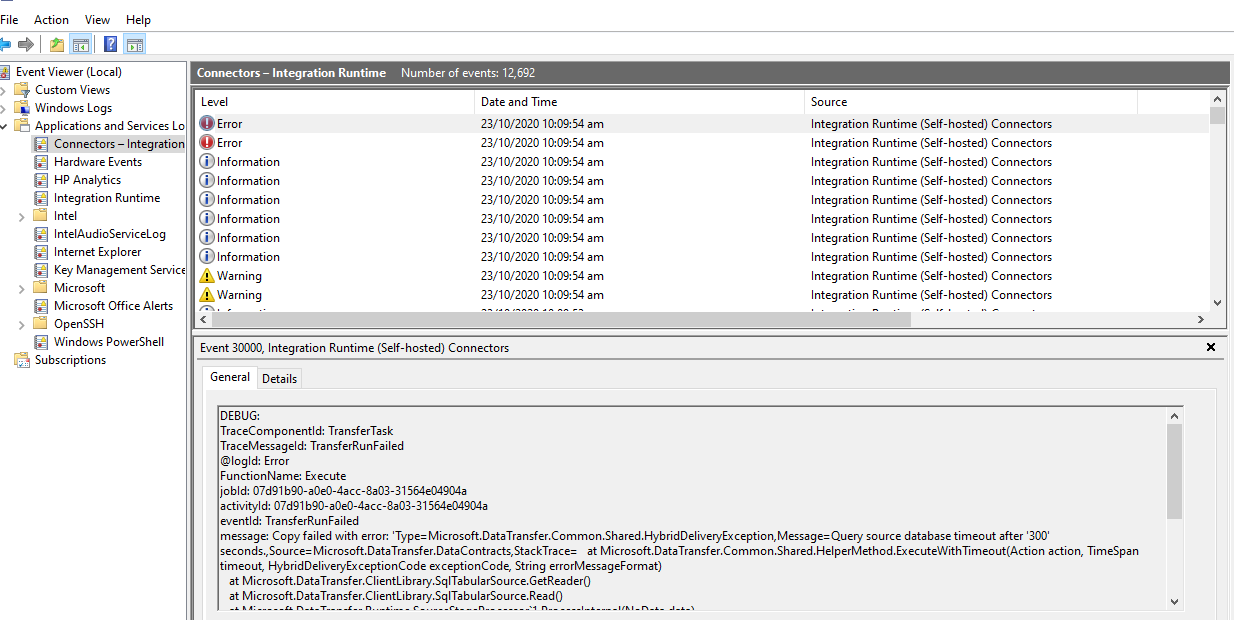
Copy failed with error: 'Type=Microsoft.DataTransfer.Common.Shared.HybridDeliveryException,Message=Query source database timeout after '300' seconds.,Source=Microsoft.DataTransfer.DataContracts,StackTrace= at Microsoft.DataTransfer.Common.Shared.HelperMethod.ExecuteWithTimeout(Action action, TimeSpan timeout, HybridDeliveryExceptionCode exceptionCode, String errorMessageFormat)
at Microsoft.DataTransfer.ClientLibrary.SqlTabularSource.GetReader()
at Microsoft.DataTransfer.ClientLibrary.SqlTabularSource.Read()
at Microsoft.DataTransfer.Runtime.SourceStageProcessor`1.ProcessInternal(NoData data)
at Microsoft.DataTransfer.Runtime.PipelineProcessStageProcessor`2.Process(TInput data)
at Microsoft.DataTransfer.Runtime.Provider.HybridRuntimeDataReader..ctor(HybridRuntimeCommand command, String commandBehavior, IMemoryLimit memoryLimit, Int32 previewCount)
at Microsoft.DataTransfer.Runtime.Provider.HybridRuntimeCommand.ExecuteReaderInternal(String commandBehavior, Int32 rowCount)
at Microsoft.DataTransfer.TransferTask.ExecuteQueryAsyncTask.QueryDataToInternalBlob()
at Microsoft.DataTransfer.TransferTask.CopyTaskBase.Execute(),''Type=System.TimeoutException,Message=,Source=Microsoft.DataTransfer.DataContracts,StackTrace= at Microsoft.DataTransfer.Common.Shared.HelperMethod.ExecuteWithTimeout(Action action, TimeSpan timeout, String timeoutErrorMessage)
at Microsoft.DataTransfer.Common.Shared.HelperMethod.ExecuteWithTimeout(Action action, TimeSpan timeout, HybridDeliveryExceptionCode exceptionCode, String errorMessageFormat),'
Job ID: 07d91b90-a0e0-4acc-8a03-31564e04904a
Log ID: Error
DEBUG:
TraceComponentId: TransferTask
TraceMessageId: TransferRunFailed
@logId: Error
FunctionName: Execute
jobId: 07d91b90-a0e0-4acc-8a03-31564e04904a
activityId: 07d91b90-a0e0-4acc-8a03-31564e04904a
eventId: TransferRunFailed
message: Copy failed with error: 'Type=Microsoft.DataTransfer.Common.Shared.HybridDeliveryException,Message=Query source database timeout after '300' seconds.,Source=Microsoft.DataTransfer.DataContracts,StackTrace= at Microsoft.DataTransfer.Common.Shared.HelperMethod.ExecuteWithTimeout(Action action, TimeSpan timeout, HybridDeliveryExceptionCode exceptionCode, String errorMessageFormat)
at Microsoft.DataTransfer.ClientLibrary.SqlTabularSource.GetReader()
at Microsoft.DataTransfer.ClientLibrary.SqlTabularSource.Read()
at Microsoft.DataTransfer.Runtime.SourceStageProcessor`1.ProcessInternal(NoData data)
at Microsoft.DataTransfer.Runtime.PipelineProcessStageProcessor`2.Process(TInput data)
at Microsoft.DataTransfer.Runtime.Provider.HybridRuntimeDataReader..ctor(HybridRuntimeCommand command, String commandBehavior, IMemoryLimit memoryLimit, Int32 previewCount)
at Microsoft.DataTransfer.Runtime.Provider.HybridRuntimeCommand.ExecuteReaderInternal(String commandBehavior, Int32 rowCount)
at Microsoft.DataTransfer.TransferTask.ExecuteQueryAsyncTask.QueryDataToInternalBlob()
at Microsoft.DataTransfer.TransferTask.CopyTaskBase.Execute(),''Type=System.TimeoutException,Message=,Source=Microsoft.DataTransfer.DataContracts,StackTrace= at Microsoft.DataTransfer.Common.Shared.HelperMethod.ExecuteWithTimeout(Action action, TimeSpan timeout, String timeoutErrorMessage)
at Microsoft.DataTransfer.Common.Shared.HelperMethod.ExecuteWithTimeout(Action action, TimeSpan timeout, HybridDeliveryExceptionCode exceptionCode, String errorMessageFormat),'
I did some googling and all results poin to the Azure Data factory copy issue. Any thoughts?


