web
You’re offline. This is a read only version of the page.
close
Skip to main content

Announcements

No record found.

News and Announcements icon
Community site session details

Community site session details

Session Id :
Supply chain | Supply Chain Management, Commerce
Suggested Answer

Warehouse Management Volumetric For Location And Item

(0) ShareShare
ReportReport
Posted on by 884

Hi All,

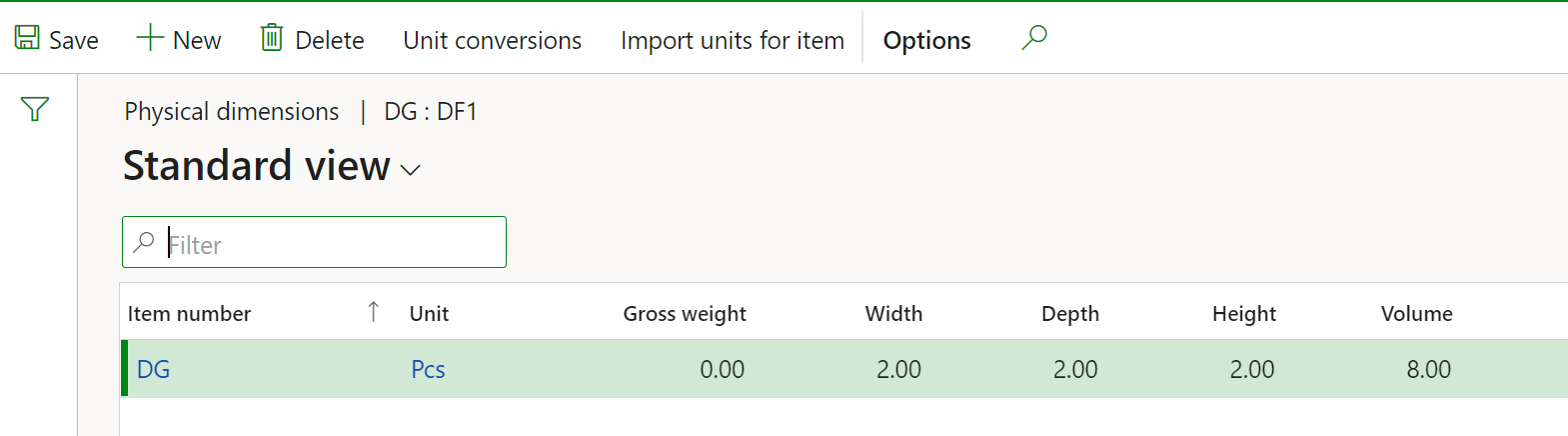
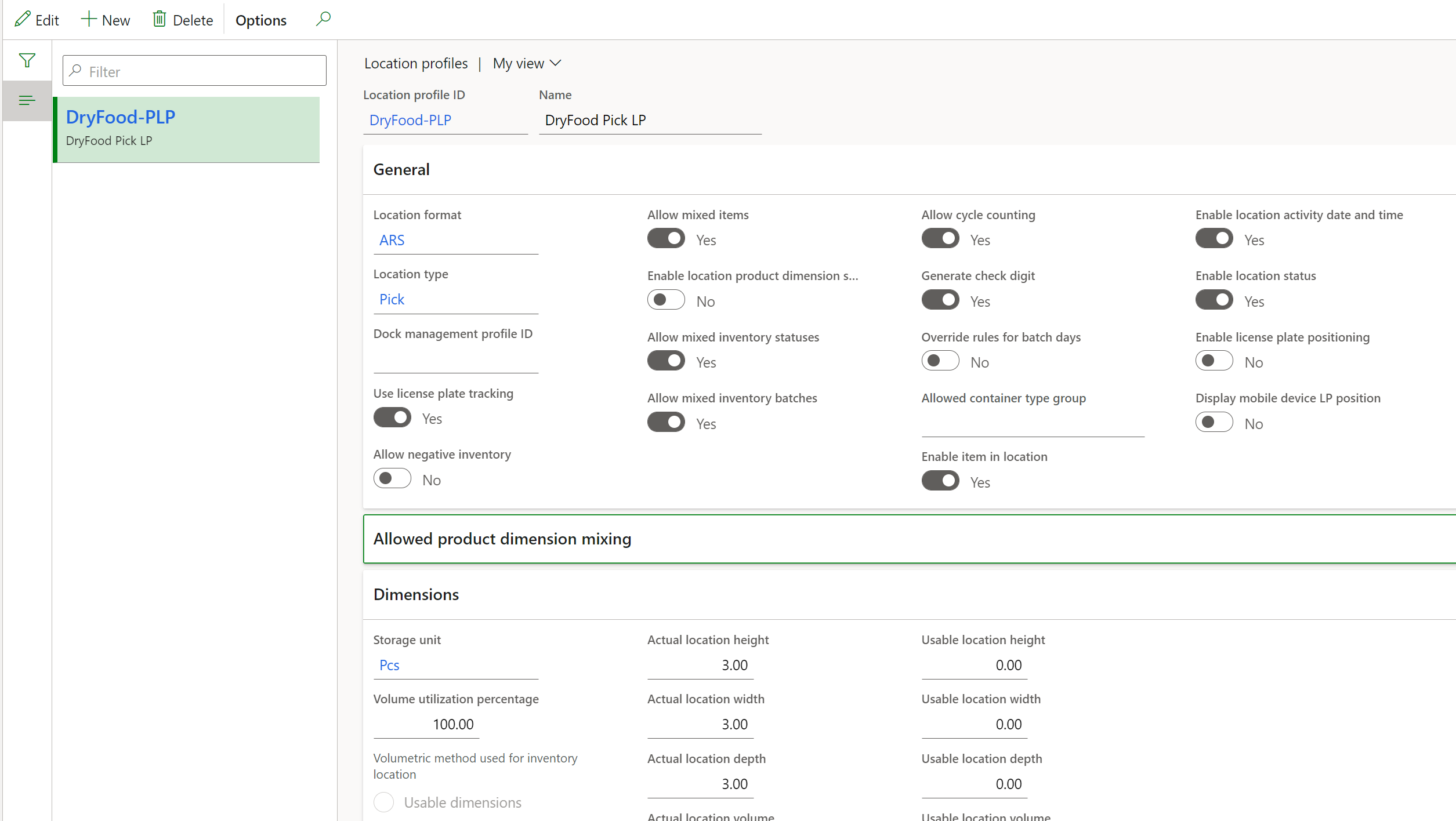
I have configured the volume for my location profile and also for the item(physical dimensions).

It was working fine, but suddenly system has stopped updating the volume for the location at the time of purchase order putaway. 

The system is proposing me the same location which is already full and once I over receive the item for the location, the location volume is not being updated in the system. 

Here is my physical dimension setup for an item. 
pastedimage1616675542631v1.png

and below is the setup for location picking profile 
pastedimage1616675633599v2.png

Despite the item available on my location 01A01R01S but still, the system is not updating the volume for location(I have inventory available on this location but the system is not reading those items) and keep on displaying the available volume 27 which is wrong. 

pastedimage1616675751229v3.png

As per my knowledge, there are only two setups for volumetrics, 

1- Item level physical dimenisons.

2- Location profile setup for volumetrics.

Kindly advise, what could be the possible reason that the system is not updating the available volume for the location. 

Thanks,

Ali

I have the same question (0)
  • Suggested answer
    Danish Ali Profile Picture
    884 on at

    The solution will work if you enter the physical dimensions in the Warehouse fast tab.

    I am surprised, previously the solution was working even without defining the setup in the physical dimension group. 

    pastedimage1616678651868v1.png

  • Christian Rothner Profile Picture
    159 on at

    Thanks Dani - good to know.

    which detail values are necessary in this group?

Under review

Thank you for your reply! To ensure a great experience for everyone, your content is awaiting approval by our Community Managers. Please check back later.

Helpful resources

Quick Links

Introducing the 2026 Season 1 community Super Users

Congratulations to our 2026 Super Stars!

Meet the Microsoft Dynamics 365 Contact Center Champions

We are thrilled to have these Champions in our Community!

Congratulations to the April Top 10 Community Leaders

These are the community rock stars!

Leaderboard > Supply chain | Supply Chain Management, Commerce

#1
André Arnaud de Calavon Profile Picture

André Arnaud de Cal... 164 Super User 2026 Season 1

#2
Laurens vd Tang Profile Picture

Laurens vd Tang 105 Super User 2026 Season 1

#3
Zain Mehmood Profile Picture

Zain Mehmood 89 Most Valuable Professional

Last 30 days Overall leaderboard

Product updates

Dynamics 365 release plans
