web
You’re offline. This is a read only version of the page.
close
Skip to main content

Announcements

No record found.

News and Announcements icon
Community site session details

Community site session details

Session Id :
Microsoft Dynamics CRM (Archived)

Dynamics 2013 onprem- Plugin for Outlook Issue

(0) ShareShare
ReportReport
Posted on by 7

Hello,

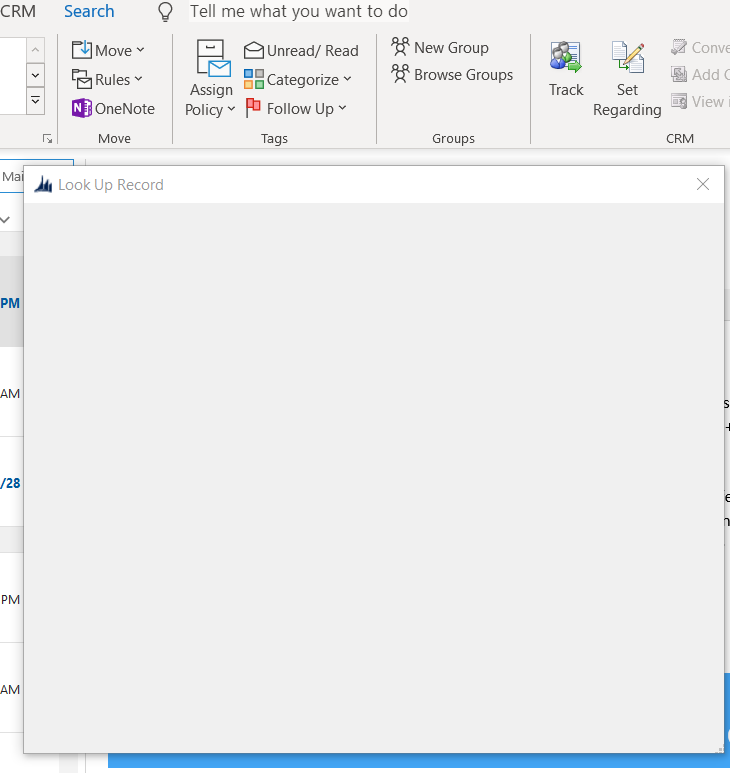
When clicking on "Set Regarding" the CRM window pops up but freezes.

Steps taken to resolve:

-Cleanly uninstalled and reinstalled CRM Plugin

-Removed COM Add-in (As Admin, re-added)

-Full clean reinstall of Office 2016

I cannot for the life of me figure out what is going on, did a Office 365 update break this? Does anyone have a knowledge for helping me isolate what is going on?

I ran the Microsoft Support and Recovery Assistant for Office 365, it did not pull up anything in regards to the plugin.

Any and all help would be appreciated.

Regards,

ChrisCRMIssue.PNG
*This post is locked for comments

I have the same question (0)
  • chris1337c Profile Picture
    7 on at

    This error started today Event ID 17204 - MSCRMTracing

    CrmTrace encountered an error. Additional Info:Error in LoadDeploymentSettings [Cannot open database "MSCRM_CONFIG" requested by the login. The login failed.

    Login failed for user 'NT AUTHORITY\NETWORK SERVICE'.], Stack Trace :    at System.Environment.GetStackTrace(Exception e, Boolean needFileInfo)

      at System.Environment.get_StackTrace()

  • chris1337c Profile Picture
    7 on at

    Outlook just updated to this:Monthly (targeted) 1906

    11727.20230

    June 27, 2019

  • Suggested answer
    Andy Ran Profile Picture
    295 on at

    If you try to set regarding in the web client, would it work or not?

    What is your COM Add-in version? I mean the exact version number, you can find it in the Control Panel -> Programs -> Program and Features.

    One more thing I would suggest is to clean your IE cache, and try it again.

  • Ragnar Hilmarsson Profile Picture
    3,427 on at

    You can enable trace on client and see what is going on.

    support.microsoft.com/.../how-to-enable-tracing-for-the-microsoft-dynamics-crm-for-outlook-clien

  • chris1337c Profile Picture
    7 on at

    Hello,

    After doing some more digging I ended up figuring out that everyone's outlook client that had an issue had updated the night before. I was able to resolve the problem by rolling back Office ProPlus versions. The errors in regards to the SQL DB within Dyn2013 I have our DB Admin looking into. Thank you all for the suggestions!

  • Suggested answer
    chris1337c Profile Picture
    7 on at

    Ty!

  • tonij Profile Picture
    12 on at

    Have you found any other solutions to this one than rolling back the Office update? I have a similar problem too, but cannot roll back updates.

Under review

Thank you for your reply! To ensure a great experience for everyone, your content is awaiting approval by our Community Managers. Please check back later.

Helpful resources

Quick Links

Introducing the 2026 Season 1 community Super Users

Congratulations to our 2026 Super Stars!

Meet the Microsoft Dynamics 365 Contact Center Champions

We are thrilled to have these Champions in our Community!

Congratulations to the March Top 10 Community Leaders

These are the community rock stars!

Leaderboard > 🔒一 Microsoft Dynamics CRM (Archived)

#1
JS-09031509-0 Profile Picture

JS-09031509-0 3

#2
AS-17030037-0 Profile Picture

AS-17030037-0 2

Last 30 days Overall leaderboard

Featured topics

Product updates

Dynamics 365 release plans
