web
You’re offline. This is a read only version of the page.
close
Skip to main content

Announcements

No record found.

News and Announcements icon
Community site session details

Community site session details

Session Id :
Microsoft Dynamics CRM (Archived)

Workflow - Creating records and associating in a 1:N relationship

(0) ShareShare
ReportReport
Posted on by 2

I am working on a workflow that creates a new record in an entity that is associated to an Order.

In my instance, the two related entities are Order and Subscription(custom Entity)

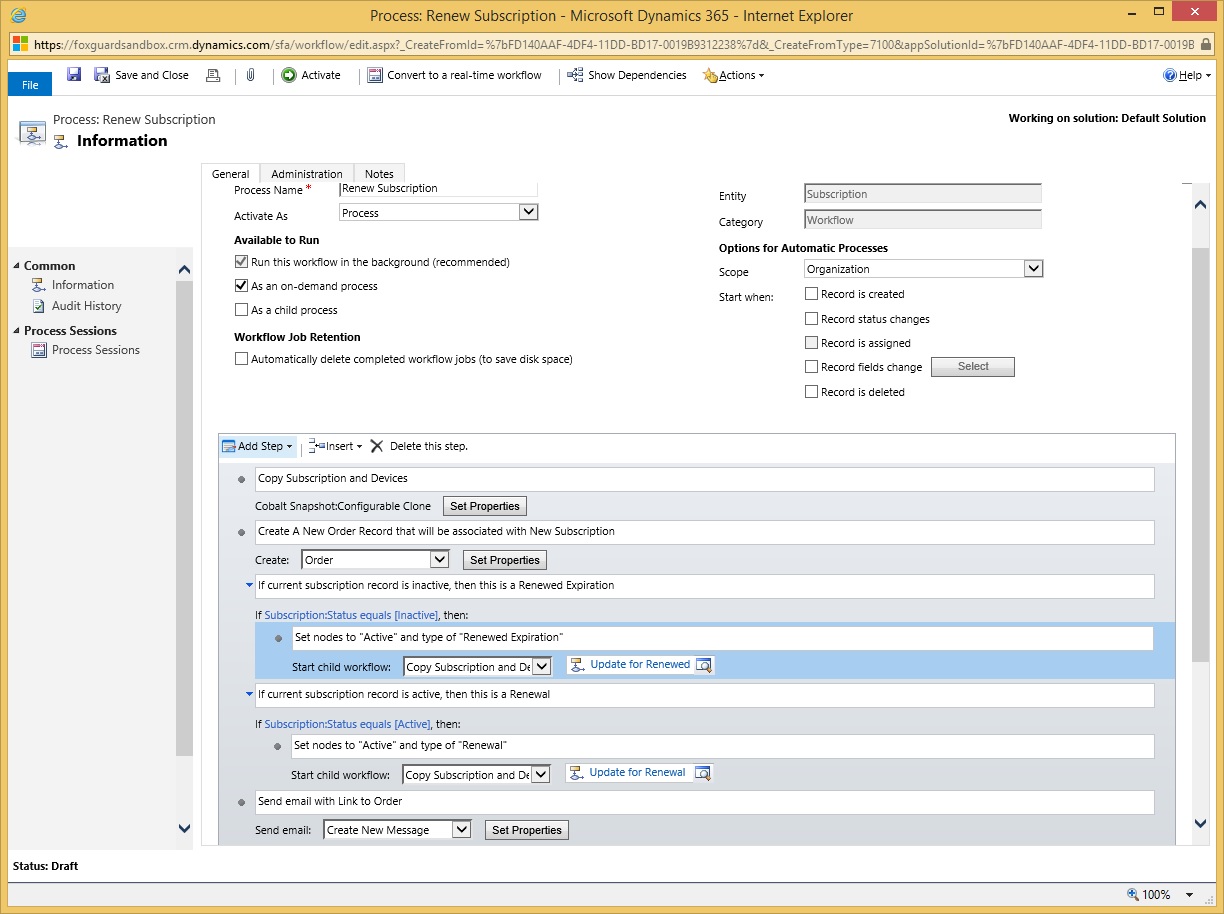
The workflow creates a new record for a subscription and then creates a new order record.

I wish to associate the subscription record to the field on the order form, but I am not able to get this to work.

Any suggestions?  Thank you.
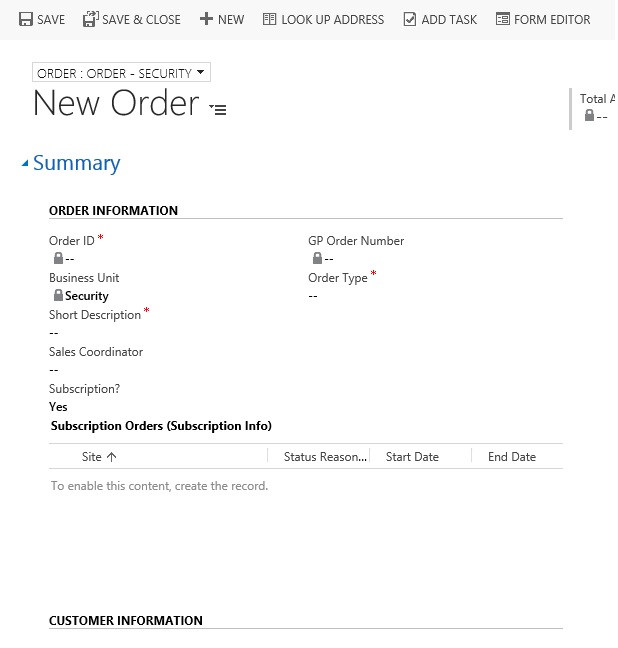
orderform.jpg

8168.workflow1.jpg

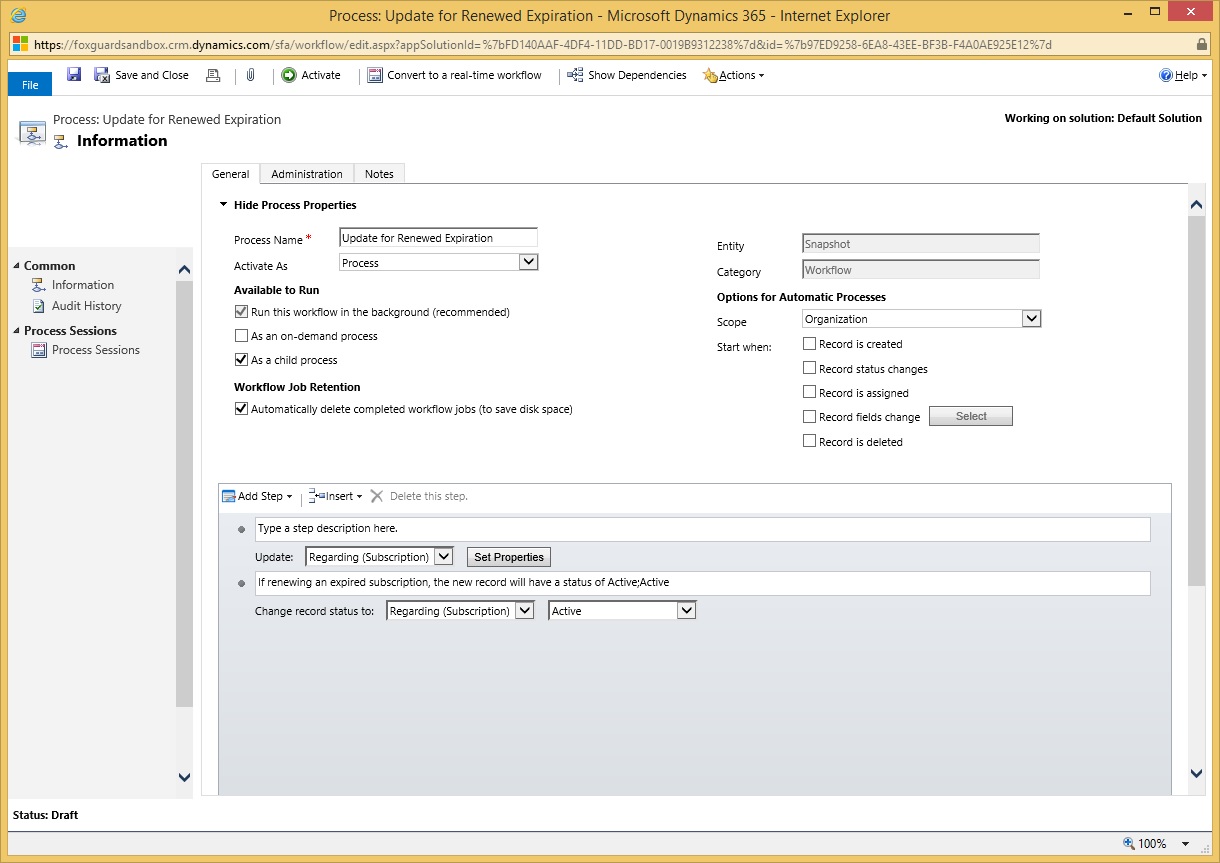
4848.workflow2.jpg

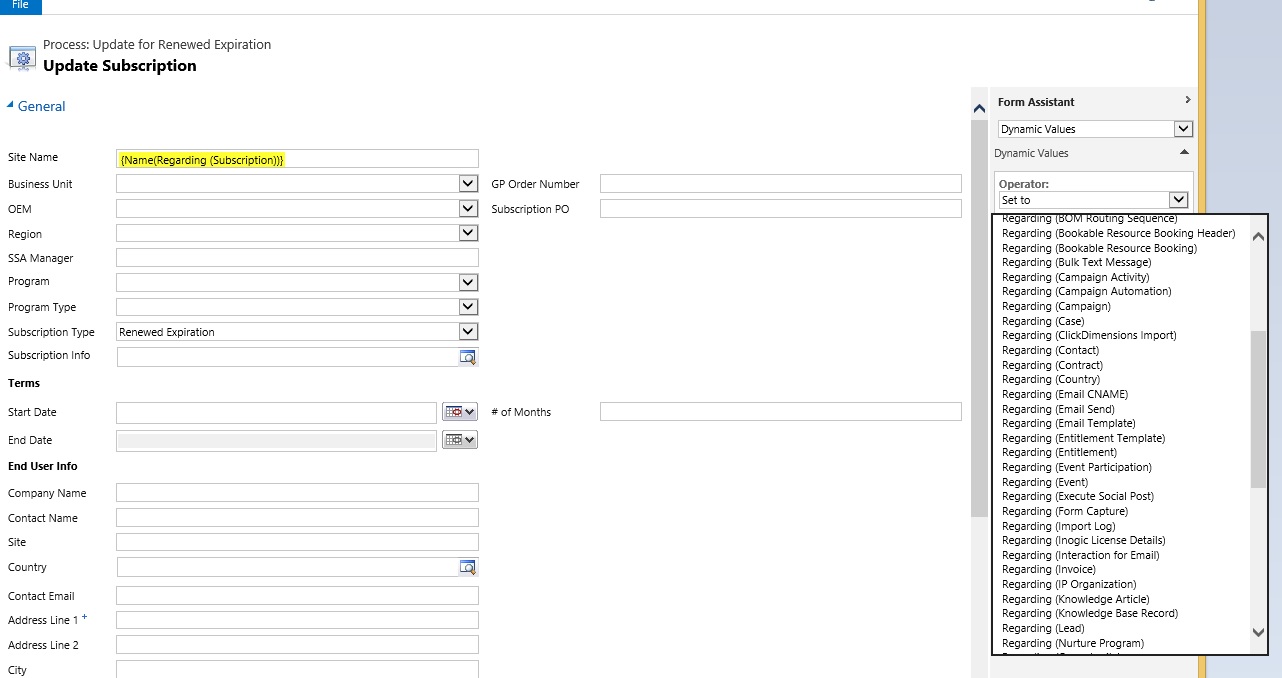
2376.workflow3.jpg

*This post is locked for comments

I have the same question (0)
  • Suggested answer
    ashlega Profile Picture
    34,477 on at

    Hi,

      on the right side, where you have that long list.. try to scroll down all the way to the bottom - you should see your order under "local values"

      Or, if you actually want to update the order itself.. You should use an update step for that newly created order (or, maybe, you can just set that field right in the create order step)

  • wperkinson3 Profile Picture
    2 on at

    Thank you for the reply.

    I tried to do an update order step after creation, but I do not see the value under local values.

  • wperkinson3 Profile Picture
    2 on at

    Alex,

    When I open set properties for the newly created Order record, I see the following:

    relatedrecords.jpg

    I have a sub-grid on the page that shows the related record.  As you can see in the image, it gives the following message:

    The list of related records is not available when you create a process. To create a related record from a process, add a Create Record step.  To update a related record, add an Update Record Step.

    I have tried the following: Create Order step

    Created an update record for the Subscription order.  When I try to update the subscription order relationship to be connected to the new order record, I do not see it in "Local Values"

  • Suggested answer
    Damian Shiell Profile Picture
    5 on at

    Hi,

    I know this is an older post, but like me it might help someone out there.

    I am currently experiencing the same thing and have you created a 1:N relationship instead of creating a field with a lookup to the relevant entity?  THe same thing in reality but the way CRM provides visuals on the (now to be soon deprecated) "classic" workflows, it doesn't show the value.  Do as I did, have a think the way relationships are required and created a field on the relevant entity.  This way you get the !:N and respective N:1 relationship created, with additionally the field available for processes.  Hope that helps.

    Trying to replicate what I do in processes in Flow and failing at multiple places because of lack of choice of actions available - anyone got any useful pointers?

    Damian

Under review

Thank you for your reply! To ensure a great experience for everyone, your content is awaiting approval by our Community Managers. Please check back later.

Helpful resources

Quick Links

Introducing the 2026 Season 1 community Super Users

Congratulations to our 2026 Super Stars!

Meet the Microsoft Dynamics 365 Contact Center Champions

We are thrilled to have these Champions in our Community!

Congratulations to the March Top 10 Community Leaders

These are the community rock stars!

Leaderboard > 🔒一 Microsoft Dynamics CRM (Archived)

#1
JS-09031509-0 Profile Picture

JS-09031509-0 3

#2
AS-17030037-0 Profile Picture

AS-17030037-0 2

#2
Mark Eckert Profile Picture

Mark Eckert 2

Last 30 days Overall leaderboard

Featured topics

Product updates

Dynamics 365 release plans