web
You’re offline. This is a read only version of the page.
close
Skip to main content

Announcements

No record found.

News and Announcements icon
Community site session details

Community site session details

Session Id :
Supply chain | Supply Chain Management, Commerce
Answered

Update Inventory status when validating Quality order - D365FO - Inventory

(0) ShareShare
ReportReport
Posted on by 978

Dear experts,

When validating Quality order, i would like to update inventory status from available into blocking.

My setup:

- Test group:
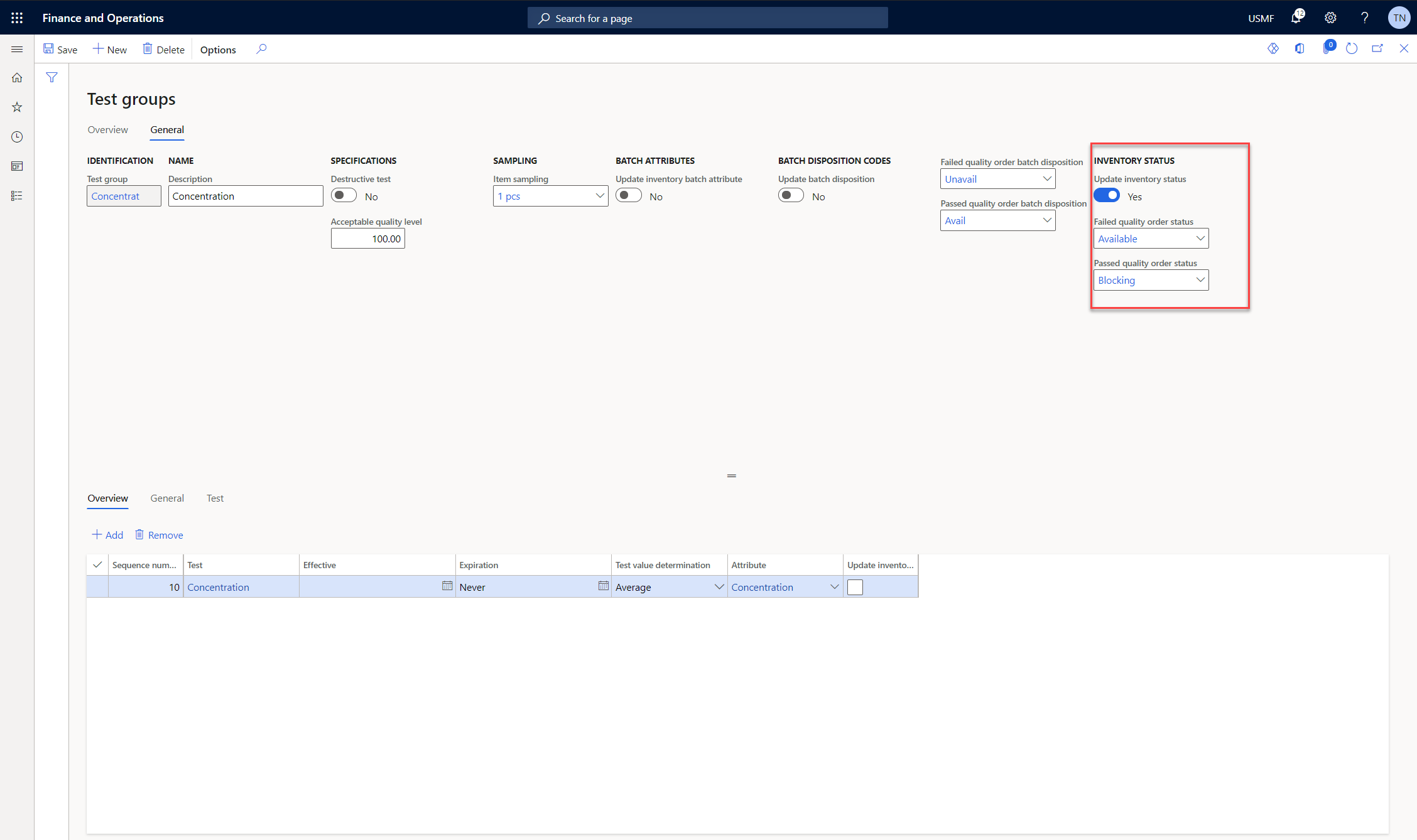
pastedimage1623987660620v1.png

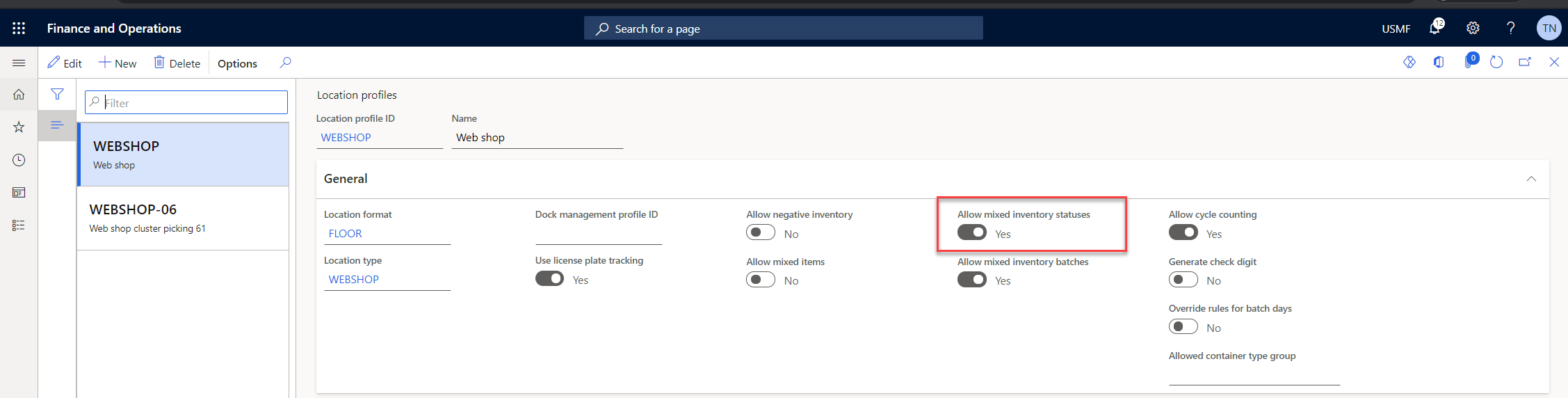
- Location profile:

pastedimage1623987692915v2.png

- When Validate the Quality order:

pastedimage1623987721916v3.png

But after validate the Quality order: status failed > Inventory status still remain Available:

pastedimage1623987758747v4.png

Could someone help me with this?

Thank and best regards,

Thu

I have the same question (0)
  • WillWU Profile Picture
    22,363 on at

    Hi ThuNgo,

    Please check the old thread:

    community.dynamics.com/.../805232

  • ThuNgo Profile Picture
    978 on at

    Hi Will Wu,

    Thank you, i checked the post and:

    - My item is use WHS functionality => it is already stored with Inventory status: Available.

    So i suppose it not related to this thread.

    Best regards,

    Thu,

  • Guy Terry Profile Picture
    28,977 Moderator on at

    Hi Thu,

    In the screenshot of your Test group, your Failed status is set to Available.

    Guy

  • ThuNgo Profile Picture
    978 on at

    Hi Guy,

    You mean status on header of Quality order? I tried to change but system not allow.

    pastedimage1624028136078v1.png

    Thank and best regards,

    Thu

  • Verified answer
    Guy Terry Profile Picture
    28,977 Moderator on at

    No, that's not what I meant! You said that your Failed Quality orders get the status Available. Yet, on the Test group, that is exactly how you have it set.

    pastedimage1624029069093v1.png

    It seems to me that you might have your Inventory statuses the wrong way round there.

  • Suggested answer
    ThuNgo Profile Picture
    978 on at

    Hi Guy,

    Thank you, i worked now.

    Best regard,

    Thu

Under review

Thank you for your reply! To ensure a great experience for everyone, your content is awaiting approval by our Community Managers. Please check back later.

Helpful resources

Quick Links

Introducing the 2026 Season 1 community Super Users

Congratulations to our 2026 Super Stars!

Meet the Microsoft Dynamics 365 Contact Center Champions

We are thrilled to have these Champions in our Community!

Congratulations to the April Top 10 Community Leaders

These are the community rock stars!

Leaderboard > Supply chain | Supply Chain Management, Commerce

#1
André Arnaud de Calavon Profile Picture

André Arnaud de Cal... 155 Super User 2026 Season 1

#2
Laurens vd Tang Profile Picture

Laurens vd Tang 101 Super User 2026 Season 1

#3
Zain Mehmood Profile Picture

Zain Mehmood 89 Most Valuable Professional

Last 30 days Overall leaderboard

Product updates

Dynamics 365 release plans