web
You’re offline. This is a read only version of the page.
close
Skip to main content

Notifications

Announcements

No record found.

Community site session details

Community site session details

Session Id :
Microsoft Dynamics CRM (Archived)

Ribbon WorkBench for MSCRM 2016

(0) ShareShare
ReportReport
Posted on by

Hi,

I am facing an issue with Ribbon Workbench in MSCRM 2016. Even after installing silverlight(Silverlight_x64) Its continuously prompting "Install SilverLight"(Screen Shot Attached).

Do I need to install any update related to crm besides this. Also checked verified SilverLight is Enabled.

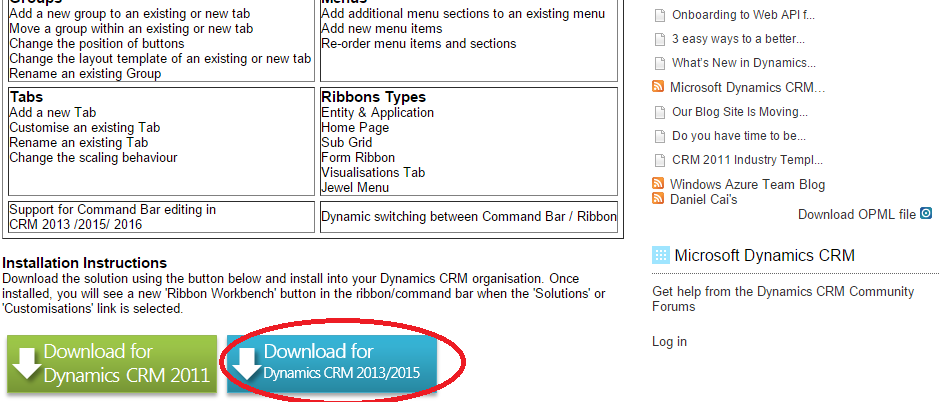
Downloaded Workbench software from below Link:

https://www.develop1.net/public/page/Ribbon-Workbench-for-Dynamics-CRM-2011.aspx

Waiting for the reply. Thanks in advance.

Issue:
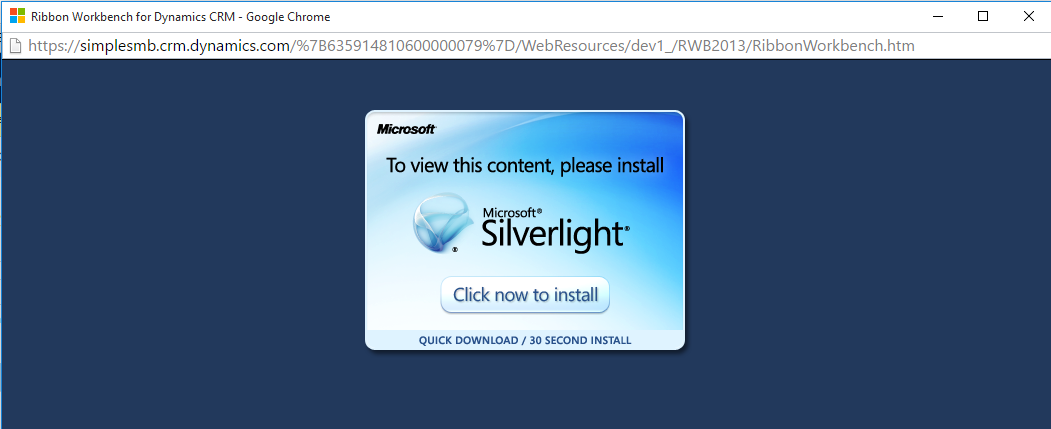
146170.Untitled.png


WorkBench Downloaded:

Workbench.png

*This post is locked for comments

I have the same question (0)
  • Brian Begley Profile Picture
    874 on at

    Try using Internet Explorer instead.

  • Community Member Profile Picture
    on at

    Thanks for you reply...Facing same issue in IE also.

  • Verified answer
    Community Member Profile Picture
    on at

    Hi Harry,

    Not sure if you've managed to find an answer to this one but the reason why it doesn't work is that the version of browser you are using block Netscape Plugin API (NPAPI) from being displayed.  Silverlight is an NPAPI plugin.  You must therefore use a browser that supports Silverlight and that is determined by it's version.  For instance Chrome version 45 or later dos not support Silverlight and there is not workaround.  This issue does not occur in Mozilla FireFox which, I currently use.

    To work around this issue on versions 42 to 44 of Chrome, follow these steps:

       1.On the address bar in Chrome, type chrome://flags/#enable-npapi.

       2.In the Enable NPAPI Mac, Windows box, click Enable.

       3.Exit and then restart Chrome.

       4.Reopen the Silverlight page.

       5.Right-click the broken puzzle piece image, and then select Run this Plugin.

    Regards

  • Suggested answer
    Community Member Profile Picture
    on at

    Try to use latest beta of ribbon workbench. It doesn't use silverlight and even available through XRMToolbox.

Under review

Thank you for your reply! To ensure a great experience for everyone, your content is awaiting approval by our Community Managers. Please check back later.

Helpful resources

Quick Links

Responsible AI policies

As AI tools become more common, we’re introducing a Responsible AI Use…

Neeraj Kumar – Community Spotlight

We are honored to recognize Neeraj Kumar as our Community Spotlight honoree for…

Leaderboard > 🔒一 Microsoft Dynamics CRM (Archived)

#1
SA-08121319-0 Profile Picture

SA-08121319-0 4

#1
Calum MacFarlane Profile Picture

Calum MacFarlane 4

#3
Alex Fun Wei Jie Profile Picture

Alex Fun Wei Jie 2

Last 30 days Overall leaderboard

Featured topics

Product updates

Dynamics 365 release plans