web
You’re offline. This is a read only version of the page.
close
Skip to main content

Announcements

No record found.

News and Announcements icon
Community site session details

Community site session details

Session Id :
Microsoft Dynamics CRM (Archived)

'Unsaved Changes' showing on every CRM forms on right bottom corner

(0) ShareShare
ReportReport
Posted on by

Hi ,

I am experiencing extremely irritating issue on CRM forms. On every entity I have added Javascript library on Load to set some CRM standard fields when the page loads, also used some javascript on saving the records. Say for instance, I open the Account page to add the Account information than after entering the required fields and press the save button than "Unsaved Changes" appears at the left bottom of screen, and the main parts is that the records is saved. I have also set the Auto save to false in Administration area due to some workflows and JS. And when i opened that record again from the list than it shows the similar thing, please see the below image.
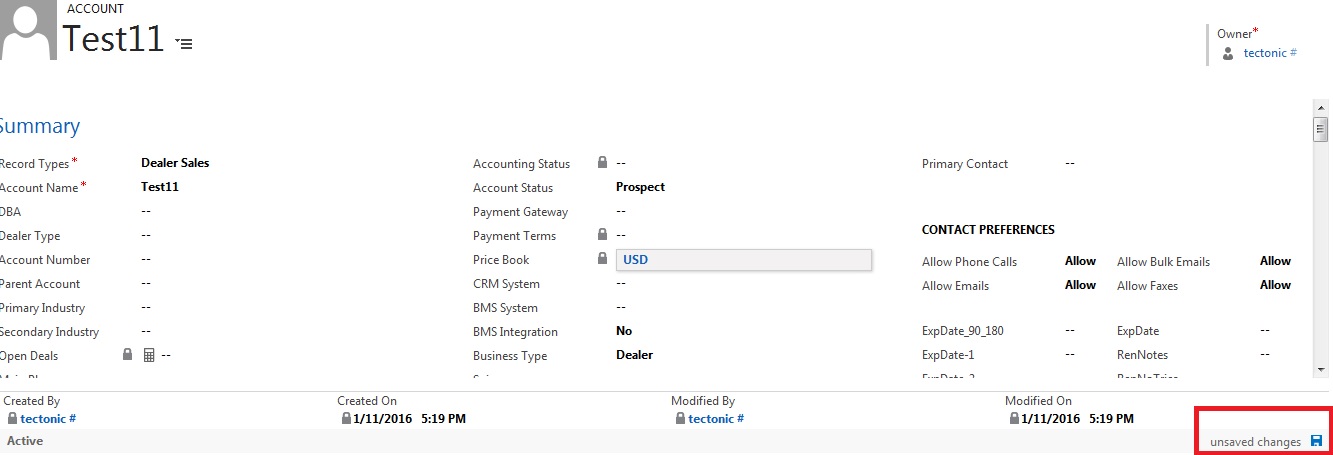
2287.11.jpg

Can anyone help me out on this as how can this unsaved changes be removed from the bottom part.

*This post is locked for comments

I have the same question (0)
  • Suggested answer
    Daniel Wikell Profile Picture
    2,360 on at

    If you always want to set those values onload, then it's like Guido says and CRM will consider that a change.

    If you only want to set those default values when first creating the Account, then you want to add a check in your javascript to prevent it from running on other form states.

    You then would want something like:

    if (Xrm.Page.ui.getFormType() == "1") {

      //Your code here. The 1 stands for form type 'create'

    }

  • Community Member Profile Picture
    on at

    Hi Ansari,

    Hope you are doing good.Iam facing same issue and we are using CRM Online 2016.Please advise how to resolve this issue.

    Thanks,

Under review

Thank you for your reply! To ensure a great experience for everyone, your content is awaiting approval by our Community Managers. Please check back later.

Helpful resources

Quick Links

Introducing the 2026 Season 1 community Super Users

Congratulations to our 2026 Super Stars!

Meet the Microsoft Dynamics 365 Contact Center Champions

We are thrilled to have these Champions in our Community!

Congratulations to the March Top 10 Community Leaders

These are the community rock stars!

Leaderboard > 🔒一 Microsoft Dynamics CRM (Archived)

#1
JS-09031509-0 Profile Picture

JS-09031509-0 3

#2
AS-17030037-0 Profile Picture

AS-17030037-0 2

#2
Mark Eckert Profile Picture

Mark Eckert 2

Last 30 days Overall leaderboard

Featured topics

Product updates

Dynamics 365 release plans
