web
You’re offline. This is a read only version of the page.
close
Skip to main content

Notifications

Announcements

No record found.

Community site session details

Community site session details

Session Id :
Small and medium business | Business Central, N...
Suggested Answer

There are no more permission sets. Deleted?

(0) ShareShare
ReportReport
Posted on by 99

Hi to all,

wanted to assign authorization sets to a user who only had rights to read customers' accounting entries, but when I went to the users page to assign authorizations I found everything deleted.
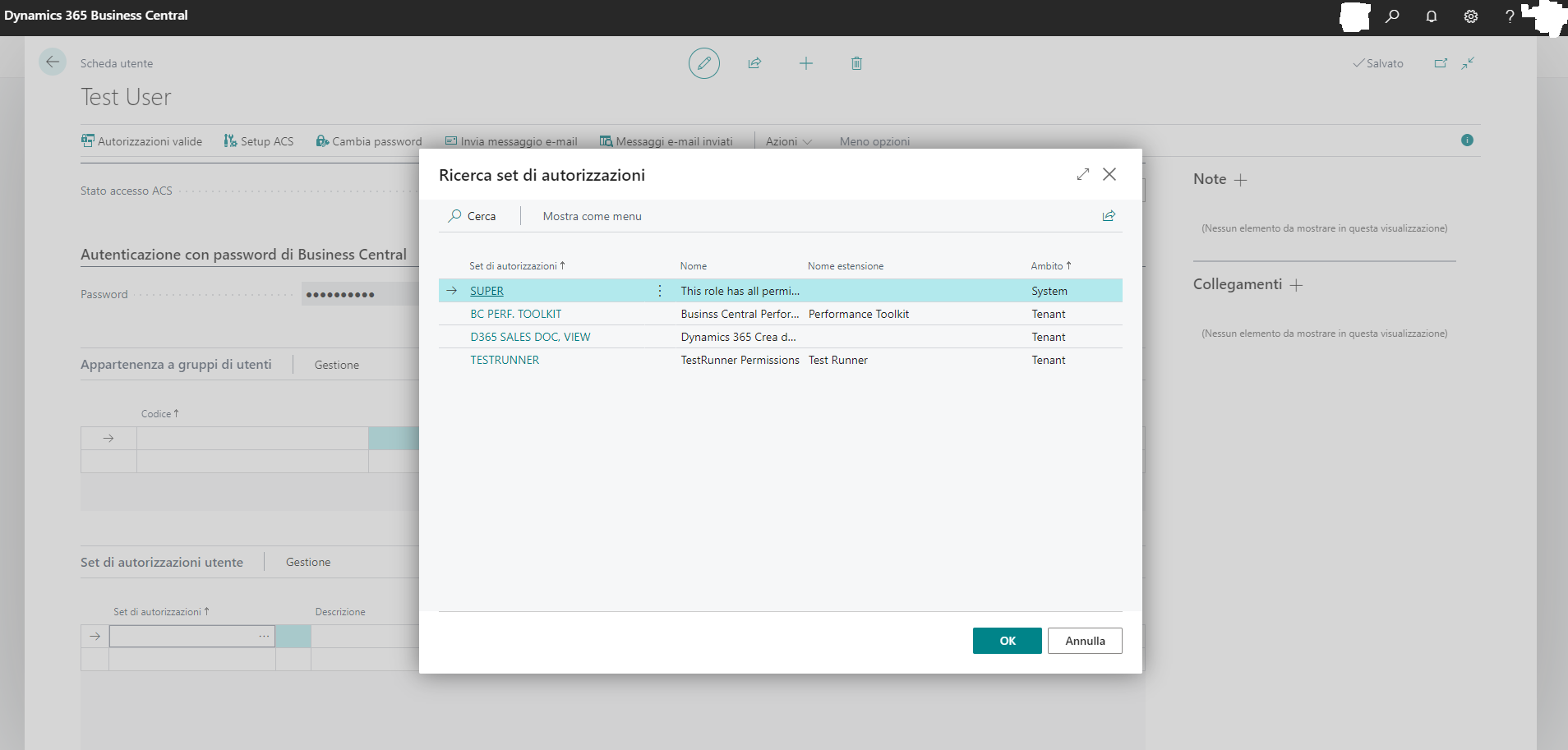
BC_5F00_set_5F00_rossi.png

If I assign a user group, I see permission sets marked red and warned that they are no longer present.
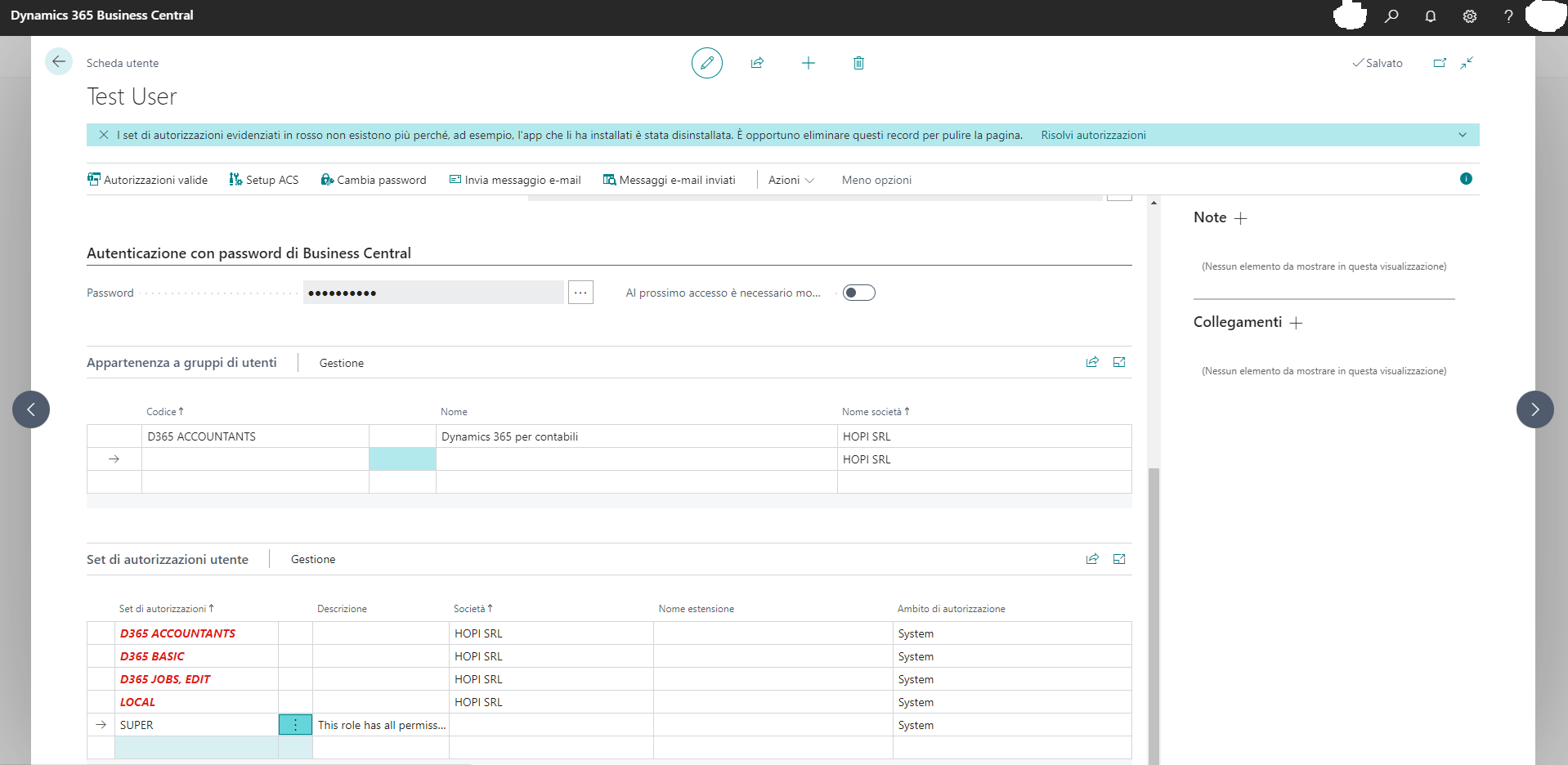
I haven't deleted anything, at least not voluntarily. Does anyone know how to restore?

Thanks in advance.

The version is BC 2022 wave 2 CU 5

Best Regards

RC

I have the same question (0)
  • Suggested answer
    Jun Wang Profile Picture
    8,202 Super User 2025 Season 2 on at

    it is possible someone deleted those permission sets, which is not right to do. you could use config package to export those from a good company and back in this one

  • Ramon C. Profile Picture
    99 on at

    If I change company, I still don't see any authorization set.

    I tried to connect to another database but every time I export permission sets the xml file is always empty.

    Any suggestions?

    Tnx

  • Suggested answer
    Maria Ortiz Profile Picture
    32 on at

    Hello, in this case it is possible that it is due to a modification of the user or the licenses in the administration of accounts in office 365 it would be important to review this point before.

    However, I am sharing a link with this information since currently I have also had problems with permissions for users in the same version of the product and we had to replicate the configuration again. We have not yet determined what exactly caused this.

    learn.microsoft.com/.../ui-define-granular-permissions

  • Suggested answer
    SilverAdo2021 Profile Picture
    594 on at

    Better than fixing gone permissions or refreshing a permission set, get rid of the permission set altogether.

    Talk to your AL developers or show them the new way via Inherent Permissions:

    Unlock the Hidden Powers of Business Central: Learn How to Tap Into Inherent Permissions!

    [View:https://youtu.be/AAafYqdqxfM:560:315]

Under review

Thank you for your reply! To ensure a great experience for everyone, your content is awaiting approval by our Community Managers. Please check back later.

Helpful resources

Quick Links

Responsible AI policies

As AI tools become more common, we’re introducing a Responsible AI Use…

Neeraj Kumar – Community Spotlight

We are honored to recognize Neeraj Kumar as our Community Spotlight honoree for…

Leaderboard > Small and medium business | Business Central, NAV, RMS

#1
OussamaSabbouh Profile Picture

OussamaSabbouh 2,238

#2
YUN ZHU Profile Picture

YUN ZHU 773 Super User 2025 Season 2

#3
Sumit Singh Profile Picture

Sumit Singh 630

Last 30 days Overall leaderboard

Featured topics

Product updates

Dynamics 365 release plans
