web
You’re offline. This is a read only version of the page.
close
Skip to main content

Announcements

No record found.

News and Announcements icon
Community site session details

Community site session details

Session Id :
Microsoft Dynamics 365 | Integration, Dataverse...
Answered

Kanban control on Queue entity

(0) ShareShare
ReportReport
Posted on by

Hi,

I have been looking up online to see whether the Kanban control can be added to the Queue entity. However, most of the documentation says it is for Opportunity, Case and Activity only. Has anyone enabled or added the Kanban control to the Queue entity?

.Kanban-control.jpg
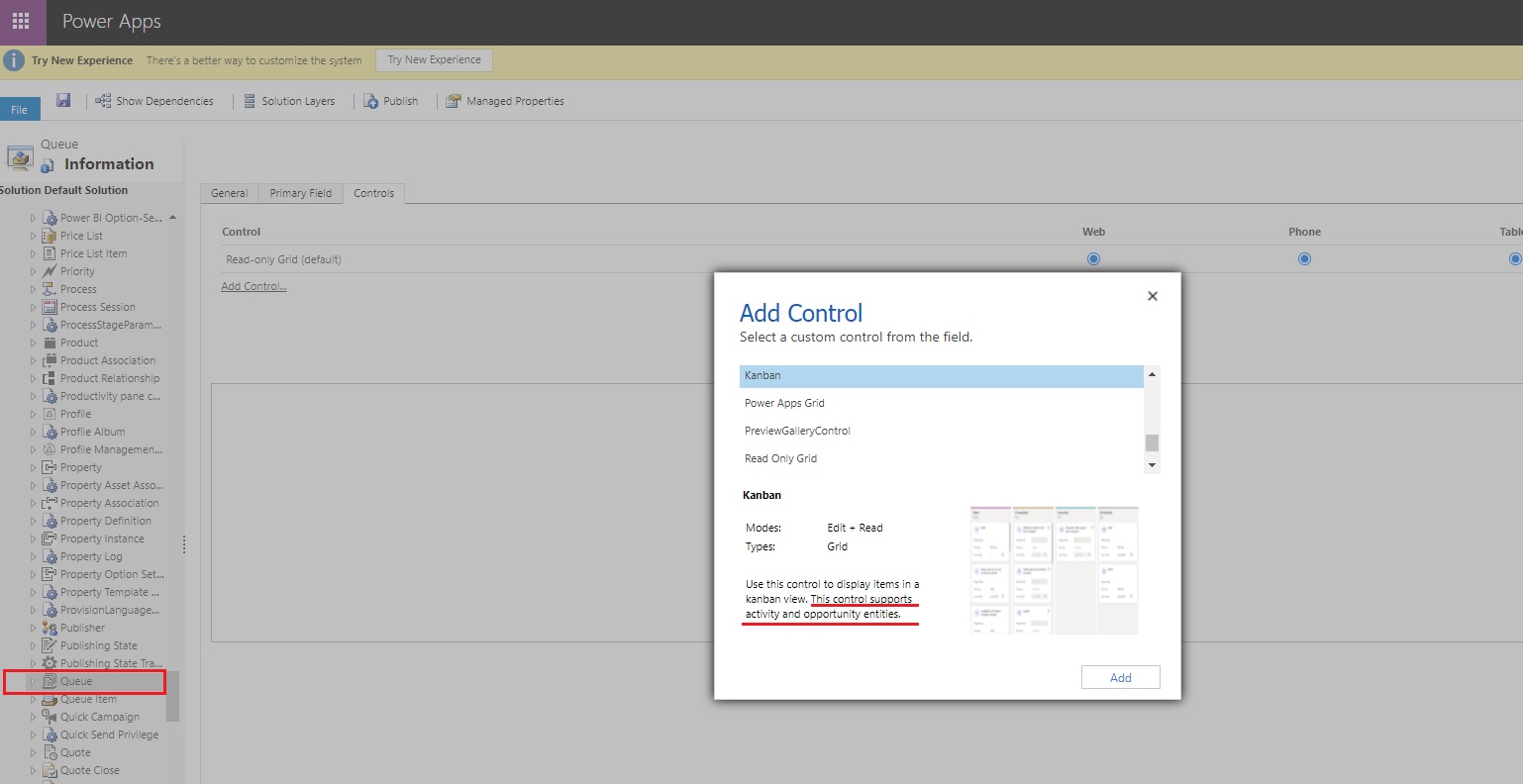
Thank you.

I have the same question (0)
  • Verified answer
    Community Member Profile Picture
    on at

    Hi btang,

    Yes, The Kanban control works only on the Opportunity and Activity entities.

    Add Kanban control to entities - Sales Enterprise | Microsoft Docs

    Though you have enabled the Kanban control for the queue entity, it can'r show anything, just like following screenshot:

    pastedimage1634617478655v1.png

    pastedimage1634617534598v2.png

  • Suggested answer
    Community Member Profile Picture
    on at

    Thanks Lean! Much appreciated your help :)

  • Community Member Profile Picture
    on at

    Hi btang,

    Can you click Yes under "Did this answer your question?" to close this thread if my answer is helpful.

     pastedimage1634620528891v1.png

    Thanks.

  • Community Member Profile Picture
    on at

    YES of course. More than happy to do so. DONE :)

  • Inogic Profile Picture
    748 on at

    Hi,

    Have a look at our popular data visualization app – Kanban Board – for Dynamics 365 CRM. Kanban Board is available as a control that you can configure for any View in Dynamics 365 CE and Dataverse environment. It is a productivity app to visualize your Dynamics 365 and Dataverse (Power Apps) data in a Kanban View. This helps to search and filter records quickly as per business requirements and to move the records from one stage to another in the Kanban view through easy drag n drop.

    For more info, click here.

    Thanks!

Under review

Thank you for your reply! To ensure a great experience for everyone, your content is awaiting approval by our Community Managers. Please check back later.

Helpful resources

Quick Links

Introducing the 2026 Season 1 community Super Users

Congratulations to our 2026 Super Stars!

Meet the Microsoft Dynamics 365 Contact Center Champions

We are thrilled to have these Champions in our Community!

Congratulations to the March Top 10 Community Leaders

These are the community rock stars!

Leaderboard > Microsoft Dynamics 365 | Integration, Dataverse, and general topics

#1
11manish Profile Picture

11manish 174

#2
ManoVerse Profile Picture

ManoVerse 58 Super User 2026 Season 1

#3
Niki Patel Profile Picture

Niki Patel 42

Last 30 days Overall leaderboard

Product updates

Dynamics 365 release plans
