web
You’re offline. This is a read only version of the page.
close
Skip to main content

Announcements

No record found.

News and Announcements icon
Community site session details

Community site session details

Session Id :
Microsoft Dynamics CRM (Archived)

Change Default Page "Open a New Case" Text for Partner Portal

(0) ShareShare
ReportReport
Posted on by 9

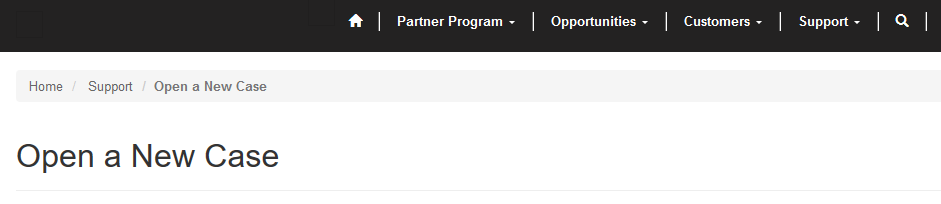
I am using a Partner Portal for its Case functionality and need to change the below header to read "Open a New Application" but I cannot determine where to (safely) make this update?  I have renamed the Case Entity to Application the "natural" place I would have expected this update, no luck. Can anyone tell me where to find this? I am using CRMPortals. 

Thanks!
2474.SNAG_2D00_0153.png

*This post is locked for comments

I have the same question (0)
  • Verified answer
    Craig P. Fleming Profile Picture
    950 on at

    Weldarb, that particular text is the title of the web page you are currently looking at, if you review the web pages in your crm you should find one named "Open a New Case". You can also change this on the front side if you happen to be logged in as an admin user on the portal.

    2017_2D00_01_2D00_16_5F00_15_2D00_22_2D00_37.jpg

  • Verified answer
    Weldarb Profile Picture
    9 on at

    Awww thanks!

Under review

Thank you for your reply! To ensure a great experience for everyone, your content is awaiting approval by our Community Managers. Please check back later.

Helpful resources

Quick Links

Introducing the 2026 Season 1 community Super Users

Congratulations to our 2026 Super Stars!

Meet the Microsoft Dynamics 365 Contact Center Champions

We are thrilled to have these Champions in our Community!

Congratulations to the March Top 10 Community Leaders

These are the community rock stars!

Leaderboard > 🔒一 Microsoft Dynamics CRM (Archived)

#1
AS-17030037-0 Profile Picture

AS-17030037-0 2

Last 30 days Overall leaderboard

Featured topics

Product updates

Dynamics 365 release plans
