Hi Miroslav Hynek,
If you want to configure a route with multiple stops for different customer then its possible in the system.
Consider my example
I created two sales order for different customer in two different cities.

Now release both sales order and complete the picking work for both of them. Pack the shipments of both sales orders.
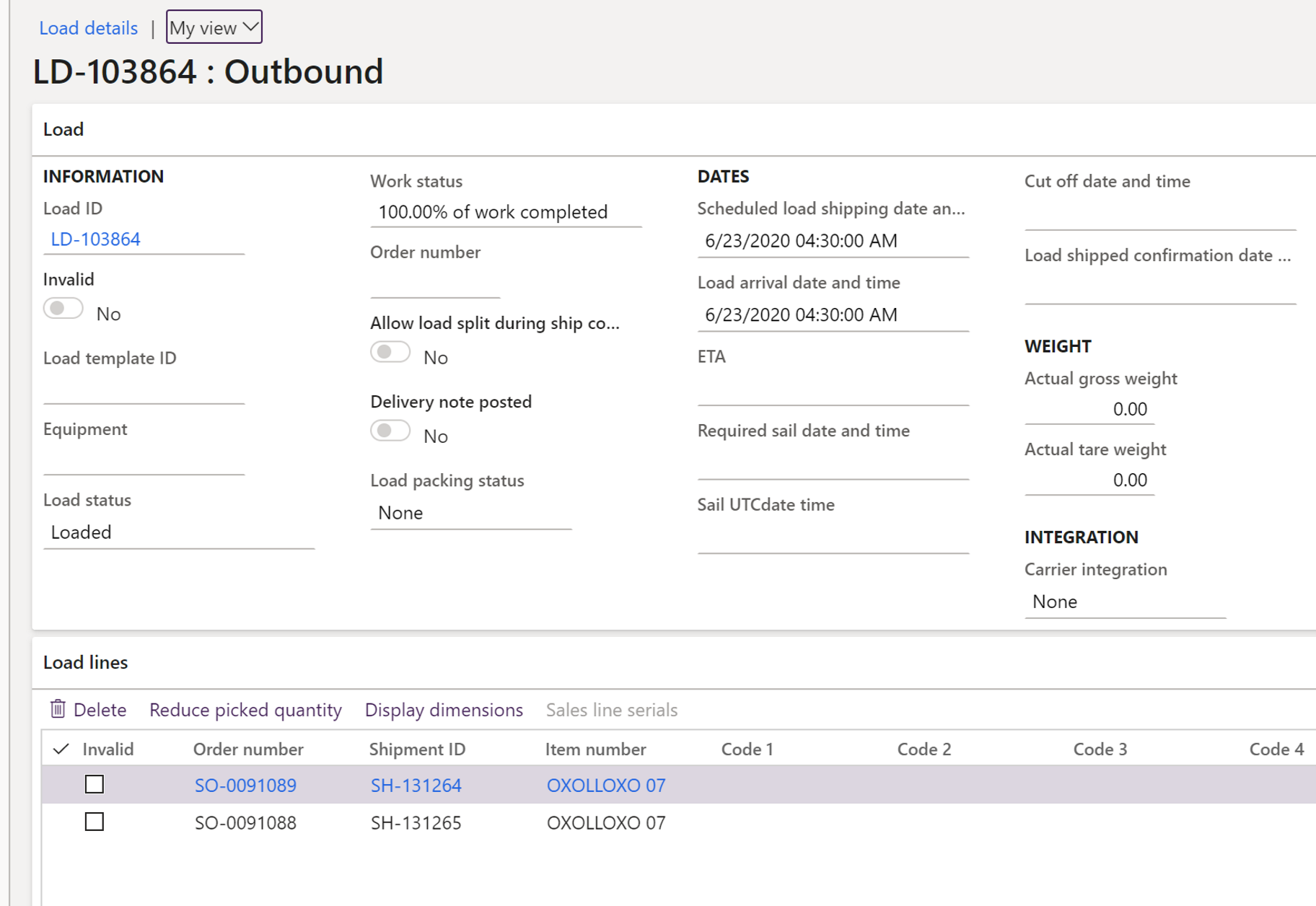
Add both shipments to same load as they have to be shipped together one one route.You can see both shipments are added to same load id LD-103864

Now you can see both shipments are part of same load.
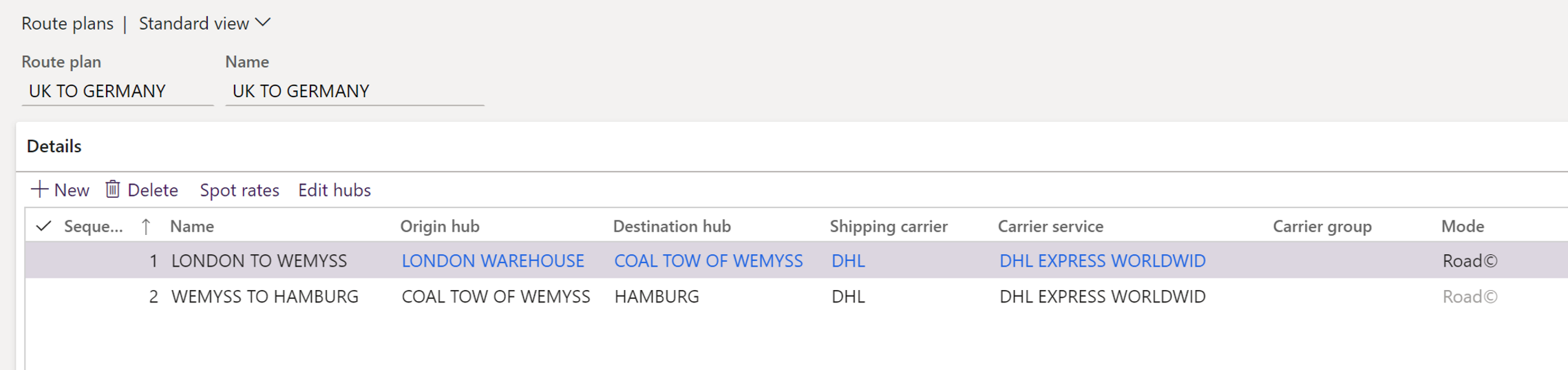
Create a route plan. You can see in my route plan we will start from my warehouse in London to Wemyss town (Customer 1 delivery address) and then from Wemyss to Hamburg (Customer 2 delivery address)
Assign the route from rate route workbench
Confirm outbound shipment.
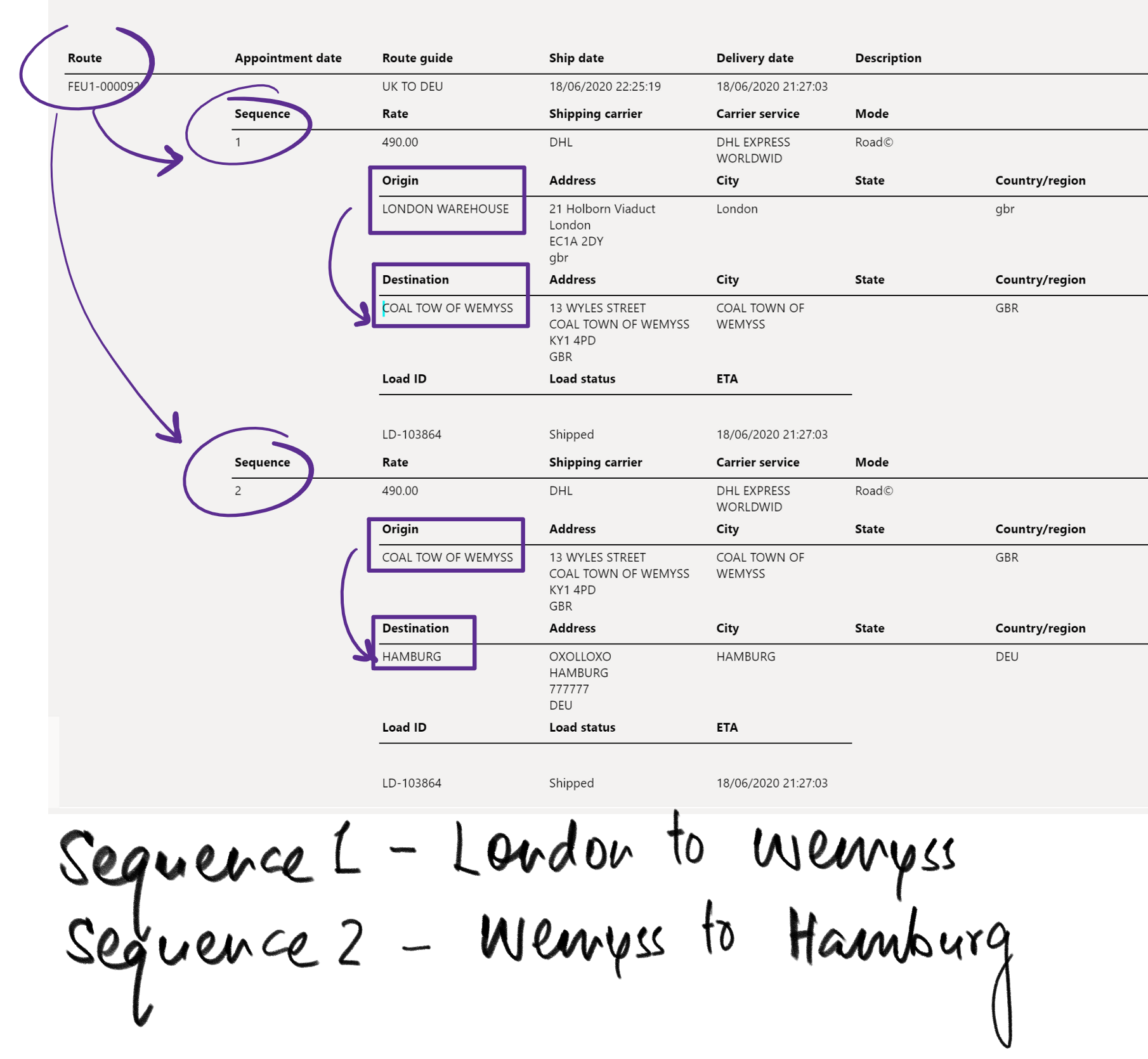
You can see the route is created to take goods from London to Wemyss (Customer 1 delivery) and then from Wemyss to Hamburg in Germany. (Customer 2 delivery)

The details of the route can be seen on the route plan document generated by me. SO here in one route we are delivering to two customers in sequence.