web
You’re offline. This is a read only version of the page.
close
Skip to main content

Notifications

Announcements

No record found.

Community site session details

Community site session details

Session Id :
Supply chain | Supply Chain Management, Commerce
Suggested Answer

Item code not showing on PR line

(0) ShareShare
ReportReport
Posted on by 37

Hi there,

I am setting up procurement for certain products and have gone through the set up guide and have run into a problem when adding line items to a purchase requisition.

I have set up my procurement category, procurement catalogue, procurement hierarchies and associations, purchasing policies as well as all my approved vendors.

When I go into purchase requisition lines the following is seen. I can see my procurement categories but no items (I have added my products to my catalogue)
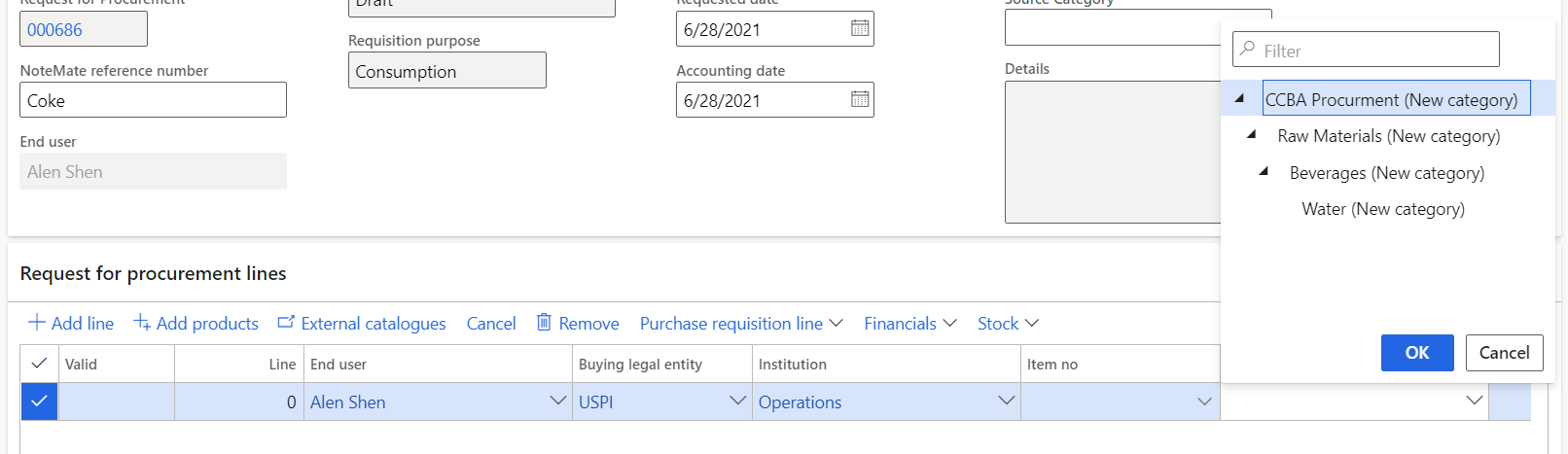
8765.PR.PNG

If i try add an item from the catalogue manually I get this error.
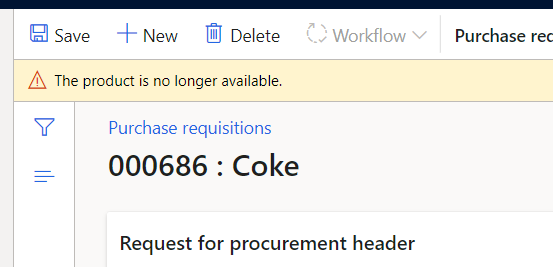
PR-ERROR.PNG

I am not sure what I overlooked but any help would be greatly appreciated.

Thanks in advance.

I have the same question (0)
  • Suggested answer
    SouravDam Profile Picture
    11,730 on at

    Hi RyanNeill,

    My question to you - Are the product number and item number different in your company?

    If this is the case, then please check which product number you have set in the procurement category because you can add product number in the category, not item number.

    Most importantly, please have a look in the Category access policy rule in the 'Purchasing policy' setup if you have given access to select the correct category to that department (institution) where the PR preparer belongs to. Make sure in that category, you have also linked the Product number.

    So, once the product number is linked with the category and PR preparer selects that category in PR line, then automatically item number will be show up because that item is released from that product which you selected in that category.

    Please check and provide your feedback.

    Regards,
    Sourav

  • Suggested answer
    SouravDam Profile Picture
    11,730 on at

    Hi RyanNeill,

    Any progress on this thread please?

    Regards,
    Sourav

Under review

Thank you for your reply! To ensure a great experience for everyone, your content is awaiting approval by our Community Managers. Please check back later.

Helpful resources

Quick Links

Responsible AI policies

As AI tools become more common, we’re introducing a Responsible AI Use…

Neeraj Kumar – Community Spotlight

We are honored to recognize Neeraj Kumar as our Community Spotlight honoree for…

Leaderboard > Supply chain | Supply Chain Management, Commerce

#1
Siv Sagar Profile Picture

Siv Sagar 283 Super User 2025 Season 2

#2
Laurens vd Tang Profile Picture

Laurens vd Tang 213 Super User 2025 Season 2

#3
André Arnaud de Calavon Profile Picture

André Arnaud de Cal... 152 Super User 2025 Season 2

Last 30 days Overall leaderboard

Featured topics

Product updates

Dynamics 365 release plans
