web
You’re offline. This is a read only version of the page.
close
Skip to main content

Notifications

Announcements

No record found.

Community site session details

Community site session details

Session Id :
Small and medium business | Business Central, N...
Answered

Disable Dialog Box after post and send sales order

(0) ShareShare
ReportReport
Posted on by

Hi BC Community

I need your help.

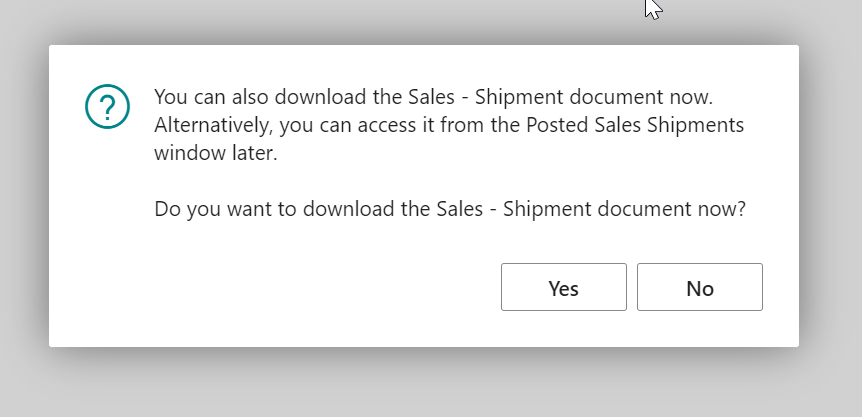
We would need to disable the dialog box which appears every time we ship and invoice a sales order from post and send.

Is there an integration event (or something else) I could use in order to "skip" this dialog box and still send or print all related documents (Sales - Shipment, Sales Invocie etc.) ?

Thank you very much for your help
pastedimage1638804663485v1.png

I have the same question (0)
  • JAngle Profile Picture
    133 on at

    Is this on the occasion there is no email address?

  • Sleina Profile Picture
    on at

    Hi

    No, this is (as far as I know) the current procedure for the Sales Shipment Document after using Post and send then Setup "Printing" (nothing else, we only need them printed). I'm looking for a possibility to ignore this dialog and directly print the Shipment Document from Post and send -> Printing -> ship and invoice.

    Thank U

  • Suggested answer
    Inge M. Bruvik Profile Picture
    1,105 Moderator on at

    You have to look at the "procedure SendPostedDocumentRecord(SalesHeader: Record "Sales Header"; var DocumentSendingProfile: Record "Document Sending Profile")" in Codeunit 80. That has an integration event.

    Possible you end up with having to do something in the "[IntegrationEvent(false, false)]

       local procedure OnIsAvailable(var Result: Boolean)

       begin

       end;"  that you find in the "Office Host Management" codeunit.

    I hope this point you in the right directions.

  • Verified answer
    YUN ZHU Profile Picture
    95,548 Super User 2025 Season 2 on at

    Hi, I think you can try to use the following event.

    OnPostDocumentBeforeNavigateAfterPosting(Rec, PostingCodeunitID, Navigate, DocumentIsPosted, IsHandled);

    pastedimage1638840274251v1.png

    Hope this will help.

    Thanks.

    ZHU

Under review

Thank you for your reply! To ensure a great experience for everyone, your content is awaiting approval by our Community Managers. Please check back later.

Helpful resources

Quick Links

Responsible AI policies

As AI tools become more common, we’re introducing a Responsible AI Use…

Neeraj Kumar – Community Spotlight

We are honored to recognize Neeraj Kumar as our Community Spotlight honoree for…

Leaderboard > Small and medium business | Business Central, NAV, RMS

#1
OussamaSabbouh Profile Picture

OussamaSabbouh 3,151

#2
Jainam M. Kothari Profile Picture

Jainam M. Kothari 1,443 Super User 2025 Season 2

#3
YUN ZHU Profile Picture

YUN ZHU 1,092 Super User 2025 Season 2

Last 30 days Overall leaderboard

Featured topics

Product updates

Dynamics 365 release plans
