web
You’re offline. This is a read only version of the page.
close
Skip to main content

Notifications

Announcements

Community site session details

Community site session details

Session Id :
Microsoft Dynamics 365 | Integration, Dataverse...
Answered

Run Flow Step stuck in Login to Flow screen?

(1) ShareShare
ReportReport
Posted on by 10

I am trying to run a Flow in a Flow Step in my Business Process Flow. The Flow is simple, just send an e-mail to a specified person.

However, I am getting stuck on this screen after clicking the "Run Flow" button:
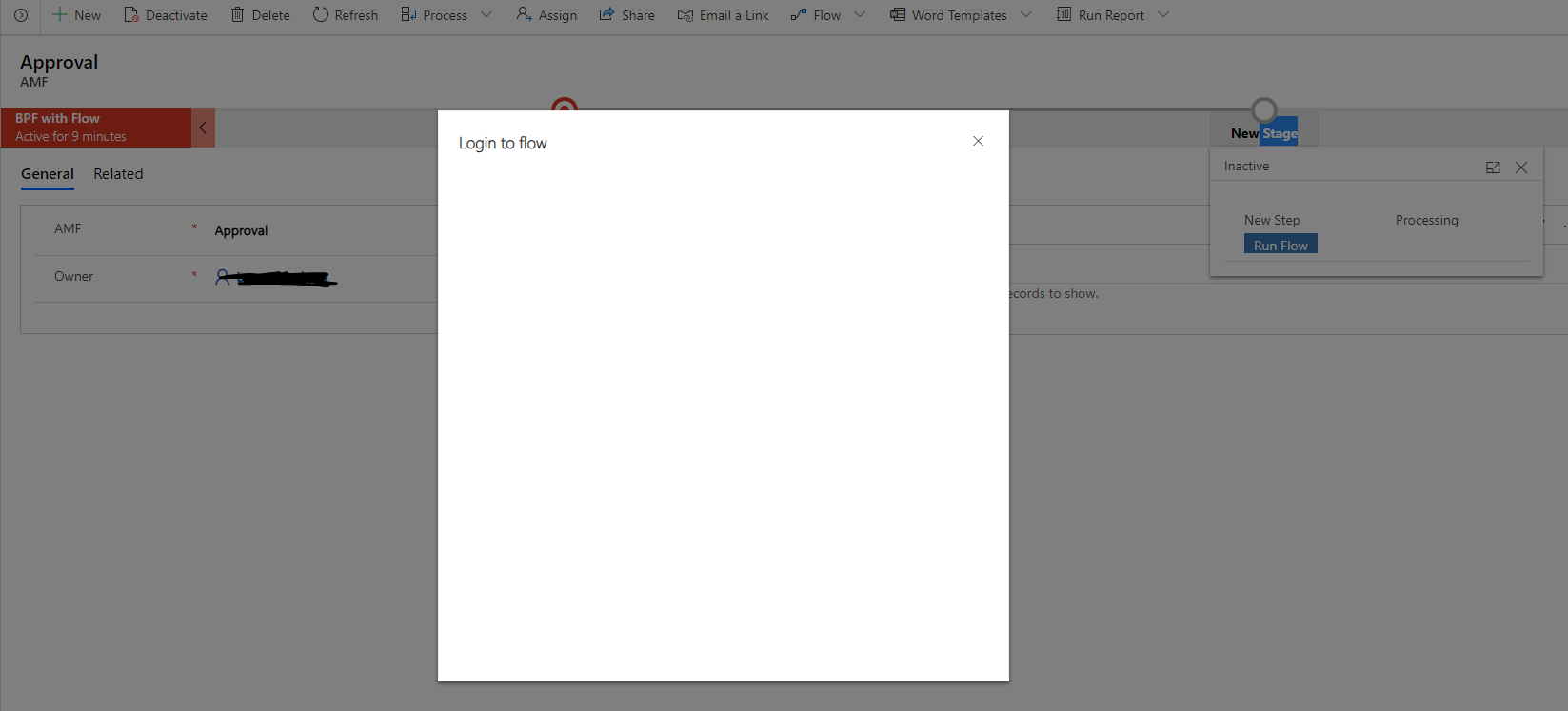
flowstucklogin.PNG

I have tried changing browsers, clearing cache, re-login. Still the same problem.

Is this normal that I should still be asked to authenticate again to Flow even if I'm already signed in?

I have the same question (0)
  • Verified answer
    LuHao Profile Picture
    40,892 on at

    Hi lancea,

    I tested and cannot reproduce the problem.

    After clicking the "Run Flow" button, the "Login to flow" dialog appears. At the beginning, it is blank, as in your screenshot. After about 10 seconds, it displays "This flow will connect to:" and the "Continue" button.

    pastedimage1587454083053v1.png

    Could provide the edit screenshot of flow?

    In addition, if you click the Flow button in the command bar and create a test flow. Could you run this flow successfully?

    pastedimage1587455306596v1.png

  • lancea Profile Picture
    10 on at

    Hello!

    I tried running the Flow from the command bar and it successfully ran. Weird thing is that when I tried to run it via the "Run Flow" button in the stage, it finally worked!

    I'm not sure if it had something to do with the Flow being need to be run at least one time before I try to run it from the Stage. But anyways, it worked, thanks!

  • packnology Profile Picture
    25 on at

    Hi,

    I have the same problem, with 2 variants. The first is getting stuck on the "Login to Flow" screen as described by @lancea and the other is getting stuck on a blank "Login Successful" screen.

    Screenshot-PackWise-Flow-from-Business-Process-Flow-_2D00_-stuck-on-login-successful-screen.png

    In either case I'm unable to run the flow when these screens come up. I was able to successfully run the flow once, but subsequent attempts generate these error/stuck states. Any ideas on how to get this working reliably?

    Regards,

    Greg

  • packnology Profile Picture
    25 on at

    Some additional info from my previous post:

    - The app is a custom model-driven app developed in PowerApps as part of a Solution

    - The flow was added to the Solution, and then added as a stage step in the business process flow for the entity.

    - If I go to the top menu and click on Flows, is says "Loading" and then either gets stuck or give me an option to View Flows which then opens up a new window and displays a list of flows that does not include the one I added to the Solution.

    - The first time I try to run the flow, I get the blank "Login to Flow" screen and the step is set to the state "Processing" even though the flow has not actually been run.

    - If I try to run the flow again from the business process, I get the blank "Login Successful" screen.

  • Suggested answer
    msfreaks Profile Picture
    5 on at

    Just in case you still need a solution, I posted a solution that worked for me in the powerusers forums:

    powerusers.microsoft.com/.../true

Under review

Thank you for your reply! To ensure a great experience for everyone, your content is awaiting approval by our Community Managers. Please check back later.

Helpful resources

News and Announcements

Season of Giving Solutions is Here!

Quick Links

Responsible AI policies

As AI tools become more common, we’re introducing a Responsible AI Use…

Neeraj Kumar – Community Spotlight

We are honored to recognize Neeraj Kumar as our Community Spotlight honoree for…

Leaderboard > Microsoft Dynamics 365 | Integration, Dataverse, and general topics

#1
iampranjal Profile Picture

iampranjal 67

#2
André Arnaud de Calavon Profile Picture

André Arnaud de Cal... 37 Super User 2025 Season 2

#3
Pallavi Phade Profile Picture

Pallavi Phade 24

Last 30 days Overall leaderboard

Product updates

Dynamics 365 release plans
