web
You’re offline. This is a read only version of the page.
close
Skip to main content

Announcements

No record found.

News and Announcements icon
Community site session details

Community site session details

Session Id :
Small and medium business | Business Central, N...
Suggested Answer

Auto populate data in NAVISION

(0) ShareShare
ReportReport
Posted on by 70

pastedimage1664813300553v1.png

when I select value for cross reference No. from the drop down , I want the data of Item No. , description , quantity to be populated automatically . I want answer in code format . please help me .

I have the same question (0)
  • Suggested answer
    YUN ZHU Profile Picture
    101,250 Super User 2026 Season 1 on at

    Hi, In addition to quantity, this seems to be a standard feature.

    Note: In this field, you need to enter the Type=Item before you can drop down.

    For example,

    pastedimage1664840578012v1.png

    PS: You can set the Cross-Reference No. to be the same as the Item No.

    pastedimage1664840600087v2.png

    pastedimage1664840615152v3.png

    Hope this helps.

    Thanks.

    ZHU

  • Suggested answer
    Nitin Verma Profile Picture
    21,812 Moderator on at

    Hi,

    You have not mentioned where you want this data to be populated.

    Thanks.

  • Yathish JR Profile Picture
    70 on at

    Without selecting the type , I want the data to be populated

    @ZHU

  • Yathish JR Profile Picture
    70 on at

    Hi nitin ,

    can you see my screenshot ? before "CrossReferenceNo." field  there are fields called "Description" and "item no." I want that both to be populated on the same page itself .

    Thanks .

  • Suggested answer
    Amit Profile Picture
    2,563 on at

    Hi,

    first of all, Cross-reference lookup is open according to  Item No..

    So first select Item No. and then Select Cross Reference no. and on that validate populate the required fields.

    Regards

    Amit Sharma

    www.erpconsultors.com

    Press If Info is useful.

  • Suggested answer
    YUN ZHU Profile Picture
    101,250 Super User 2026 Season 1 on at

    Hi, sorry I don't have a development license for NAV now, the following is an idea of BC. I'm not sure if they are exactly the same, but hopefully it will give you a reference.

    You need to do two things.

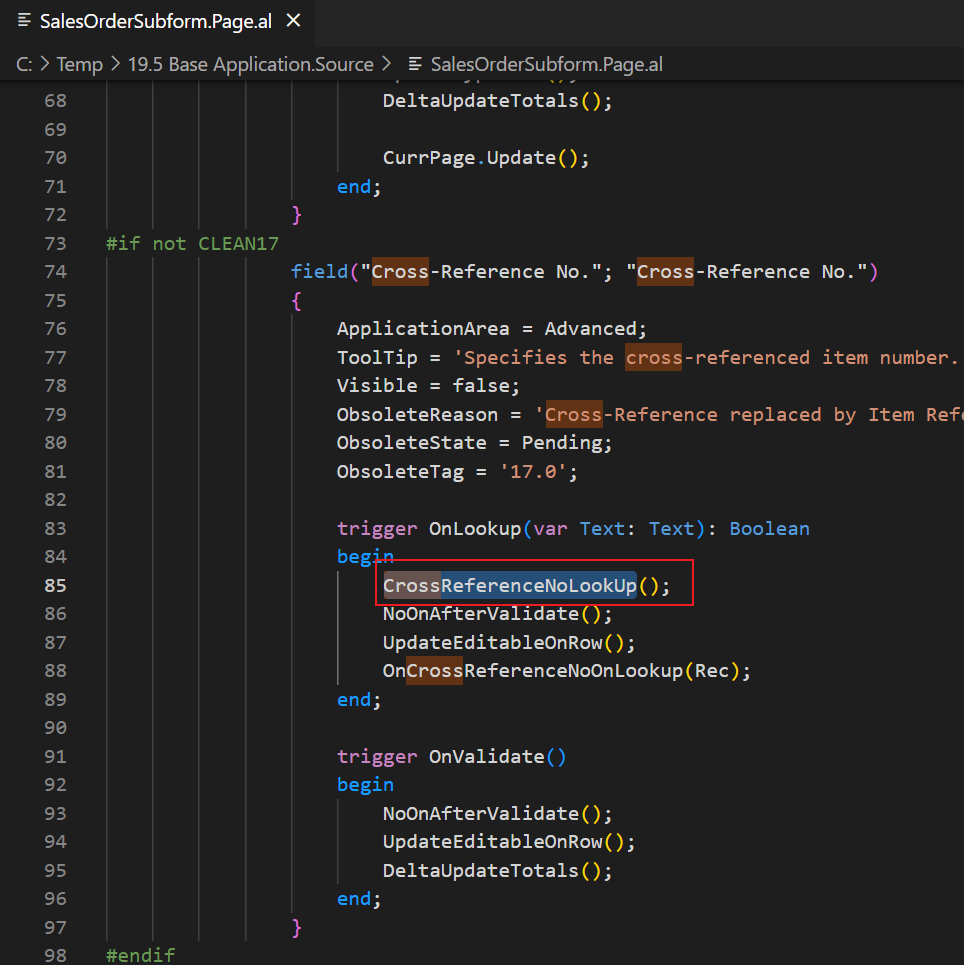
    1. When Type is empty, also run the Lookup page.
    pastedimage1665010943189v1.png

    In the standard code, it only runs when the Type is Item.

    pastedimage1665010986486v2.png

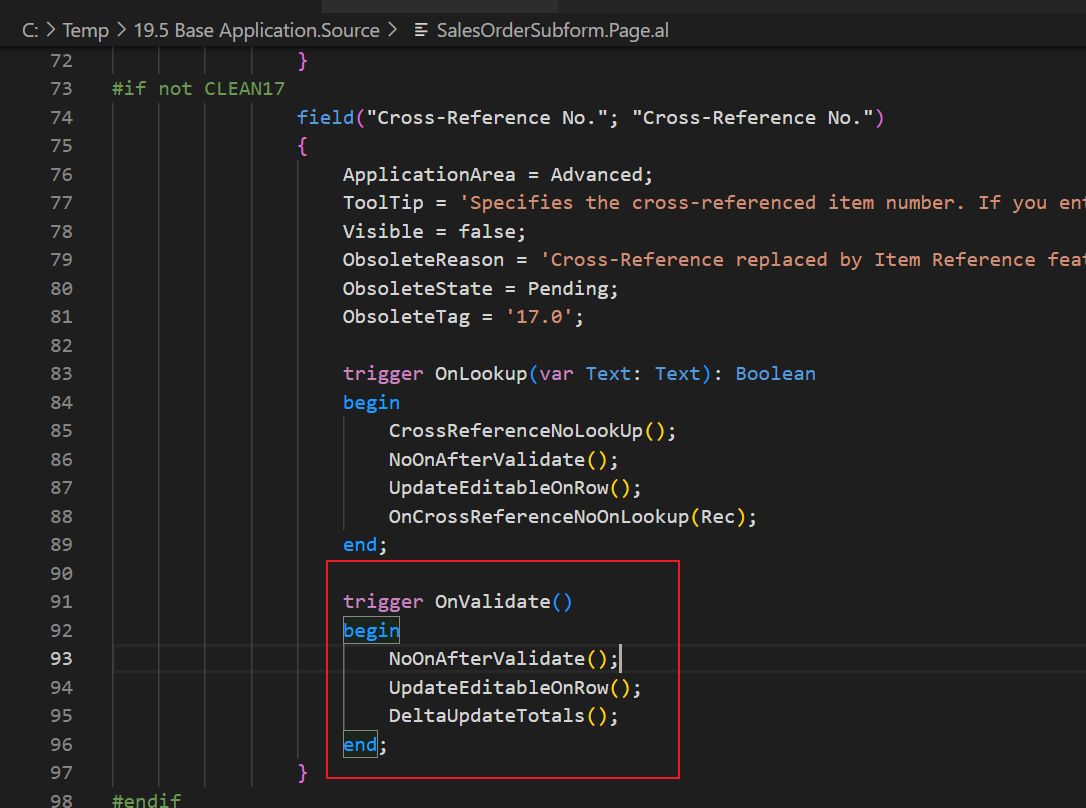
    2. When validating Cross-Reference No., fill in Type first. (Otherwise, if Type is empty, filling in Item No. will prompt an error.)
    pastedimage1665011147306v3.png

    Hope this helps.

    Thanks.

    ZHU

Under review

Thank you for your reply! To ensure a great experience for everyone, your content is awaiting approval by our Community Managers. Please check back later.

Helpful resources

Quick Links

Introducing the 2026 Season 1 community Super Users

Congratulations to our 2026 Super Stars!

Meet the Microsoft Dynamics 365 Contact Center Champions

We are thrilled to have these Champions in our Community!

Congratulations to the April Top 10 Community Leaders

These are the community rock stars!

Leaderboard > Small and medium business | Business Central, NAV, RMS

#1
OussamaSabbouh Profile Picture

OussamaSabbouh 2,140 Super User 2026 Season 1

#2
YUN ZHU Profile Picture

YUN ZHU 1,362 Super User 2026 Season 1

#3
AndrewThomas81 Profile Picture

AndrewThomas81 1,216

Last 30 days Overall leaderboard

Featured topics

Product updates

Dynamics 365 release plans
