web
You’re offline. This is a read only version of the page.
close
Skip to main content

Notifications

Announcements

No record found.

Community site session details

Community site session details

Session Id :
Supply chain | Supply Chain Management, Commerce
Answered

Delivery / Dispatch Note Warning

(0) ShareShare
ReportReport
Posted on by 35

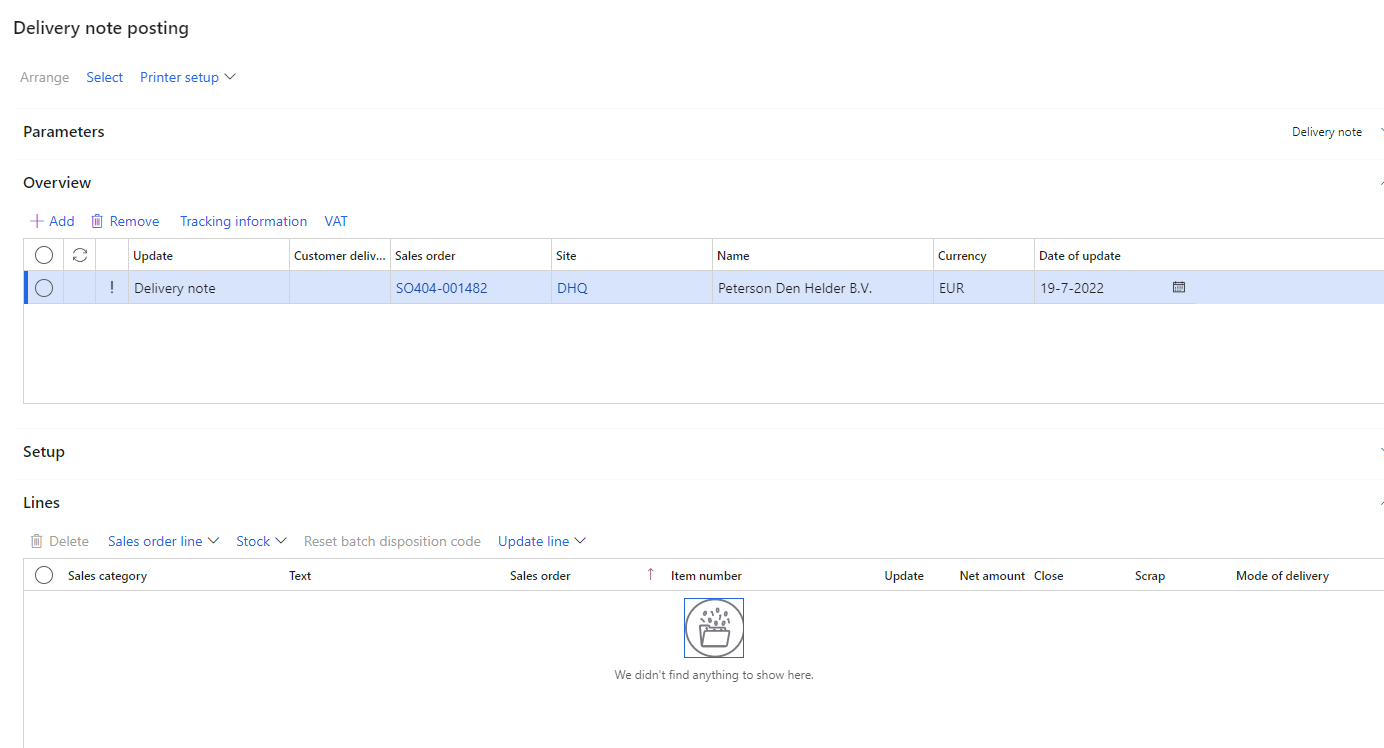
This morning I was notified by users trying to post Sales Orders that the "Delivery note" drop down in the quantity is no longer showing lines in the Lines field.

have been trying to post service items on my delivery note on sales orders and nothing appears unless i select "All". I was certain this operated differently before, but now stocked items are not appearing. The majority of our assets dont use picking, but i assume that was what the picking fields were for. Does anyone know what the warning is for or does it simply mean the lines are blank here. Furthermore the service items only show up in the "All" or "Picked and non-stocked" selection.

We only recently updated our features on a large backlog that we had been putting off due to a large number of implementations, I'm worried one of these caused the impact which is my next point of review. Currently I'm looking for a solution as from a parameters perspective i cannot find anything on the matter.
4372332.png

I have the same question (0)
  • Verified answer
    Guy Terry Profile Picture
    28,924 Moderator on at

    Hi

    From my understanding of the Delivery note option which you can select in the drop-down for the Quantity, you should not use it when posting a Delivery note.

    Per the help, when you set Quantity = Delivery note (or Quantity = Packing slip in American English) you are asking for the quantity which has been delivered to be updated. Quantity = Delivery note only makes sense when posting a Sales order invoice (since it is quite common to invoice the customer for the quantity which has been delivered).

    On the Delivery note, it makes no sense, since you are asking for it to deliver the quantity which has already been delivered!

    Perhaps F&O has been updated to make it behave more like I describe.

    That said, can you not use Quantity = All? From what you wrote, it sounds like this will get you your item and service lines on to the Delivery note.

  • RoMacZero Profile Picture
    35 on at

    It is as you say it is.

    I was under the impression it was a unique setup, but it seems its just some legacy code that highlights nothing now. Thanks for confirming this and providing a clear and concise answer.

Under review

Thank you for your reply! To ensure a great experience for everyone, your content is awaiting approval by our Community Managers. Please check back later.

Helpful resources

Quick Links

Responsible AI policies

As AI tools become more common, we’re introducing a Responsible AI Use…

Neeraj Kumar – Community Spotlight

We are honored to recognize Neeraj Kumar as our Community Spotlight honoree for…

Leaderboard > Supply chain | Supply Chain Management, Commerce

#1
Siv Sagar Profile Picture

Siv Sagar 266 Super User 2025 Season 2

#2
Laurens vd Tang Profile Picture

Laurens vd Tang 213 Super User 2025 Season 2

#3
André Arnaud de Calavon Profile Picture

André Arnaud de Cal... 140 Super User 2025 Season 2

Last 30 days Overall leaderboard

Featured topics

Product updates

Dynamics 365 release plans
