web
You’re offline. This is a read only version of the page.
close
Skip to main content

Notifications

Announcements

No record found.

Community site session details

Community site session details

Session Id :
Microsoft Dynamics CRM (Archived)

Issue while Enabling CRM SharePoint integration

(0) ShareShare
ReportReport
Posted on by

We are facing one issue in CRM and SharePoint Integration for CRM and SharePoint Online . Things works fine in DEV and Test but its failing in Training Environment. Below is the Screenshot
Note: The SharePoint Site Exist and and The User is System Administrator and System Customizer in CRM and SharePoint Site collection Administrator.

Our CRM Version is 8.1.0.369
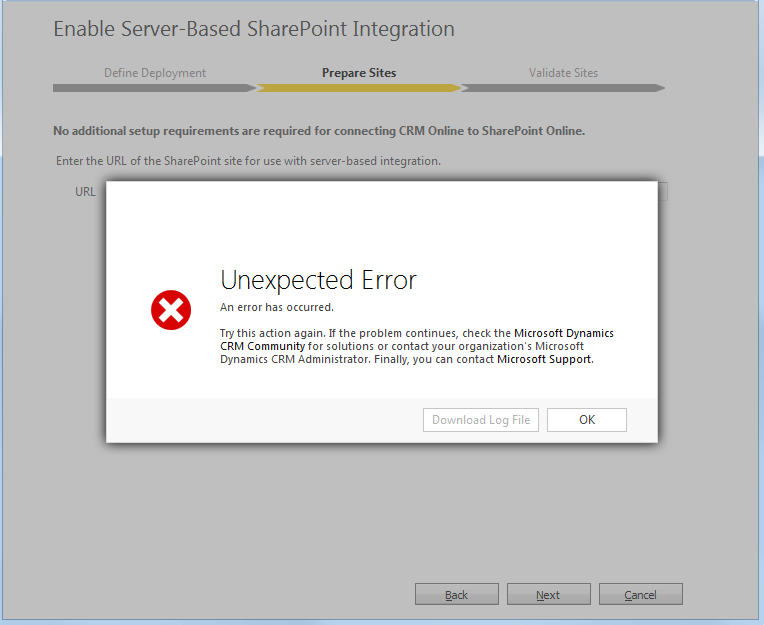
Integration.PNG

*This post is locked for comments

I have the same question (0)
  • Inogic Profile Picture
    709 on at
    Can you please refer below link if that help to troubleshoot the issue.
     
     
    Thanks!
  • Biplab Singha Profile Picture
    on at

    Thanks for Help. We reviewed all the steps that was there in Technet But this is a Classic Example where all setting are almost same but There are different Administrator account used .

  • Community Member Profile Picture
    on at

    Can you check the user has access to the specific sharepoint site that you are connecting to? The easy way is to open the sharepoint link you are using here in another window. We had the same error where it was due to user access in sharepoint.

  • Biplab Singha Profile Picture
    on at

    Yes Swetha we have checked that the user can access SharePoint site even the user is system administrator and system customized in crm and site collection administrator in SharePoint site

  • Verified answer
    Biplab Singha Profile Picture
    on at

    Here Catch is User by which you are trying to Enable SharePoint integration that user needs be a a "Office 365 Global Administrator"

    This is the Reply From Microsoft Support . But I did not find a article where it was written. This is required for CRM on premise and SharePoint Online but in our case CRM and SharePoint both are Online

    But good thing is things worked after trying with Office 365 Global Administrator.

Under review

Thank you for your reply! To ensure a great experience for everyone, your content is awaiting approval by our Community Managers. Please check back later.

Helpful resources

Quick Links

Responsible AI policies

As AI tools become more common, we’re introducing a Responsible AI Use…

Neeraj Kumar – Community Spotlight

We are honored to recognize Neeraj Kumar as our Community Spotlight honoree for…

Leaderboard > 🔒一 Microsoft Dynamics CRM (Archived)

#1
SA-08121319-0 Profile Picture

SA-08121319-0 4

#1
Calum MacFarlane Profile Picture

Calum MacFarlane 4

#3
Alex Fun Wei Jie Profile Picture

Alex Fun Wei Jie 2

Last 30 days Overall leaderboard

Featured topics

Product updates

Dynamics 365 release plans
