web
You’re offline. This is a read only version of the page.
close
Skip to main content

Notifications

Announcements

No record found.

Community site session details

Community site session details

Session Id :
Small and medium business | Business Central, N...
Suggested Answer

Ledger General Book

(0) ShareShare
ReportReport
Posted on by 160

Hi mates!

Another day, another issue!

I'm trying to generate Ledger Report and two problems appears.

First one: Max. rows allowed -> 1kk. I need more, much more rows. How can I fix it?

Second one: When lanes are generated, can't write on PDF or Preview.
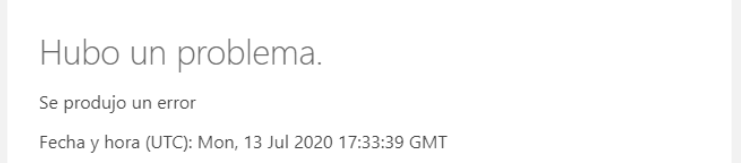
pastedimage1594720620484v1.png

Report is processing but explodes!

I need to send this report to the audit.

Thank you so much! :)

I have the same question (0)
  • Steven Renders Profile Picture
    5,672 Moderator on at

    Can you provide more details about the issue?

    Which report are you running? Can you provide more detailed steps to reproduce the issue?

  • JMartin Profile Picture
    160 on at

    Yes!

    I'm trying to get the report of "Main Accounting Book".

    If I get January report, this issue appears. If I get 1-15 January report, it's ok. It I get 16-31 January report, no problems.

    The thing is: If I get March-April report with 3400 pages and nothing is wrong, January must be ok because we should have 3100 pages (1-15 -> 2154 pages + 16-31 -> 986 pages) in the report.

    Thank you! :)

  • Steven Renders Profile Picture
    5,672 Moderator on at

    Still not detailed enough, because I cant find any "Main Accounting Book" report in my BC.

    So, which version/localisation of BC are you using? Where exactly do you find/run this report?

  • JMartin Profile Picture
    160 on at

    pastedimage1594731200910v1.png

    I'm looking for this report. So, on date filter I got 01/01/20..31/01/20.

    Everything works but when report is generating... boom!

  • Suggested answer
    Steven Renders Profile Picture
    5,672 Moderator on at

    Again this screenshot tells me nothing about where this report comes from....

    Do you find it via the Tell-Me, do you run it from an action on a certain page?

    Also, enable the Page Inspector before you run the report, then when the request page opens it can tell you exactly the report ID and Name.

    It's important to figure out if this is a standard or custom report. If it's a custom report, please contact the developer, and if it's a standard report you should open a support ticket ;-)

    Then sometimes there's a difference between using Preview or Print or Send. If you Send the report, you can have it generated on the server and then you might not get the 'kaboom' ;-)

Under review

Thank you for your reply! To ensure a great experience for everyone, your content is awaiting approval by our Community Managers. Please check back later.

Helpful resources

Quick Links

Responsible AI policies

As AI tools become more common, we’re introducing a Responsible AI Use…

Neeraj Kumar – Community Spotlight

We are honored to recognize Neeraj Kumar as our Community Spotlight honoree for…

Leaderboard > Small and medium business | Business Central, NAV, RMS

#1
OussamaSabbouh Profile Picture

OussamaSabbouh 2,092

#2
YUN ZHU Profile Picture

YUN ZHU 663 Super User 2025 Season 2

#3
Sumit Singh Profile Picture

Sumit Singh 515

Last 30 days Overall leaderboard

Featured topics

Product updates

Dynamics 365 release plans
