web
You’re offline. This is a read only version of the page.
close
Skip to main content

Announcements

No record found.

News and Announcements icon
Community site session details

Community site session details

Session Id :
Microsoft Dynamics CRM (Archived)

How to Activate Time off Request of Field Service?

(0) ShareShare
ReportReport
Posted on by 2,822

Hi all,

Thanks for reading my post.

I have created a record of Time off Request in the field service for the User. For this user, I marked the Time Off Approval Required = No, so that record will automatically get approved. In this way, Time off request will auto-approve and become Inactive.

Problem: In some cases, I need to update the Time off Request record, may be because User change its mind. So, I'm unable to find the functionality to make it Activated again.

Appreciate your feedback!

Thanks.
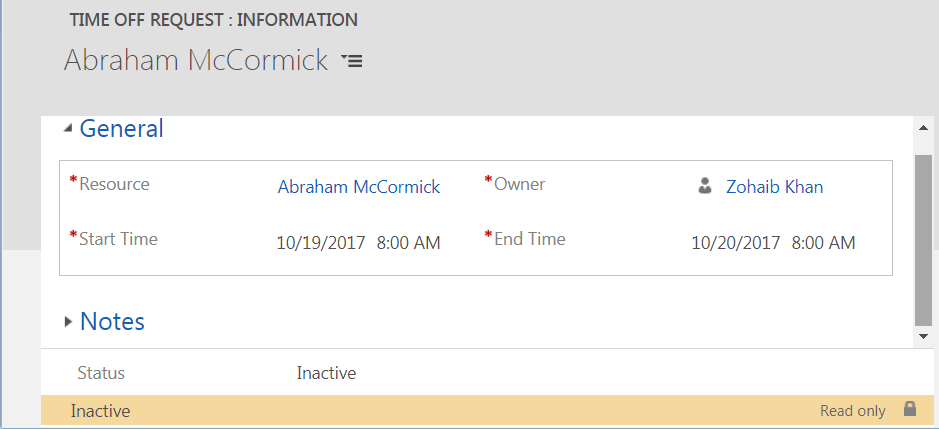
Time_2D00_off_2D00_request.png

*This post is locked for comments

I have the same question (0)
  • Verified answer
    MOPO Profile Picture
    237 on at

    Hi Zohaib,

    It is not possible to "Activate" it again in order to change it.

    Instead just delete it and create a new "Time Off Request"

  • Verified answer
    Thomas David Dayman Profile Picture
    11,323 on at

    You also might need to go into the Resource record and go into the Work Hours section and clear off the old time off request in their schedule as I think deleting the time off request might still leave it in their schedule.

  • MOPO Profile Picture
    237 on at

    Hi Thomas,

    You are absolutely right

    / Morten

  • Zohaib Uddin Khan Profile Picture
    2,822 on at

    Thanks Morten and Thomas.

    I verified that a record still exist in the Work hours section. How to delete this record through CRM SDK i.e. whats the schema name?

  • Thomas David Dayman Profile Picture
    11,323 on at

    I'm not sure about the schema name of this. But what you can do is click on the beginning of the Time Off Date and create a new Work Schedule for One Day or create a new Weekly Schedule to clear off the old Time Off dates.

  • thomaspayne Profile Picture
    75 on at

    You can change them on the Work Hours of the Bookable Resource.

Under review

Thank you for your reply! To ensure a great experience for everyone, your content is awaiting approval by our Community Managers. Please check back later.

Helpful resources

Quick Links

Introducing the 2026 Season 1 community Super Users

Congratulations to our 2026 Super Stars!

Meet the Microsoft Dynamics 365 Contact Center Champions

We are thrilled to have these Champions in our Community!

Congratulations to the April Top 10 Community Leaders

These are the community rock stars!

Leaderboard > 🔒一 Microsoft Dynamics CRM (Archived)

#1
ScottDurow Profile Picture

ScottDurow 2

#2
GJones Profile Picture

GJones 1

Last 30 days Overall leaderboard

Featured topics

Product updates

Dynamics 365 release plans
