web
You’re offline. This is a read only version of the page.
close
Skip to main content

Notifications

Announcements

No record found.

Community site session details

Community site session details

Session Id :
Microsoft Dynamics CRM (Archived)

Exchange rate of the currency is not reflecting on chart metrics

(0) ShareShare
ReportReport
Posted on by

Hi folks,

My instance is having INR as the base currency, I have created a new Business Unit for Dubai, using the base currency.

Users from this Dubai BU are creating Opportunity and I want to look at the chart, showing the sum of the Estimated Revenue of the opportunity.

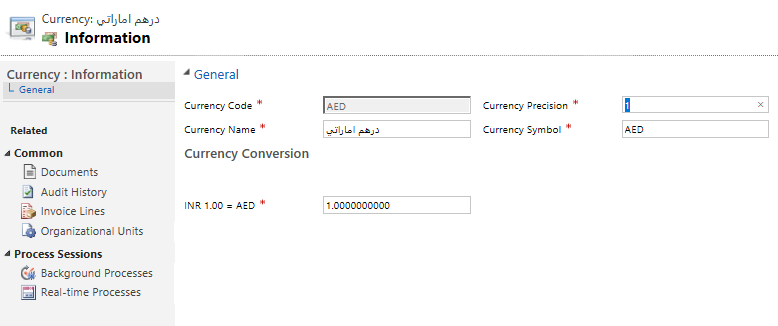
I want to have simple conversion between INR and AED so I set the exhange rate as 1INR = 1 AED.

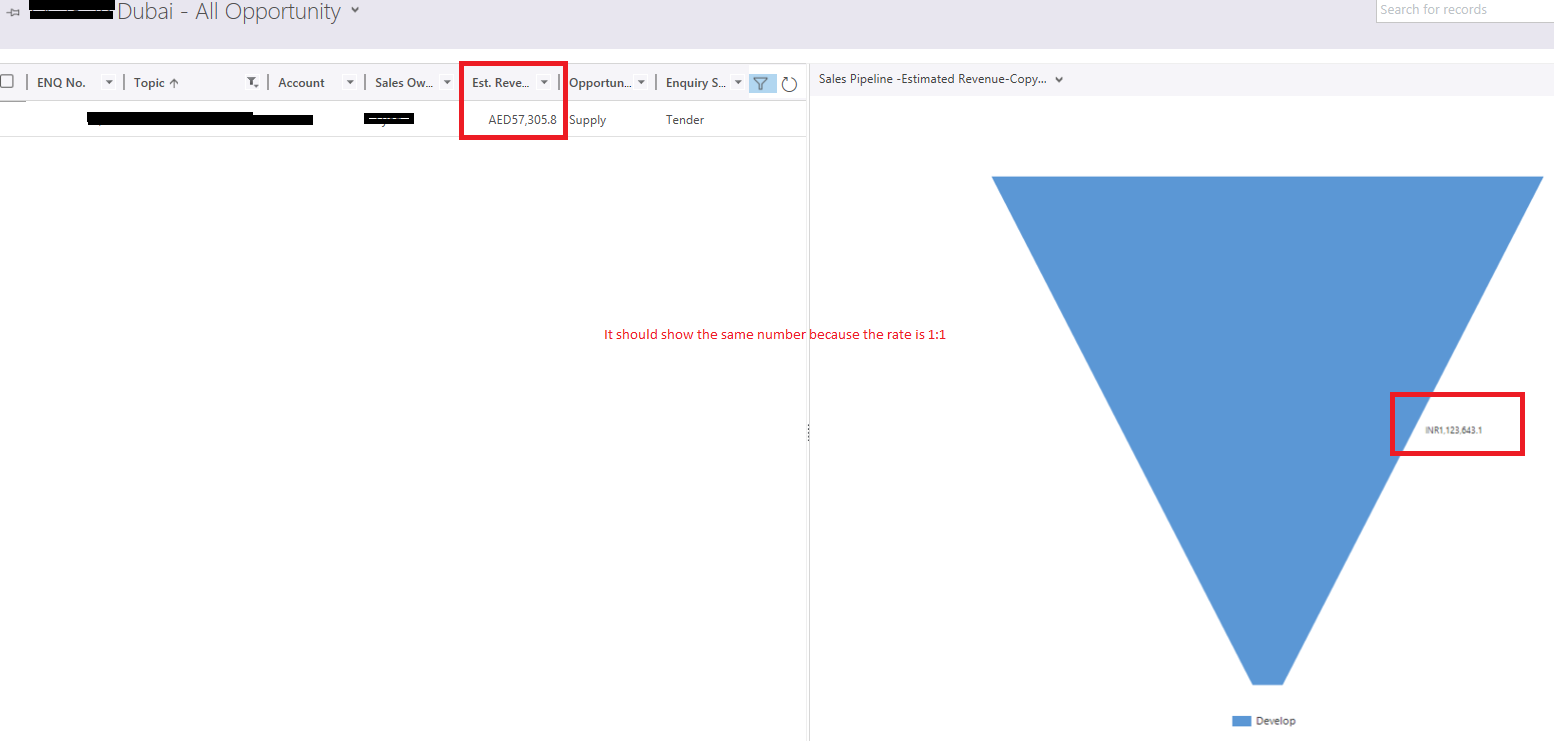
In Opportunity for Dubai BU, the currency is AED.

However, when I check the chart, it looks like the number is not the same even when the rate is 1:1

Any suggestion would be very appreciated.
5078.Currency.PNG

ex-rate.PNG

*This post is locked for comments

I have the same question (0)
  • Verified answer
    StefanS365 Profile Picture
    3,575 Most Valuable Professional on at

    Hi Du Tran,

    When did you change the exchange rate, after you've entered the Est Revenue in AED?

    If you change the Est Revenue and change it back to the original amount, the Est Revenue (base) will be recalculated according to the exchange rate 1:1.

  • Community Member Profile Picture
    on at

    Thank you so much Stefan. You are completely right.

    If the Est Revenue is changed, the chart will have a Refresh button making it recalculate using the new exchange rate.

    The challenge for me now is to update more than 300 opportunities. I am trying to create 2 on-demand workflows, one to inherit the Est Revenue into a dummy field, increase by 1 and one is to change it back using the dummy field value.

    Not sure if this is a smart way to do it. Would you suggest any other ways to complete this?

  • Suggested answer
    StefanS365 Profile Picture
    3,575 Most Valuable Professional on at

    Hi Du Tran,

    You can export the selected opportunity records from a view to Excel Online, copy the values to the column of the dummy field, change the values of the Est Revenue and import them in CRM via Save Changes.... Do this again to set the original values back. Test this with one record first ;-)

    2019_2D00_02_2D00_12-15_5F00_59_5F00_57_2D00_Products-All-Products_2C00_-Families-_2600_-Bundles-_2D00_-Microsoft-Dynamics-365.png 2019_2D00_02_2D00_12-15_5F00_59_5F00_57_2D00_Products-All-Products_2C00_-Families-_2600_-Bundles-_2D00_-Microsoft-Dynamics-365.png

  • Community Member Profile Picture
    on at

    Hi Stefan,

    Brilliant idea! However, Excel online and even offline are not working as expected. The change request is always in Submitted state. I have done some reseach and it seems to be an annoying bug.

    I think I have to stick with creating a workflow now.

Under review

Thank you for your reply! To ensure a great experience for everyone, your content is awaiting approval by our Community Managers. Please check back later.

Helpful resources

Quick Links

Responsible AI policies

As AI tools become more common, we’re introducing a Responsible AI Use…

Neeraj Kumar – Community Spotlight

We are honored to recognize Neeraj Kumar as our Community Spotlight honoree for…

Leaderboard > 🔒一 Microsoft Dynamics CRM (Archived)

#1
SA-08121319-0 Profile Picture

SA-08121319-0 4

#1
Calum MacFarlane Profile Picture

Calum MacFarlane 4

#3
Alex Fun Wei Jie Profile Picture

Alex Fun Wei Jie 2

Last 30 days Overall leaderboard

Featured topics

Product updates

Dynamics 365 release plans