web
You’re offline. This is a read only version of the page.
close
Skip to main content

Announcements

No record found.

News and Announcements icon
Community site session details

Community site session details

Session Id :
Small and medium business | Business Central, N...
Suggested Answer

MRP - Produce bulk qty at simultaneously

(0) ShareShare
ReportReport
Posted on by 247

Hi, 

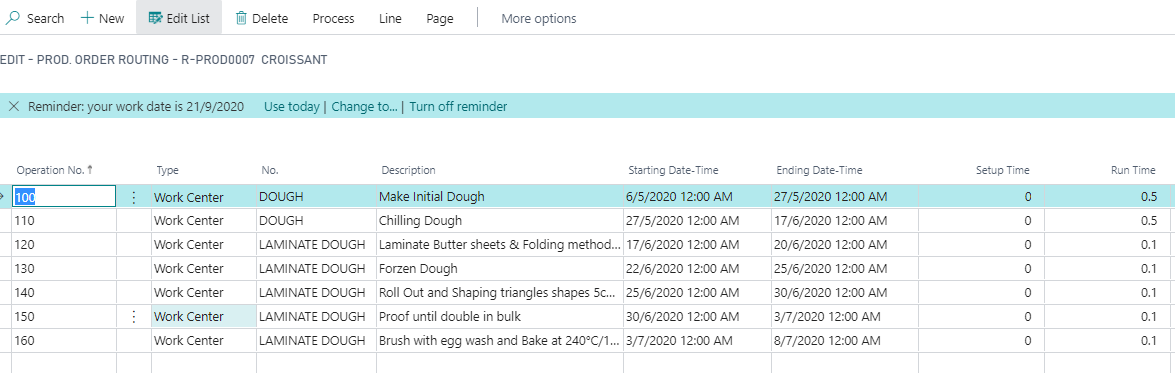
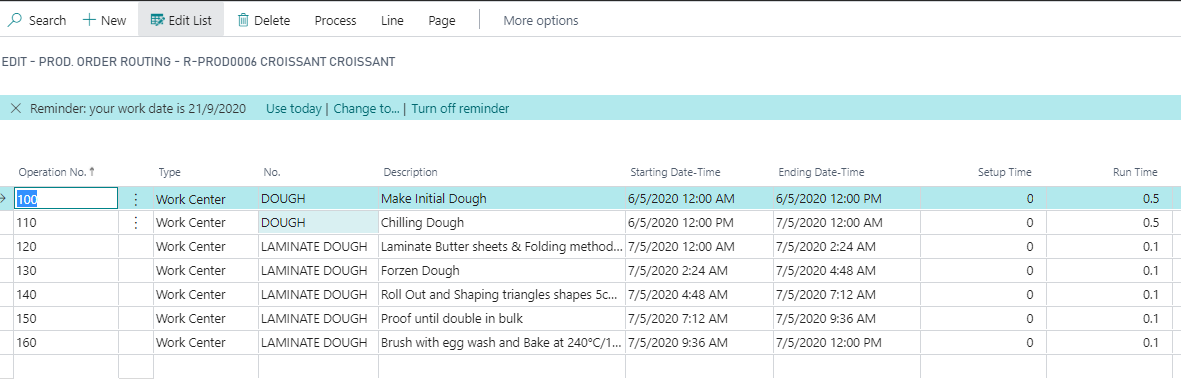
The  production quantity 30 pcs or 1 pc at same run time.

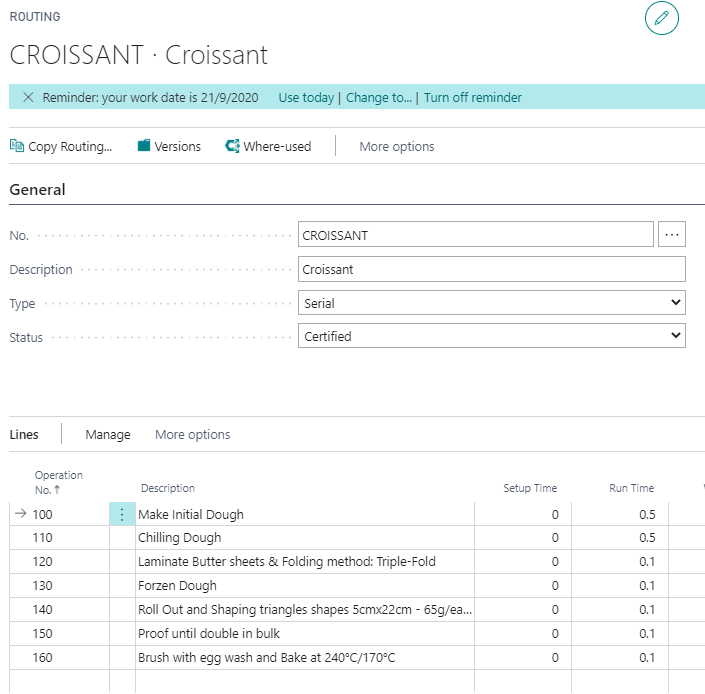
I had created Routing but the run time will multiple with the production quantity.

Am I setup correctly ? Seek for advice.
pastedimage1602743847722v1.png

Production Qty 30pcs

pastedimage1602743916408v2.png

Production Qty 1pc (Suppose Production Qty 30pcs same as 1pc)
pastedimage1602743992398v3.png

I would appreciate for your advice. Thanks

I have the same question (0)
  • Suggested answer
    jerome77 Profile Picture
    Microsoft Employee on at

    Hi

    I am not sure to well understand your issue, what is your unit of measure used with the run time? is it 0.5 per PCS? 

    I am trying to understand your question here, does it mean this run time should be for 30 pcs produced, but instead it is using this total run time x number of pieces?

    Then maybe change UOM for a box of 30 pcs.. what do you think? Not sure if this is helpful, please let me know

    Kind regards

    Jerome

  • weiching Profile Picture
    247 on at

    Hi Jerome,

    I managed to find the solution.

    My Capacity set in Day

    For example:

    Operation No. 100 - Run time count in Day so 0.5 was half a day.

    My question is Produce 1pc and 30 pcs also in 0.5

    To run it simultaneously on the Routing Page shall set the Concurrent Capacities to 30.

    Setup time is calculated per production order, whereas run time is calculated per produced item.

    Thank you. :)

    Best Regards,

    Wei Ching

  • jerome77 Profile Picture
    Microsoft Employee on at

    Hi

    yes ok I see now. Yes you can do this, maybe this link is helpful:

    http://www.olofsimren.com/production-lead-time-using-routings/

    I like this one :)

    Kind regards

    Jerome

Under review

Thank you for your reply! To ensure a great experience for everyone, your content is awaiting approval by our Community Managers. Please check back later.

Helpful resources

Quick Links

Introducing the 2026 Season 1 community Super Users

Congratulations to our 2026 Super Stars!

Congratulations to our 2025 Community Spotlights

Thanks to all of our 2025 Community Spotlight stars!

Leaderboard > Small and medium business | Business Central, NAV, RMS

#1
OussamaSabbouh Profile Picture

OussamaSabbouh 1,821 Super User 2026 Season 1

#2
YUN ZHU Profile Picture

YUN ZHU 1,122 Super User 2026 Season 1

#3
Dhiren Nagar Profile Picture

Dhiren Nagar 959 Super User 2026 Season 1

Last 30 days Overall leaderboard

Featured topics

Product updates

Dynamics 365 release plans