web
You’re offline. This is a read only version of the page.
close
Skip to main content

Notifications

Announcements

No record found.

Community site session details

Community site session details

Session Id :
Small and medium business | Business Central, N...
Suggested Answer

Troubleshooting Cloud Migration Error

(0) ShareShare
ReportReport
Posted on by 10

I am migrating a client from Business Central on prem v14 to Business Central Online. I do not have access to the DB for the on prem environment. The admin for the on prem environment put a copy of the DB on my Azure VM on June 29, 2021. I migrated the data to a sandbox a few weeks ago, and yesterday, I reconfigured the Cloud Migration Tool and successfully migrated the data to the production environment of the client's Business Central Online instance with no failures.

I then asked the admin for the on prem environment to restore the data in the same DB from a .bak file and to make no other changes. I expected that it would execute a "Normal" delta migration when I ran the Cloud Migration tool again.

When I ran the migration again, I got the following error:

Failure happened on 'Source' side. ErrorCode=SqlOperationFailed,'Type=Microsoft.DataTransfer.Common.Shared.HybridDeliveryException,Message=A database operation failed with the following error: 'Could not find stored procedure 'dbo.GetCompanyListAndDatabaseSize'.',Source=,''Type=System.Data.SqlClient.SqlException,Message=Could not find stored procedure 'dbo.GetCompanyListAndDatabaseSize'.,Source=.Net SqlClient Data Provider,SqlErrorNumber=2812,Class=16,ErrorCode=-2146232060,State=62,Errors=[{Class=16,Number=2812,State=62,Message=Could not find stored procedure 'dbo.GetCompanyListAndDatabaseSize'.,},],'

I would greatly appreciate any assistance in resolving this error!
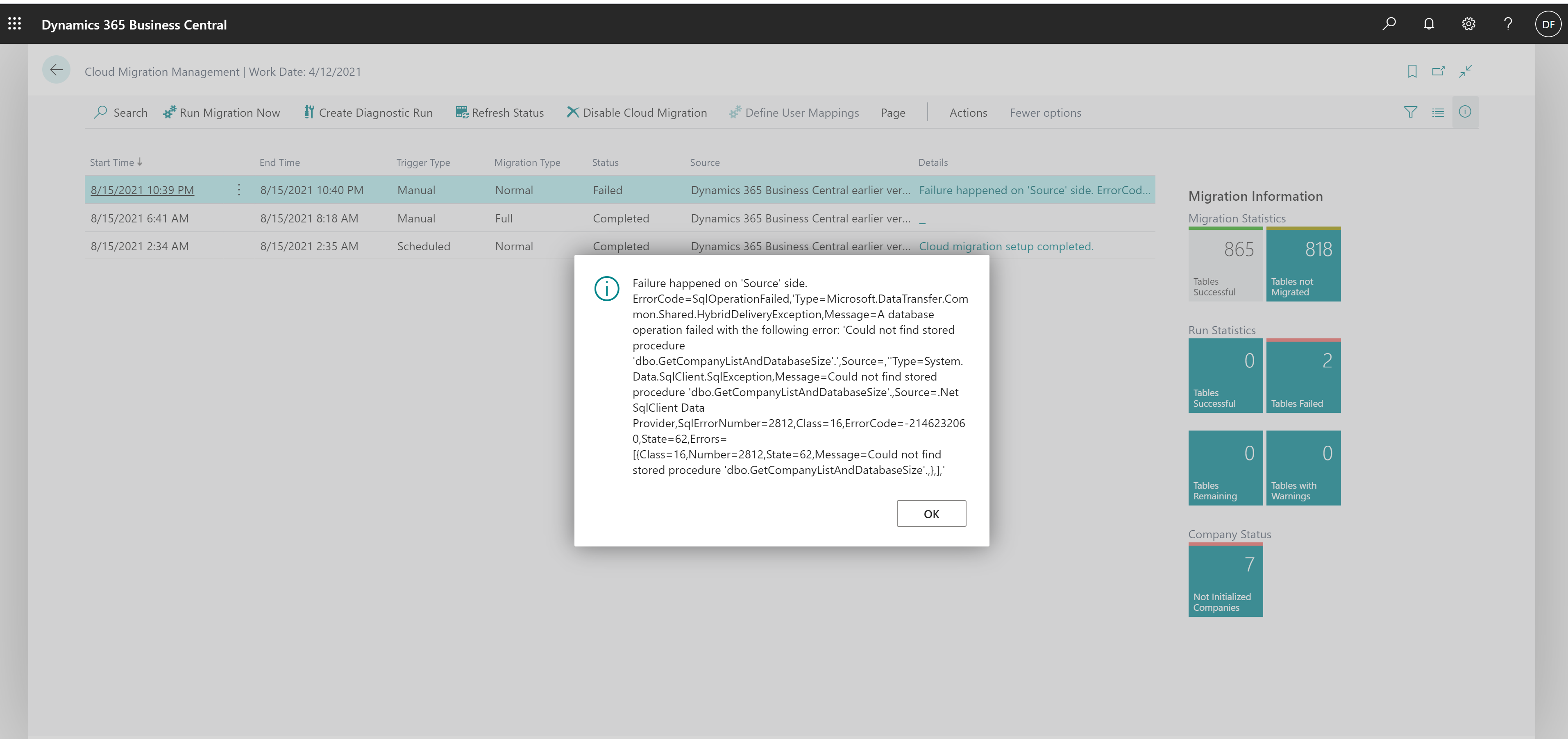
migrationfail.png

I have the same question (0)
  • Suggested answer
    raelhefn Profile Picture
    on at

    Reconfigure / Setup could migration tool,

    If your data source is Business Central on-premises, several stored procedures will be added to the SQL Server instance that you define. These stored procedures are required to migrate data from your SQL Server database to the Azure SQL server associated with your Business Central tenant.

    for more information refer to : docs.microsoft.com/.../migration-tool

  • david_f Profile Picture
    10 on at

    Thank you Ramy. If I understand correctly, the Normal (delta) migration may be failing because the backup of the on-prem database does not include the required stored procedures.

    Is there a way for me to:

    1. Add the required stored procedures separately to the SQL DB, or

    2. Tell the admin of the on-prem BC instance how to generate a backup file from the on-prem DB that will include the required stored procedures?

    Thanks and regards,

    David

  • raelhefn Profile Picture
    on at

    Hi David,

    Yes you are right.

    better to reconfigure / install migration tool will add missing stored procedure. but if you have chance to compare missing stored procedure it will be ok.

Under review

Thank you for your reply! To ensure a great experience for everyone, your content is awaiting approval by our Community Managers. Please check back later.

Helpful resources

Quick Links

Responsible AI policies

As AI tools become more common, we’re introducing a Responsible AI Use…

Neeraj Kumar – Community Spotlight

We are honored to recognize Neeraj Kumar as our Community Spotlight honoree for…

Leaderboard > Small and medium business | Business Central, NAV, RMS

#1
OussamaSabbouh Profile Picture

OussamaSabbouh 2,066

#2
YUN ZHU Profile Picture

YUN ZHU 658 Super User 2025 Season 2

#3
Sumit Singh Profile Picture

Sumit Singh 595

Last 30 days Overall leaderboard

Featured topics

Product updates

Dynamics 365 release plans
