Hello,
If you do encounter this error with the Office Add-In Business Inbox after running Assisted Setup, the current workaround is the following:
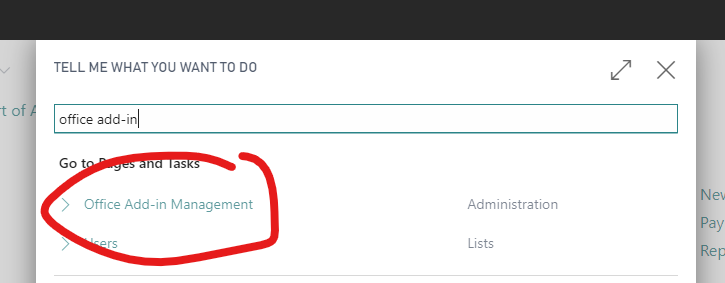
- Use the search function in Dynamics 365 Business Central to find the page Office Add-In Management
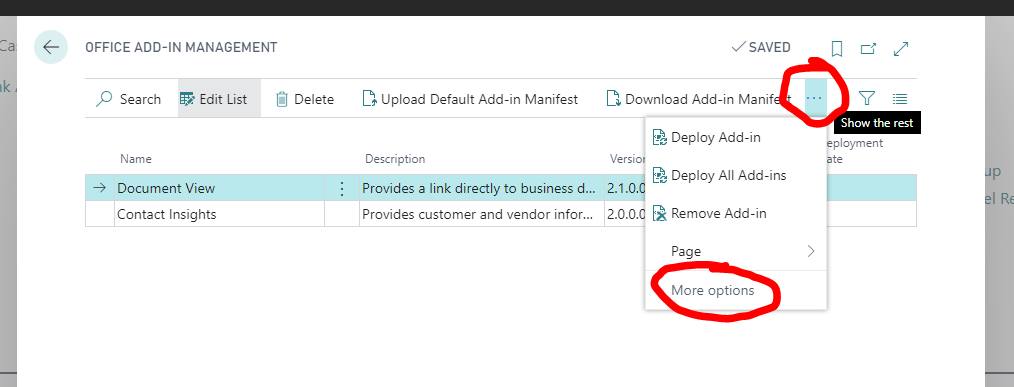
- In the page that opens, click on the three dots in the action bar, and then More Options
- Click again on the three dots, and a new additional menu shows up called Actions. Click on it, and then Reset Default Add-ins
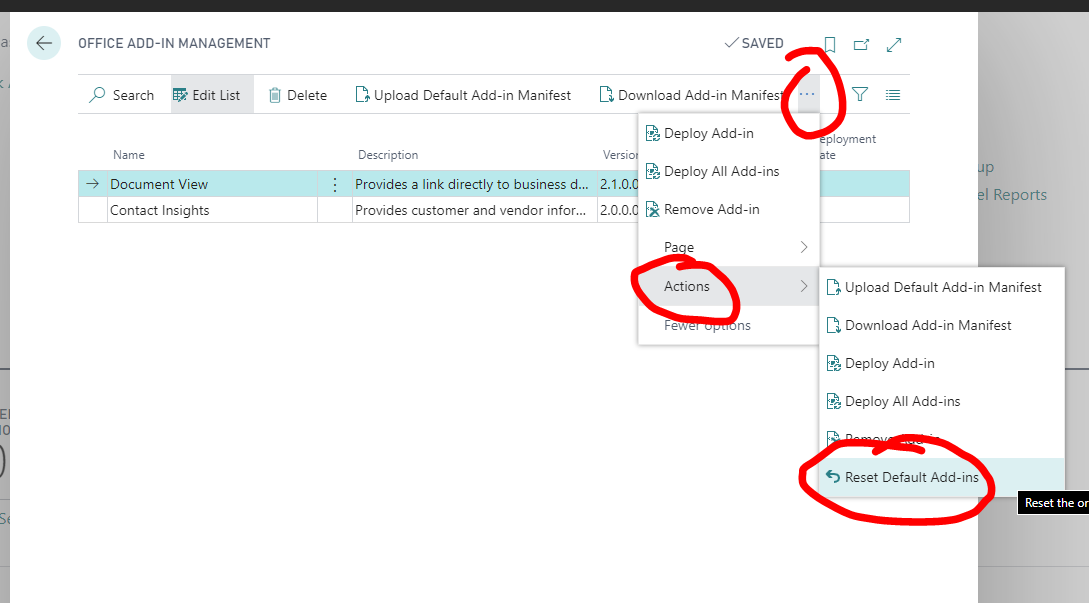
After this, try again to deploy the Office Add-In Business Inbox using the assisted setup.
Thanks.


