web
You’re offline. This is a read only version of the page.
close
Skip to main content

Announcements

No record found.

News and Announcements icon
Community site session details

Community site session details

Session Id :
Small and medium business | Business Central, N...
Answered

Date filter(Balance at Date) on 'Chart of Account' glitch

(1) ShareShare
ReportReport
Posted on by 60

Hello Folks,

Recently i have observed that on page "Chart of Account" while i choose filter "Balance at Date" and entered '010423..020523' as per below,
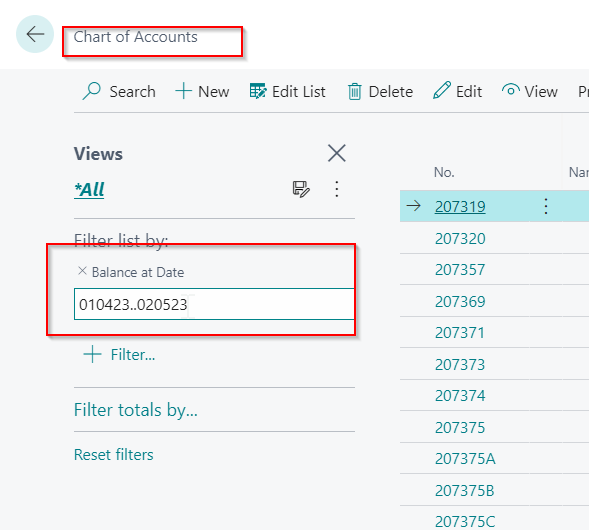
pastedimage1683026182734v1.png

Just by next when i hit enter, system will filtered the data, but something noticed suspecious (that date filter turn in to numerical format ) as per below,
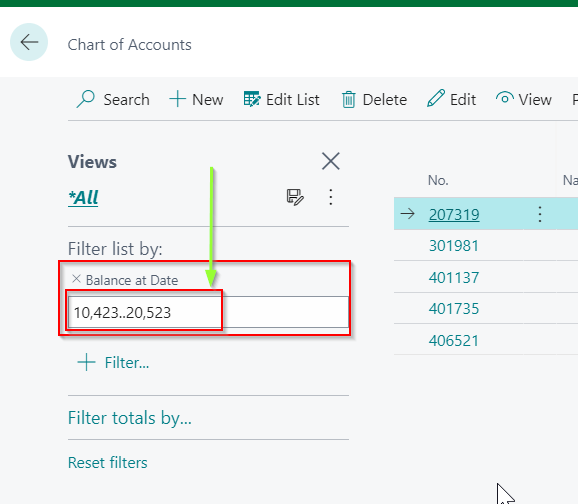
pastedimage1683026341343v2.png

Hence on Item Ledger , Customer Ledger 'Posting Date' is working as per expected.

Thanks,

Rakesh Dobariya

I have the same question (0)
  • Verified answer
    Tech-Lucky Profile Picture
    1,271 Moderator on at

    This is not a Date Type Field applying the filter on the wrong Field as it is of Data Type Decimal.

  • Suggested answer
    Nitin Verma Profile Picture
    21,788 Moderator on at

    Hi Rakesh Dobariya ,

    I found nothing wrong in this case, as this is a Decimal field not Date filed, so Not sure why you are putting Date filter into that, please try to put Decimal values only, thats why it working abnormally for you.

    pastedimage1683039682887v1.png

    Thanks.

  • Verified answer
    NAV_with_Narang Profile Picture
    2,320 Moderator on at

    Hi Rakesh - "Balance at Date" is a decimal field, you can't enter date range in a decimal field

    Please click on "Filter Totals By" instead of "Filter List By" and use the Date filter to put your date range

    pastedimage1683039699309v1.png

  • Jun Wang Profile Picture
    8,208 Moderator on at

    seems your question got answered nicely, but it happens when user is misled by the naming as MS is very good at

Under review

Thank you for your reply! To ensure a great experience for everyone, your content is awaiting approval by our Community Managers. Please check back later.

Helpful resources

Quick Links

Introducing the 2026 Season 1 community Super Users

Congratulations to our 2026 Super Stars!

Congratulations to our 2025 Community Spotlights

Thanks to all of our 2025 Community Spotlight stars!

Leaderboard > Small and medium business | Business Central, NAV, RMS

#1
OussamaSabbouh Profile Picture

OussamaSabbouh 1,986 Super User 2026 Season 1

#2
YUN ZHU Profile Picture

YUN ZHU 1,071 Super User 2026 Season 1

#3
Dhiren Nagar Profile Picture

Dhiren Nagar 975 Super User 2026 Season 1

Last 30 days Overall leaderboard

Featured topics

Product updates

Dynamics 365 release plans



