web
You’re offline. This is a read only version of the page.
close
Skip to main content

Announcements

No record found.

News and Announcements icon
Community site session details

Community site session details

Session Id :
Microsoft Dynamics CRM (Archived)

Missing Microsoft Dynamics App for Outlook

(0) ShareShare
ReportReport
Posted on by

Hi,

I am using 365 and want to install app for outlook.

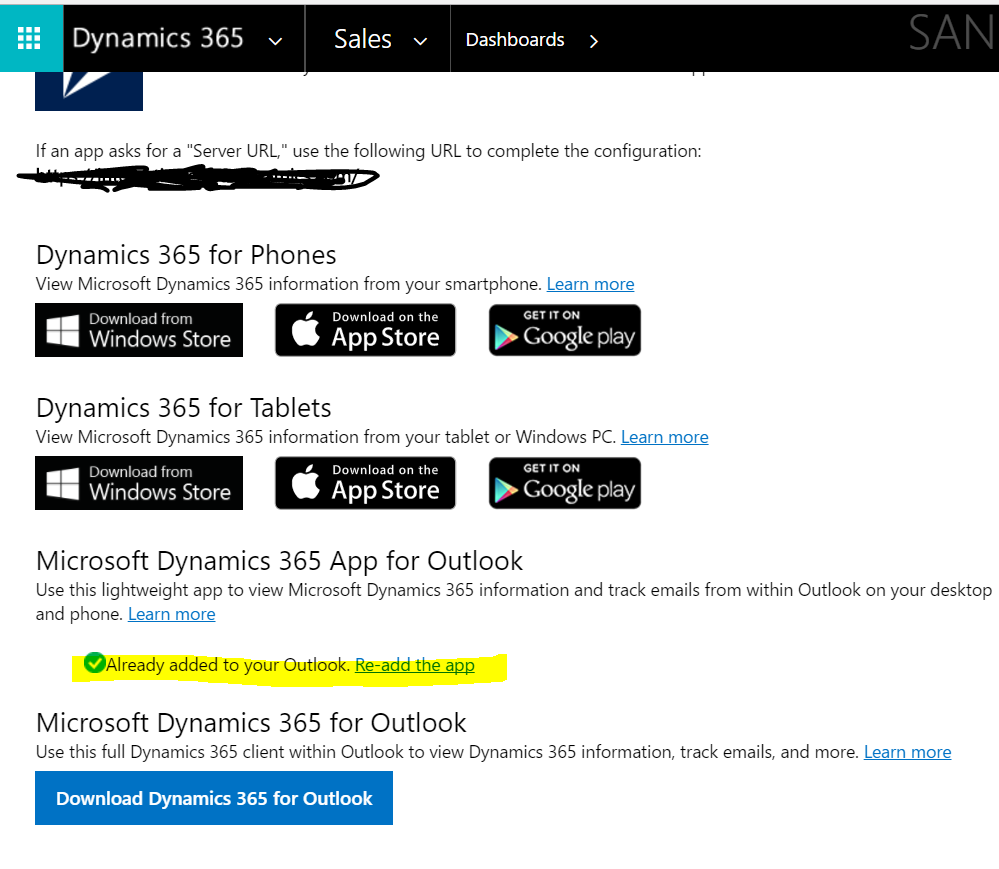
I have followed instruction to install app from "App for Dynamics 365"
App-setup.PNG

In Dynamics 365 App for Outlook, I found my name under "Eligible User" list with Status "Added to Outlook".

But

1. My outlook client cannot find the CRM app add-in.

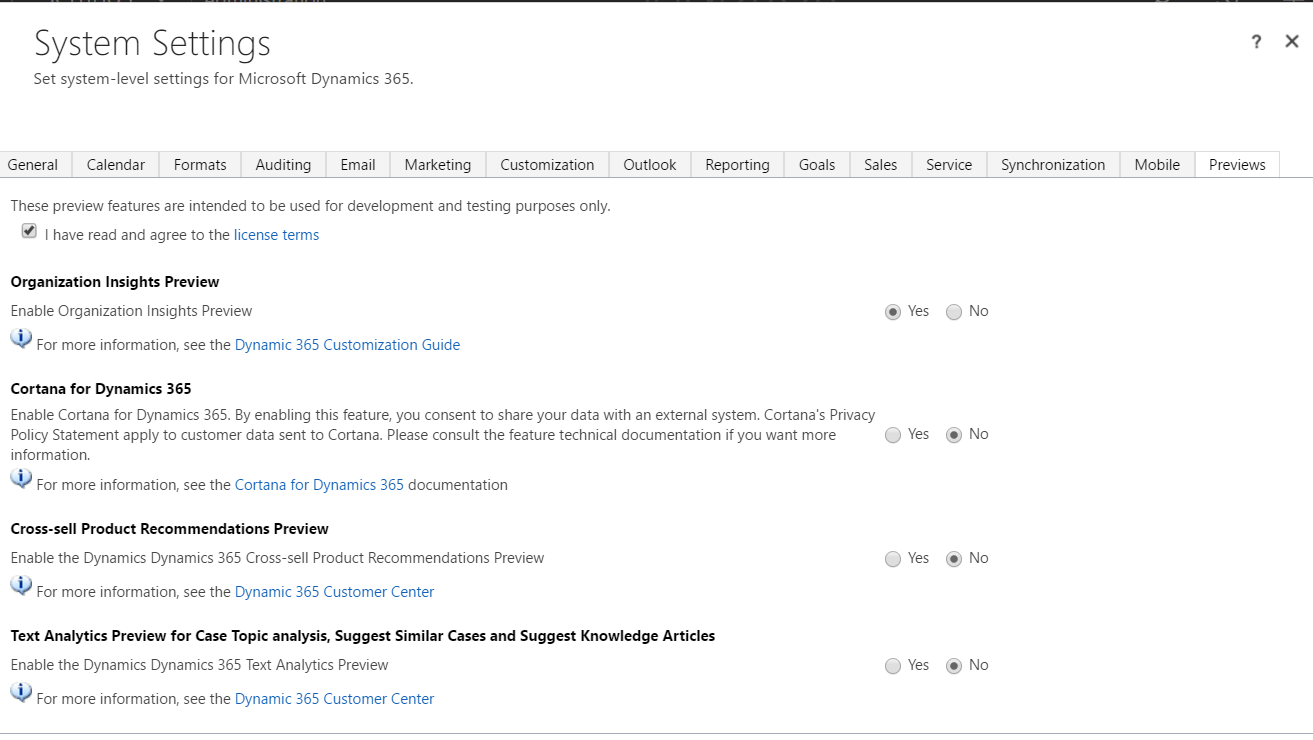
2. In Dynamics 365 System Settings, app for outlook is not available in preview tab.
CRMPreview.PNG

What have I missed?

*This post is locked for comments

I have the same question (0)
  • Justin Canavan Profile Picture
    on at

    Hi Marko - We have the Dynamics App for Outlook installed and we do not have a preview setting for the app in the System Settings area. In Outlook it is worth checking that the add-in is turned on (File --> Manage Add-ins). You should see Dynamics 365 in the list. I hope this helps.

  • Community Member Profile Picture
    on at

    Hi Justin,

    I cant find the app in my list in Outlook,

    1. Does the app is only available in North America?

    2. Can I manually add the app?

  • Justin Canavan Profile Picture
    on at

    Hi Marko - We are in Australia, so the app is available more broadly than North America. As far as I am aware, you can not install the app manually. If you have not already, it is worth reading the blog post Andre Margono wrote in January andz88.wordpress.com/.../gotchas-on-dynamics-365-outlook-app-deployment it contains some useful information. As he pointed out, some of the things to check is that your environment is compliant (compatible) and that you have the correct security roles enabled. I hope this helps.

  • Community Member Profile Picture
    on at

    We followed the guide but the Dynamics 365  addin does not appear in Outlook addin.

  • Justin Canavan Profile Picture
    on at

    Strange. If you have followed the guide, your environment is compatible and you don't have any of the gotchas Andre mentioned, it might be worth contacting Microsoft Support.

Under review

Thank you for your reply! To ensure a great experience for everyone, your content is awaiting approval by our Community Managers. Please check back later.

Helpful resources

Quick Links

Introducing the 2026 Season 1 community Super Users

Congratulations to our 2026 Super Stars!

Meet the Microsoft Dynamics 365 Contact Center Champions

We are thrilled to have these Champions in our Community!

Congratulations to the April Top 10 Community Leaders

These are the community rock stars!

Leaderboard > 🔒一 Microsoft Dynamics CRM (Archived)

#1
ScottDurow Profile Picture

ScottDurow 2

#2
GJones Profile Picture

GJones 1

Last 30 days Overall leaderboard

Featured topics

Product updates

Dynamics 365 release plans
