web
You’re offline. This is a read only version of the page.
close
Skip to main content

Announcements

No record found.

News and Announcements icon
Community site session details

Community site session details

Session Id :
Supply chain | Supply Chain Management, Commerce
Suggested Answer

Replenishment template Z03-Min/Max Rep sequence 1 created no work

(0) ShareShare
ReportReport
Posted on by 115

I have done all required setup for Min-Max Replenishment process in D365.

Setup Details:

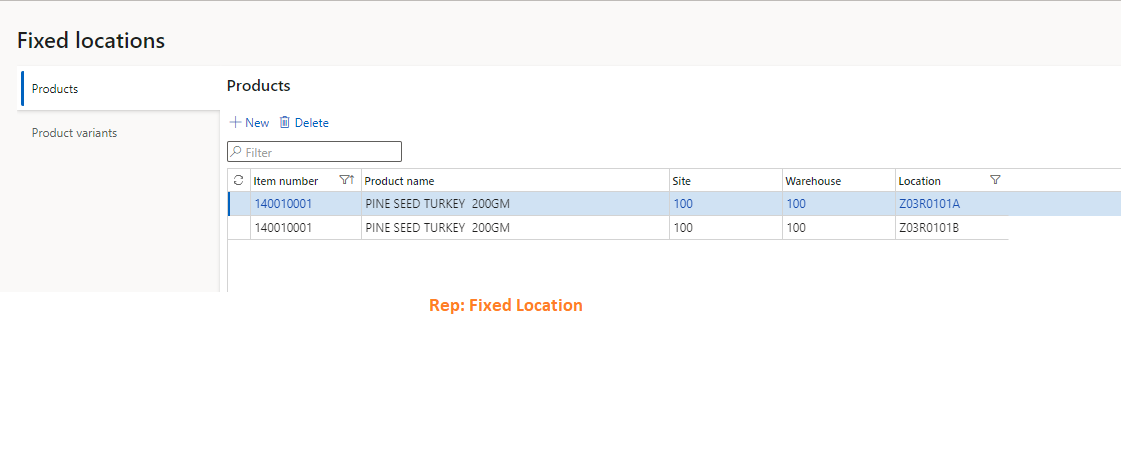
  1. Fixed Locations defined for Picking Item >140010001 Fixed Locations > Z03R0101A & Z03R0101Bpastedimage1655994473335v2.png
  2. Bulk Location defined for Picking > Z03R0101C | Location Profile ID Z03-Bulk
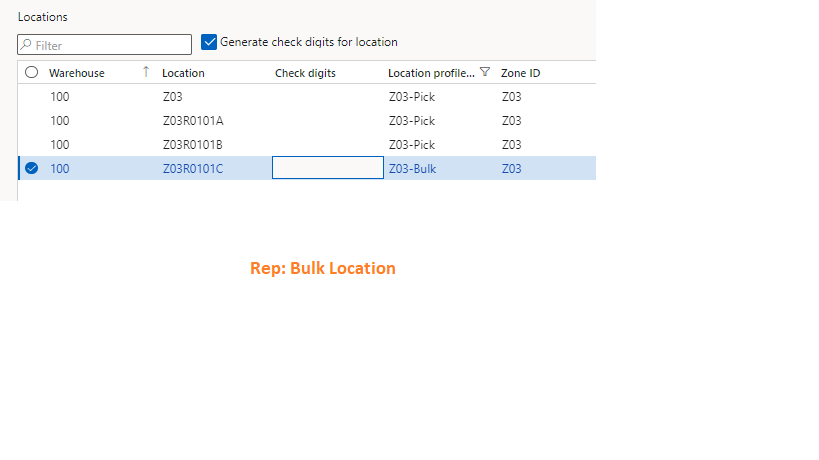
pastedimage1655994513852v3.png

Replenishment template created and enabled only fixed locations 
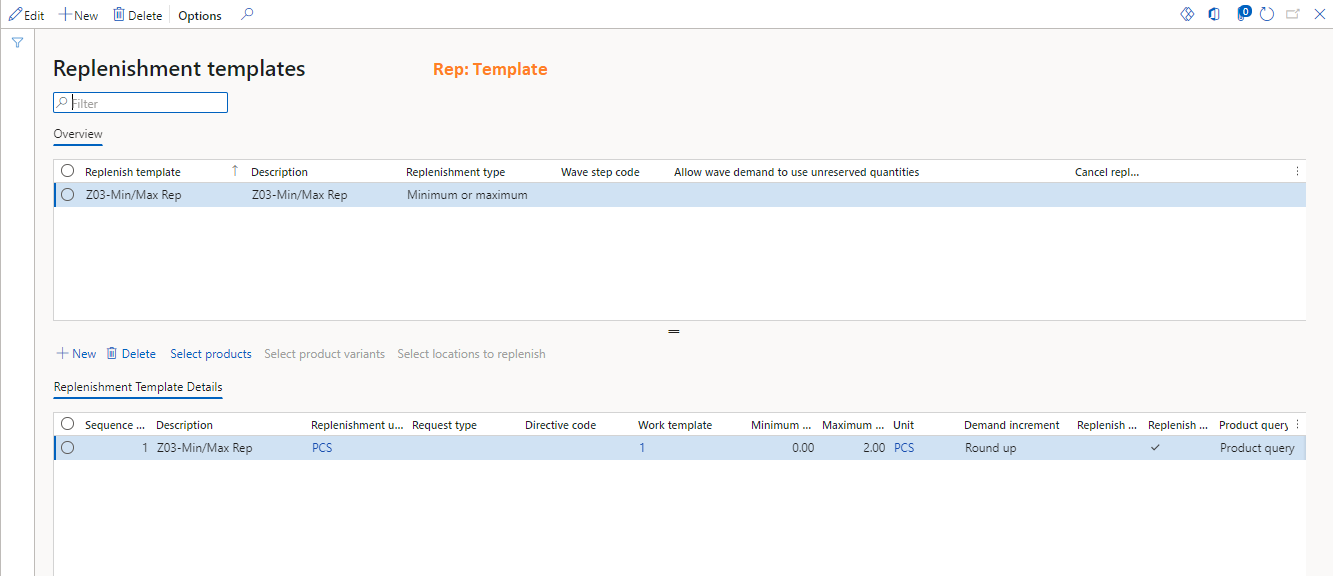
pastedimage1655994625273v4.png

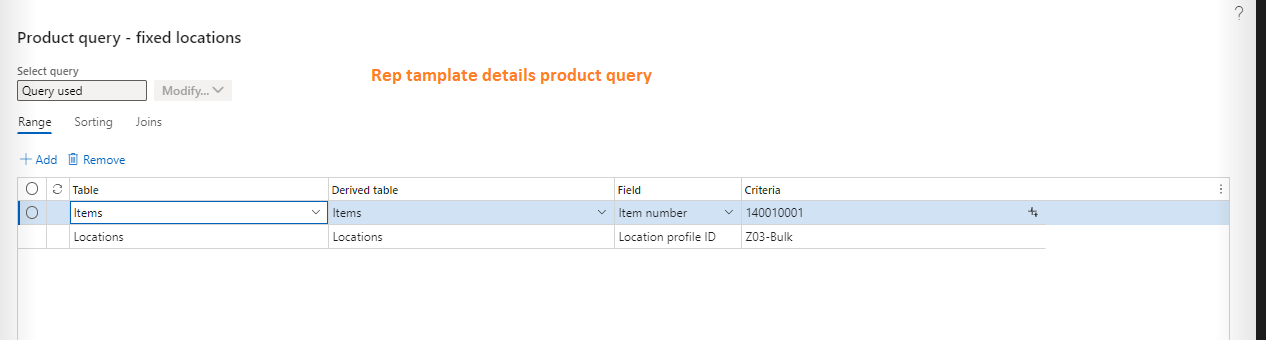
Product Query defined  

pastedimage1655994673297v5.png

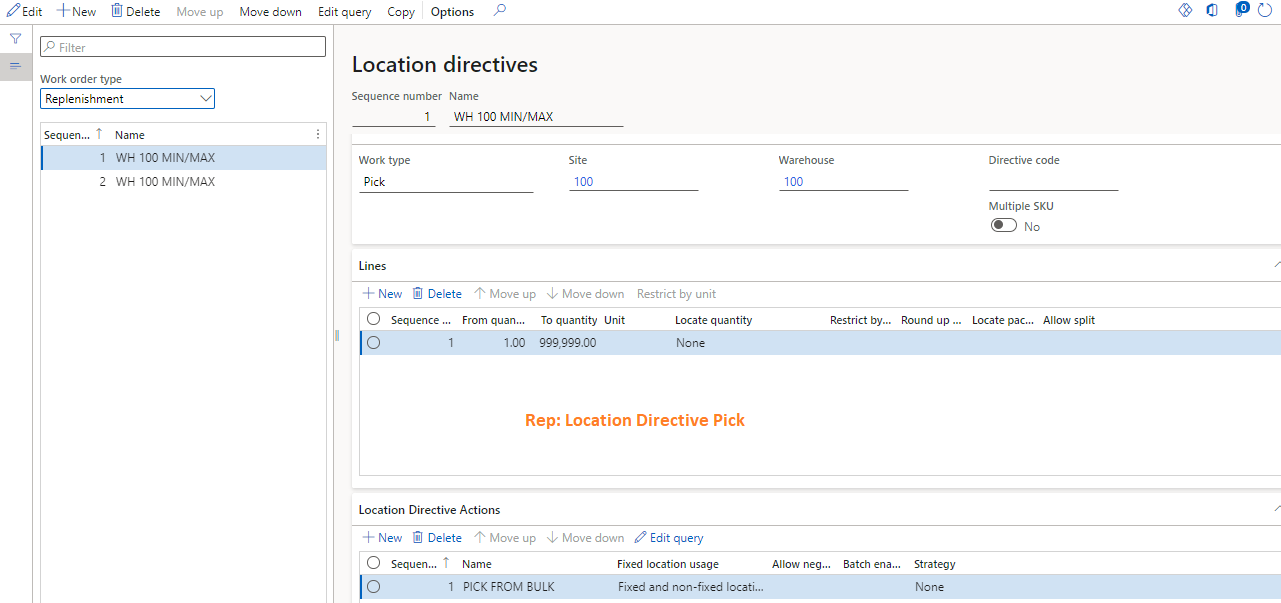
Location Directive defined 

pastedimage1655994713752v6.png

Work Template created

On hand stock available

Getting following message "Replenishment template Z03-Min/Max Rep sequence 1 created no work".

 work creation history log

pastedimage1655994260761v1.png

Anyone have idea step by step accurate process

I have the same question (0)
  • Suggested answer
    Danny Bilodeau Profile Picture
    4,934 Super User 2026 Season 1 on at

    Hi Talib,

    And you have defined a Fixed Location for that item (warehouse management > setup>warehouses > Fixed Locations)?  When you do this, remove the location from the <Product Query defined>.

    If you want to identify the location (or zone) at the Replenishment template (and not use Fixed Location) then uncheck fixed locations:

    pastedimage1656020473879v2.png

    Not sure if that is the cause, but if you change this and test you will know soon enough...

    Danny

  • Talib Hussain Profile Picture
    115 on at

    Thanks Danny,

    I have tried in this way too after your suggestion but the result is same. No work been created. I am not getting where I am doing mistake.

  • Talib Hussain Profile Picture
    115 on at

    Hi Danny

    In my case Location threshold field in unavailable. I guess because of this I am unable.

  • Suggested answer
    Danny Bilodeau Profile Picture
    4,934 Super User 2026 Season 1 on at

    Hi Talib,

    Appologies, I had not seen that you had setup the fixed locations for the item.

    Can you confirm that you are trying to achieve the following:

    - Item 140010001 should alway be kept in Fixed Locations Z03R0101A and Z03R0101B.

    - For this item at this fixed location we will want to keep between 0 and 2 PCS

    - These locations would be replenished from a location that has Location Profile Z03-Bulk.

    Is that so?

    Arer you sure that the Work Creation History Log is for replenishment work?  The quantity is 6 (not your max of 2) and the location directives do not look like the other screen shots you posted.

    Can you increase the minimum on the replenishment work template to a quantity that is >= 1, just to make sure the minimum level is triggered and try to generate replenishment work again?  Of course make sure that  Z03R0101A and Z03R0101B do not have the Item 140010001 in stock.

Under review

Thank you for your reply! To ensure a great experience for everyone, your content is awaiting approval by our Community Managers. Please check back later.

Helpful resources

Quick Links

Introducing the 2026 Season 1 community Super Users

Congratulations to our 2026 Super Stars!

Meet the Microsoft Dynamics 365 Contact Center Champions

We are thrilled to have these Champions in our Community!

Congratulations to the April Top 10 Community Leaders

These are the community rock stars!

Leaderboard > Supply chain | Supply Chain Management, Commerce

#1
André Arnaud de Calavon Profile Picture

André Arnaud de Cal... 164 Super User 2026 Season 1

#2
Laurens vd Tang Profile Picture

Laurens vd Tang 105 Super User 2026 Season 1

#3
Zain Mehmood Profile Picture

Zain Mehmood 89 Most Valuable Professional

Last 30 days Overall leaderboard

Product updates

Dynamics 365 release plans