web
You’re offline. This is a read only version of the page.
close
Skip to main content

Notifications

Announcements

Community site session details

Community site session details

Session Id :
Small and medium business | Business Central, N...
Suggested Answer

Vendor template are not working while creating Vendor in BC using Power Automate Flow.

(0) ShareShare
ReportReport
Posted on by 2,102

Hi All,

I need to discuss one query here regarding the vendor template in Business Central.

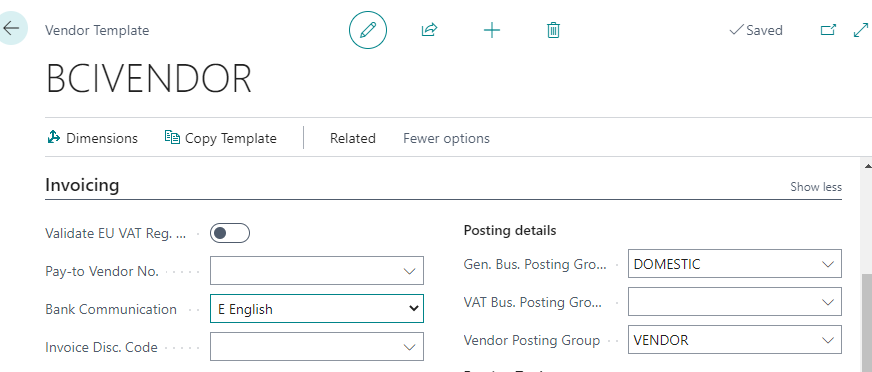
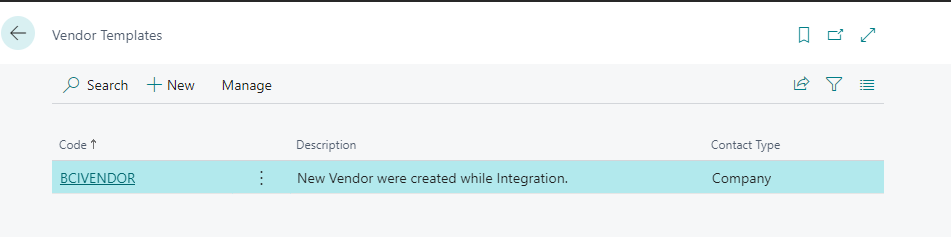
I created one Vendor template with default posting details. Please see the below screen print.
pastedimage1658733609009v1.png

pastedimage1658733626197v2.png

However, it is working fine while I am creating the Vendor OOB. But the problem is that when I am trying to create a vendor in business central Using Power automate flow, the fields from the Vendor template are not working.

[Inshort: Posting details from the vendor template are not populate while using Flow for the vendor Creation]

Can anyone have a solution to this problem?

Thank You.

I have the same question (0)
  • Suggested answer
    Inge M. Bruvik Profile Picture
    1,151 Moderator on at

    I am not sure i have a direct solution for this that can solve it directly in the Power Automate flow.

    But it should be pretty simple to write a small customization that makes sure that the vendor template is applied to all new vendors automatically if a template not already have been applied.

    But that of course ruins the beauty of having it done without coding.

  • MahGah Profile Picture
    15,559 on at

    Hi Inge

    I am not very familiar with Power Automation. But is it possible that

    1) Power Automation can call the codeunit that Vendor Template uses to create a vendor then pass the collect data to that codeunit?

    javascript:void(0);

    2) Power Automation can get the data from Vendor Template (let say user select template name then in flow use get data to retrieve those data)  then populate into flow and write back to BC?

  • Inge M. Bruvik Profile Picture
    1,151 Moderator on at

    I am not so familiar with advances use of Power Automate either. But i guess it is possible.

    It should be possible to create a custom API where on of the parameters is the template used and that call that API from Power Automate.

    We should experiment some with that if no one have another solution.

  • Inkey Solutions Profile Picture
    2,102 on at

    Hello,

    Thank you so much for the prompt reply.

    However I am newbie to in all these thing, Could you please give advice for How to achieve this challenge?

    Any help will be appreciated.

    Thanks once again.

Under review

Thank you for your reply! To ensure a great experience for everyone, your content is awaiting approval by our Community Managers. Please check back later.

Helpful resources

Quick Links

Responsible AI policies

As AI tools become more common, we’re introducing a Responsible AI Use…

Congratulations to our 2025 Community Spotlights

Thanks to all of our 2025 Community Spotlight stars!

Leaderboard > Small and medium business | Business Central, NAV, RMS

#1
OussamaSabbouh Profile Picture

OussamaSabbouh 1,957

#2
Dhiren Nagar Profile Picture

Dhiren Nagar 1,245

#3
YUN ZHU Profile Picture

YUN ZHU 1,045 Super User 2025 Season 2

Last 30 days Overall leaderboard

Featured topics

Product updates

Dynamics 365 release plans