web
You’re offline. This is a read only version of the page.
close
Skip to main content

Announcements

No record found.

News and Announcements icon
Community site session details

Community site session details

Session Id :
Supply chain | Supply Chain Management, Commerce
Answered

InventDim Cleanup job - Date parameters in newer versions doesn't accept relative date

(6) ShareShare
ReportReport
Posted on by 33
Hello guys,
 
we've recently upgraded our on-prem d365fo to the .41 version
 
I was reviewing all cleanup batches that we had before, and found that the Inventory dimensions cleanup Job has changed.
 
Here's the old one vs new one
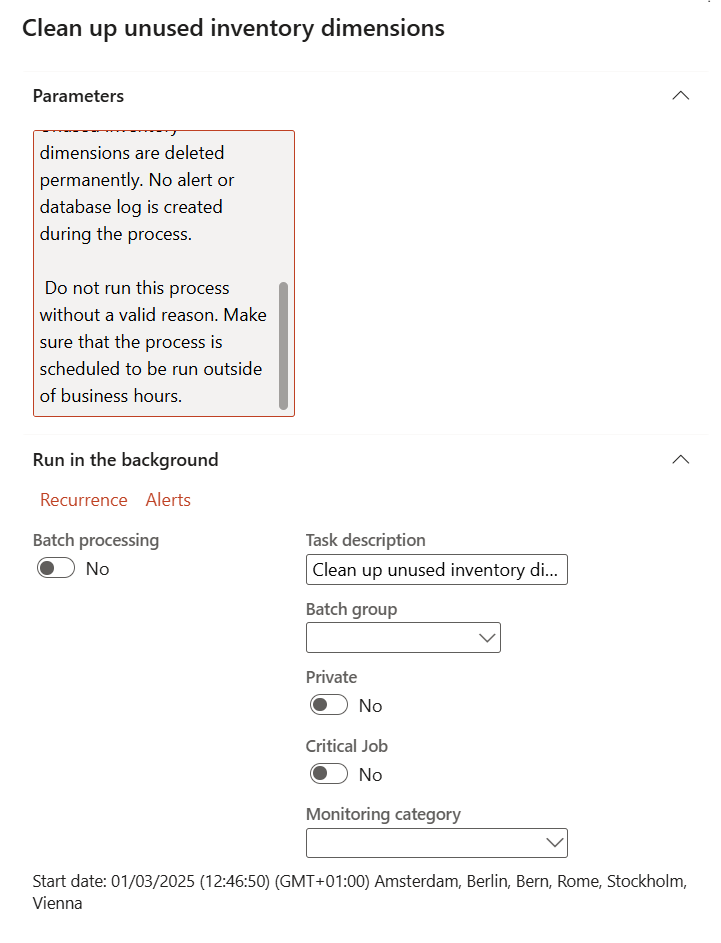
vs 
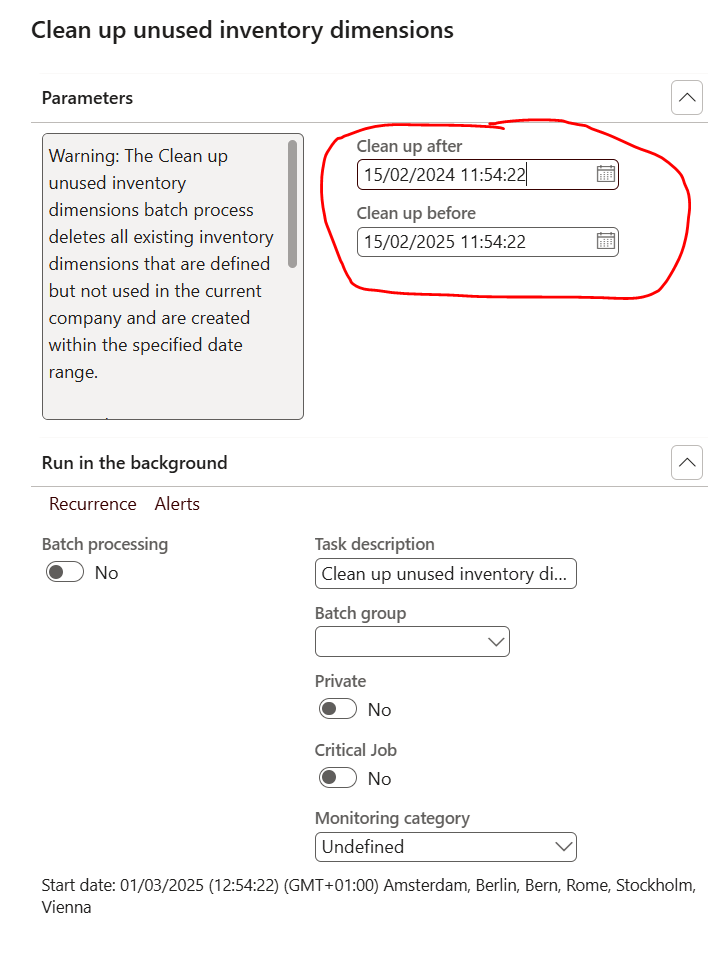
 
On the old job I didn't had any parameter., I had it scheduled every month.
 
On the new one, there's  Cleanup After and Cleanup Before (they are both mandatory)
My issue is that it doesn't let me insert any relative date like for example (Day(-45)) as start date and (Day(-15)) as end date, and then schedule a recurrence.
 
I know i can just put something like 01/01/1980 and 31/12/2099, get a warning that max 1 year is reccomended, and go on with my live;
but I was wondering if there was a smarter way
 
Appreciate any feedback
Thx
I have the same question (0)
  • Verified answer
    Jonas "Jones" Melgaard Profile Picture
    5,016 Most Valuable Professional on at
    I also noticed it when I upgraded one of my environments, and it's a bit odd that you cannot use relative dates (i.e., a query range dialog instead of static date/time fields). It's managed by a flight called InventUnusedDimCleanupWithDateRangeFlight if you want to revert to the old logic.

    I'd suggest running it with the date interval you mentioned. Remember to keep track of any performance issues when you run it; however, I doubt you will see any.
  • Supp Profile Picture
    33 on at
    Ok, I'll add it with those dates, maybe ms will address it in newer releases
     
    thanks

Under review

Thank you for your reply! To ensure a great experience for everyone, your content is awaiting approval by our Community Managers. Please check back later.

Helpful resources

Quick Links

Introducing the 2026 Season 1 community Super Users

Congratulations to our 2026 Super Stars!

Meet the Microsoft Dynamics 365 Contact Center Champions

We are thrilled to have these Champions in our Community!

Congratulations to the April Top 10 Community Leaders

These are the community rock stars!

Leaderboard > Supply chain | Supply Chain Management, Commerce

#1
André Arnaud de Calavon Profile Picture

André Arnaud de Cal... 155 Super User 2026 Season 1

#2
Laurens vd Tang Profile Picture

Laurens vd Tang 101 Super User 2026 Season 1

#3
Zain Mehmood Profile Picture

Zain Mehmood 89 Most Valuable Professional

Last 30 days Overall leaderboard

Product updates

Dynamics 365 release plans
