web
You’re offline. This is a read only version of the page.
close
Skip to main content

Announcements

No record found.

News and Announcements icon
Community site session details

Community site session details

Session Id :
Small and medium business | Business Central, N...
Suggested Answer

How do I get back to default page layout after designing in BC?

(0) ShareShare
ReportReport
Posted on by 481

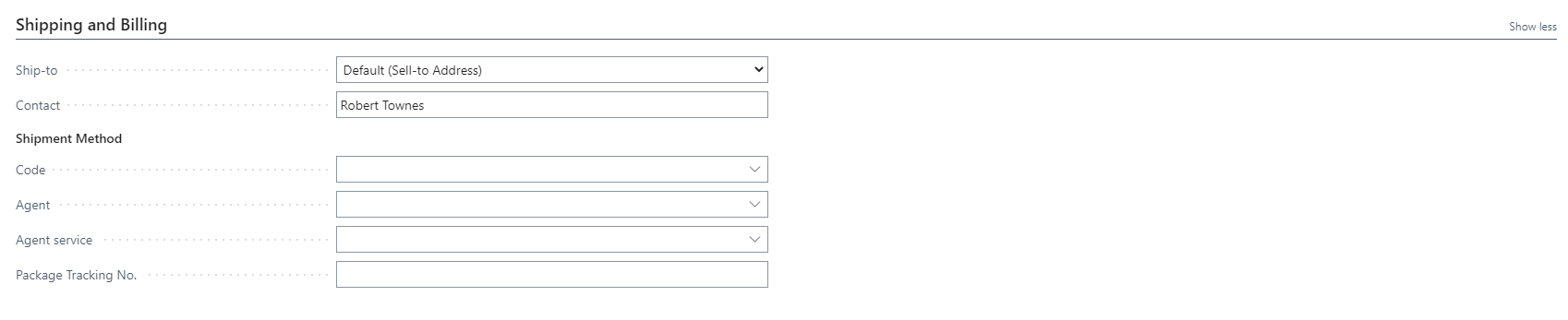
I'm not sure why but the 'Bill-to' field in the Sales Invoice page is missing. I think I may have accidentally deleted it when I was in design mode. How do I go back to default page design?
32.PNG

As you can see the field is gone from the Shipping and Billing tab. I've tried adding the field back again using design mode but it is not showing up as an option (I am referring to 'Bill-to' field)

I have the same question (0)
  • Suggested answer
    MahGah Profile Picture
    15,581 on at

    As a first step try to clear personalization (Settings -> Personalize) then below. Also design only works in Sandbox and not production. Most likely you hide that field. In addition do you see "Show More" option like below? if yes try that first 

    pastedimage1655305605002v1.png

    pastedimage1655305703530v2.png

  • jdrco Profile Picture
    481 on at

    It does not allow me to click 'Clear personalization'. I don't think I ever used the personalize tool. Just Design.

  • Suggested answer
    MahGah Profile Picture
    15,581 on at

    When you mentioned Design did you mean you did something like below?

    https://yzhums.com/21735/

    First, try personalize then click Field and see if you can see the field and add to page. If you do not see that option then go back to design and you should find that field and add back.

    pastedimage1655306414764v1.png

  • Suggested answer
    jdrco Profile Picture
    481 on at

    Hi, thank you for your input. It looks like I was able to get the field back after deleting the extension installed most recent Design action.

  • Suggested answer
    YUN ZHU Profile Picture
    98,242 Super User 2026 Season 1 on at

    Hi, just add some tips for Design feature.

    https://yzhums.com/21735/

    https://yzhums.com/1713/

    https://yzhums.com/7241/

    Hope this helps as well.

    Thanks.

    ZHU

Under review

Thank you for your reply! To ensure a great experience for everyone, your content is awaiting approval by our Community Managers. Please check back later.

Helpful resources

Quick Links

Introducing the 2026 Season 1 community Super Users

Congratulations to our 2026 Super Stars!

Congratulations to our 2025 Community Spotlights

Thanks to all of our 2025 Community Spotlight stars!

Leaderboard > Small and medium business | Business Central, NAV, RMS

#1
OussamaSabbouh Profile Picture

OussamaSabbouh 2,055 Super User 2026 Season 1

#2
YUN ZHU Profile Picture

YUN ZHU 1,063 Super User 2026 Season 1

#3
Dhiren Nagar Profile Picture

Dhiren Nagar 1,014 Super User 2026 Season 1

Last 30 days Overall leaderboard

Featured topics

Product updates

Dynamics 365 release plans
