web
You’re offline. This is a read only version of the page.
close
Skip to main content

Notifications

Announcements

No record found.

Community site session details

Community site session details

Session Id :
Small and medium business | Business Central, N...
Answered

Purchase Invoice Approval Workflow

(0) ShareShare
ReportReport
Posted on by 112

Hi

Wonder why thePurchase Invoice Approval workflow gave the following error even thought i have enabled the Purchase Invoice Workflow and the User Approval Setup
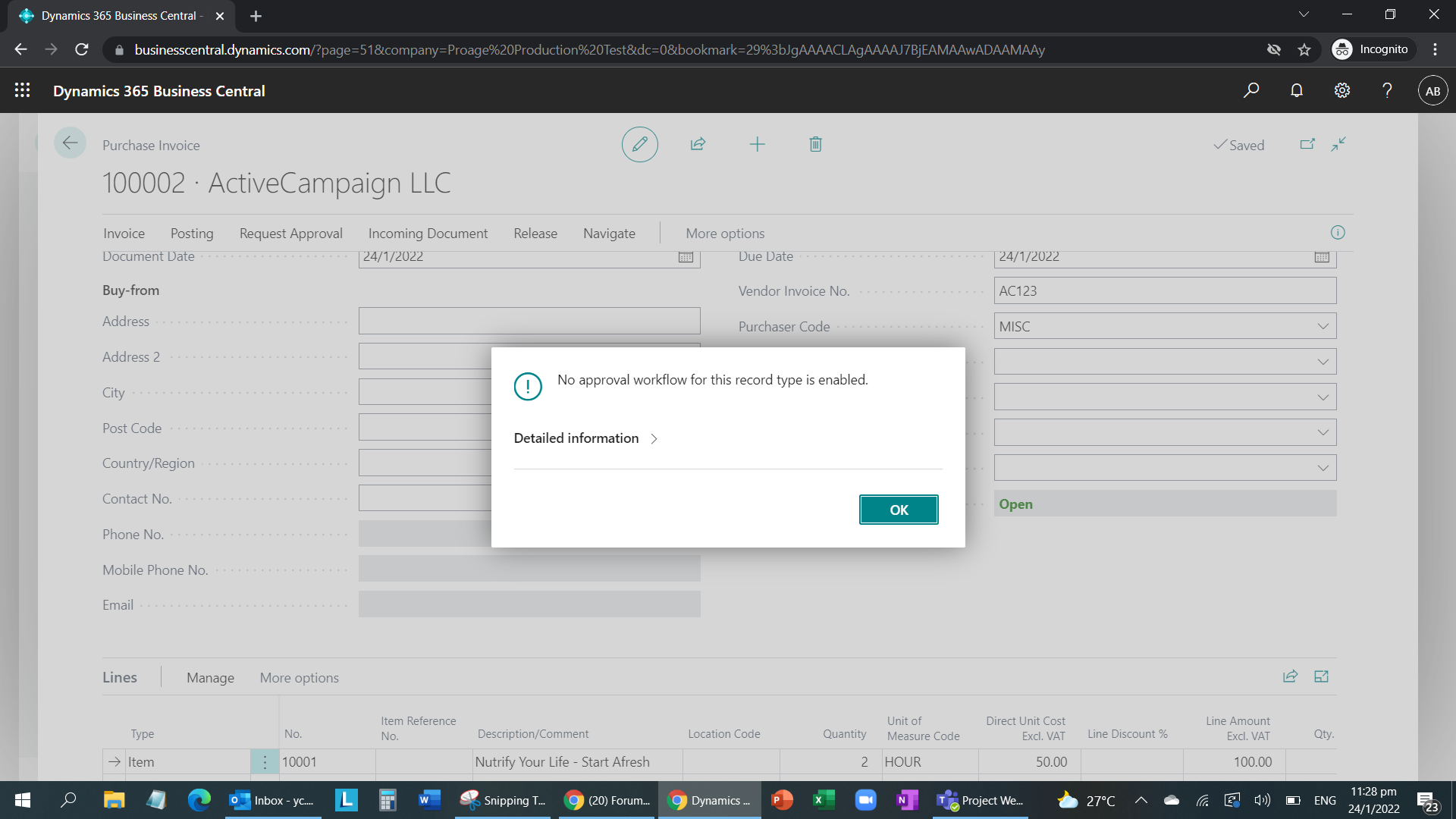
pastedimage1643038160438v6.png

This is how I set up the Purchase Invoice Workflow
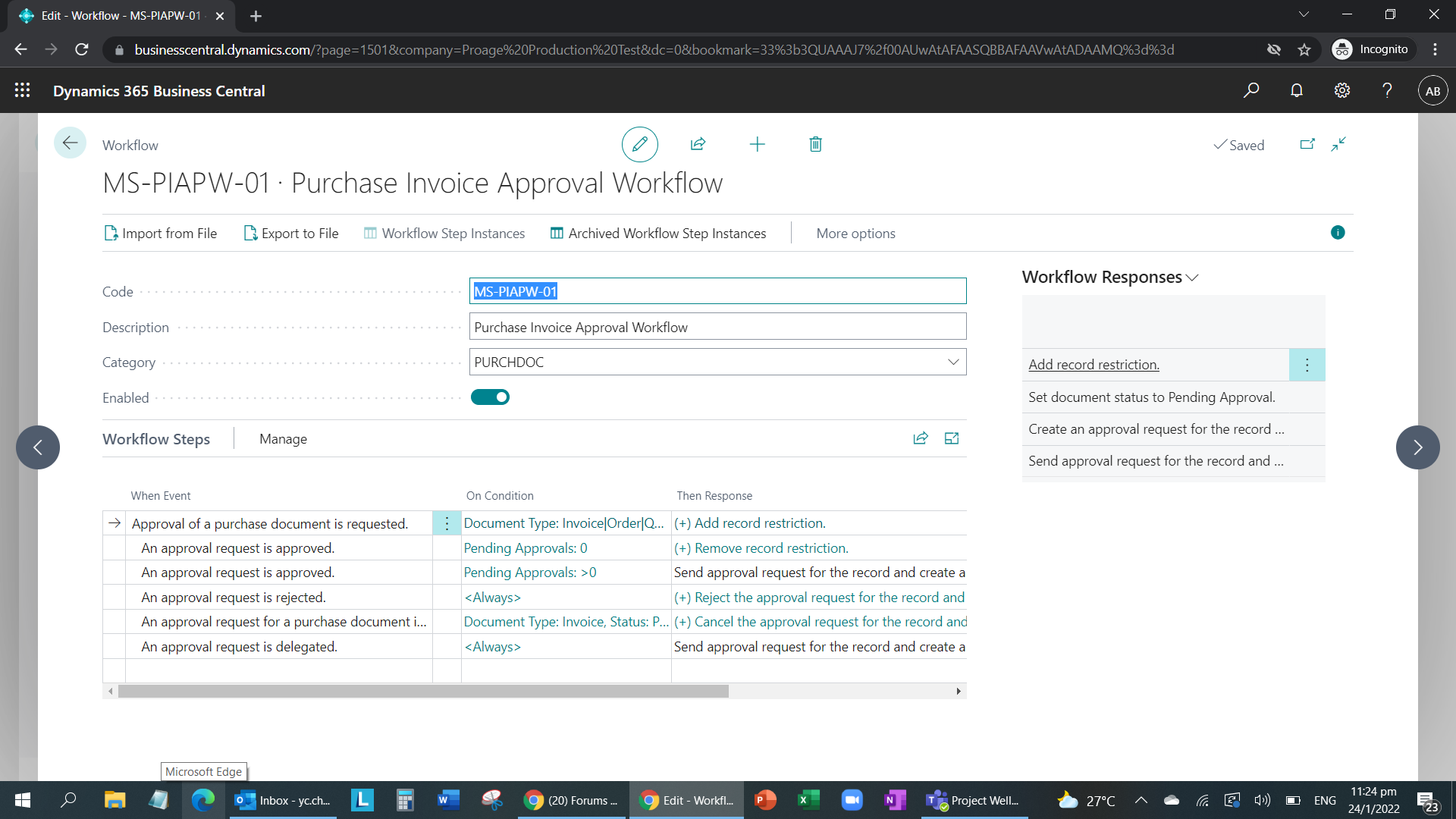
pastedimage1643037844613v2.png

The User Approval Setup is as follows:
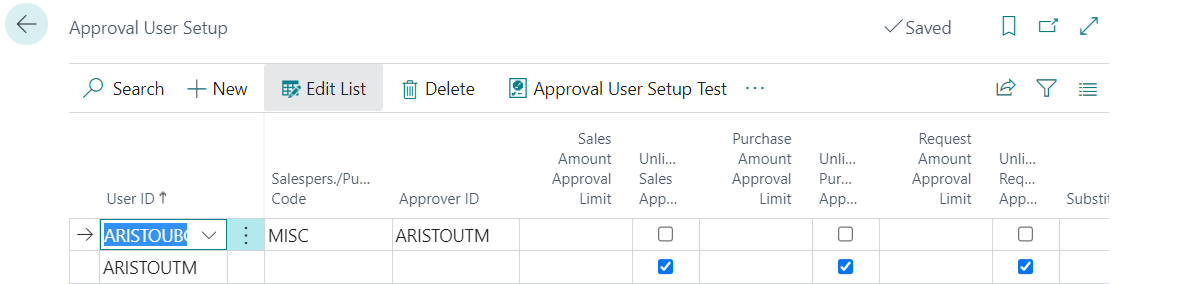
pastedimage1643037917676v3.png

The Purchase Invoice for 1 item with the Purchase Code same as the User Approval Setup.
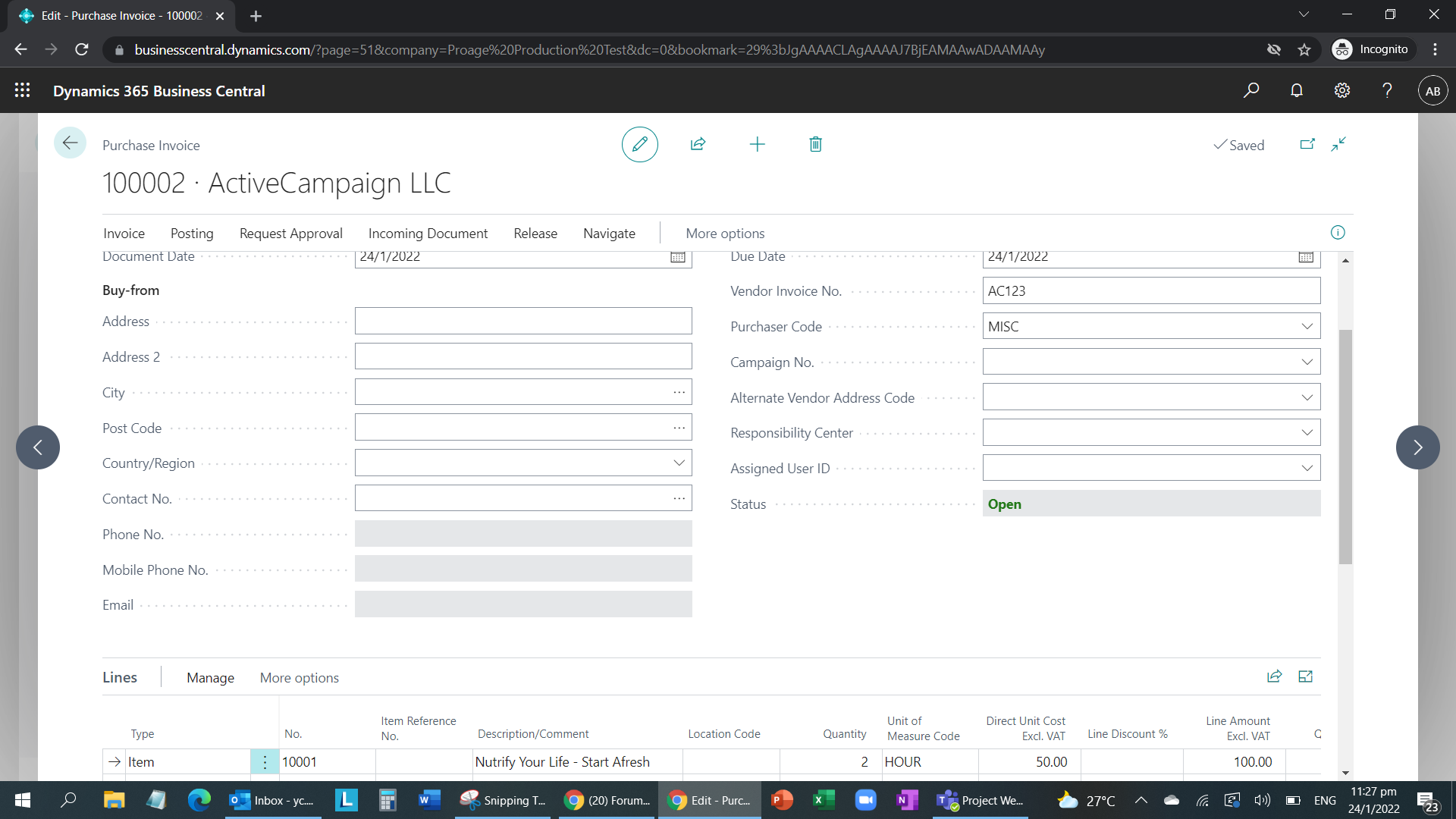
pastedimage1643038088136v4.png

When click on the Request Approval>Send Request Approval, it gives the following error.
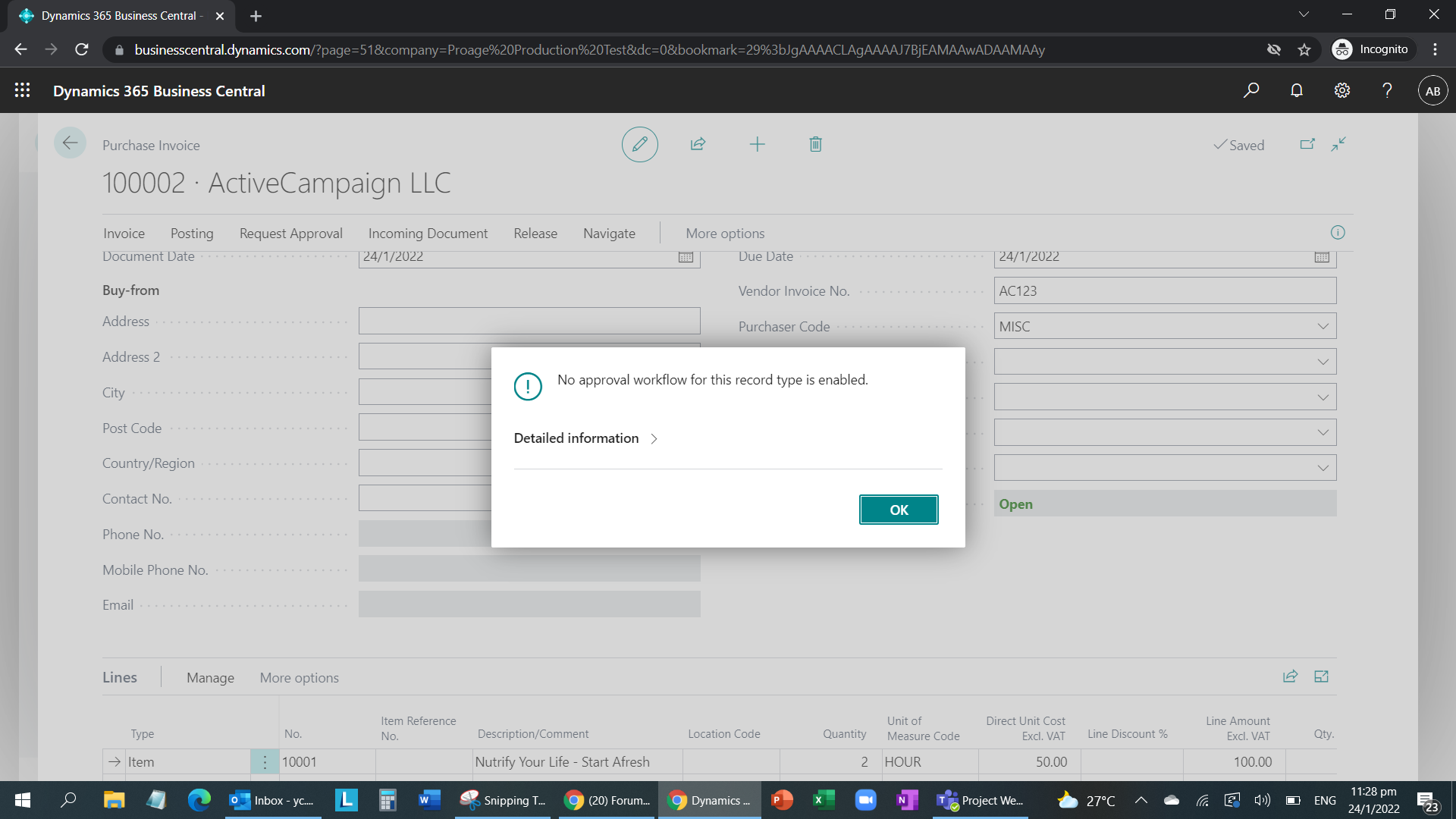
pastedimage1643038152154v5.png

Please advice where did I go wrong.

Thanks in advance.
Rgds

YC

I have the same question (0)
  • Suggested answer
    MahGah Profile Picture
    15,529 on at

    Hi

    Can you please test something here?

    1) in Approval User Setup please add some $ amount for the first user in Purchase section. Something like $10 or even $0.

    2) Also, are you trying this one as a first user or you are login under different user?

    Thanks

  • Suggested answer
    Maria Chambel Profile Picture
    on at

    Hi, 

    Can you please share what do you have in On Condition for the first Event line?

    That error might be shown when the conditions of the workflow are not met by the document.

    Thank you.

  • CYC Profile Picture
    112 on at

    Hi

    The error still persist.

    pastedimage1643075467545v1.png

    The Workflow Event Condition is as follows:

    pastedimage1643075625654v2.png

  • CYC Profile Picture
    112 on at

    Hi Maria,

    The workflow is for Invoice Document Type. The error still persists stating no approval workflow for this record type is enabled which I have enabled.

    pastedimage1643076007321v1.png

  • Suggested answer
    MahGah Profile Picture
    15,529 on at

    Hi

    in workflow the same line looks like has some extra condition. I mean from your first post. Can you test test the following and see if it works. 

    Also, can you create new purchase invoice and try. 

    pastedimage1643118064224v1.png

    Please change to below 

    pastedimage1643117881701v1.png

    pastedimage1643117909350v2.png

  • Verified answer
    Greg Enns Profile Picture
    1,106 on at

    Looks like you probably want your "Amount" filter to be ">50", not just "50".

  • Verified answer
    Maria Chambel Profile Picture
    on at

    Hi,

    With that condition you are saying that the approval request should only be sent if the document has specifically an Amount = 50.

    In your example, your invoice amount is higher than 50 (2 qtys x 50).

    So, you need to remove that condition or change it to Amount > 50.

    Hope it helps.

    Thank you.

  • CYC Profile Picture
    112 on at

    Hi MahGah

    Thanks. Rectified the problem. The issue was that one of the conditions was set wrongly but your above suggestion was a great help too. Thanks.

  • CYC Profile Picture
    112 on at

    Hi Maria

    Thanks for the advice. The issue turns out that one of the conditions was wrong. But your suggestion was a great help.

  • DJT_699 Profile Picture
    39 on at

    Hi MahGah.

    What happens in the case of a user having a zero limit in the approval user setup and another user has a purchase limit of 2000.

    If you put the condition of $10 or $0, then the user with a zero purchase limit is fine and all documents need to go for approval, but what about the user with a limit of $2000. They will get prompted to have the invoice approved when purchasing under $2000 as the condition is set to $10.

Under review

Thank you for your reply! To ensure a great experience for everyone, your content is awaiting approval by our Community Managers. Please check back later.

Helpful resources

Quick Links

Responsible AI policies

As AI tools become more common, we’re introducing a Responsible AI Use…

Neeraj Kumar – Community Spotlight

We are honored to recognize Neeraj Kumar as our Community Spotlight honoree for…

Leaderboard > Small and medium business | Business Central, NAV, RMS

#1
OussamaSabbouh Profile Picture

OussamaSabbouh 3,143

#2
Jainam M. Kothari Profile Picture

Jainam M. Kothari 1,694 Super User 2025 Season 2

#3
YUN ZHU Profile Picture

YUN ZHU 1,067 Super User 2025 Season 2

Last 30 days Overall leaderboard

Featured topics

Product updates

Dynamics 365 release plans
