web
You’re offline. This is a read only version of the page.
close
Skip to main content

Announcements

No record found.

News and Announcements icon
Community site session details

Community site session details

Session Id :
Microsoft Dynamics CRM (Archived)

Same field multiple times on single form

(0) ShareShare
ReportReport
Posted on by

I am not sure how to use same fields multiple times as done in the screenshot.

The same field Prefix, Suffix,etc are used 3 time on the form and different values are entered in those.
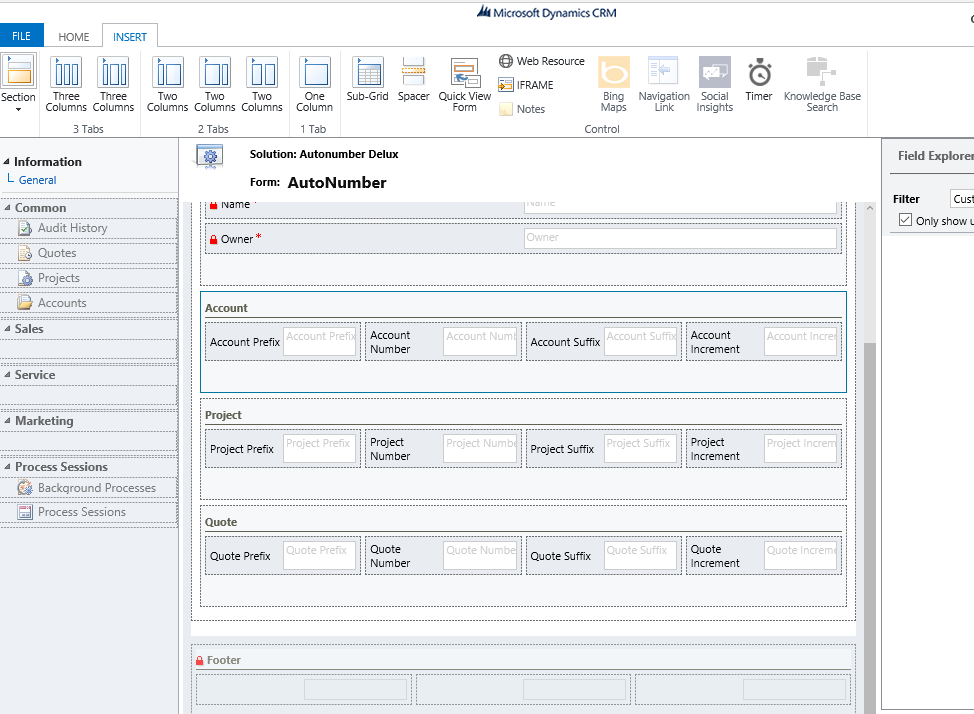
image6.png

when I try it, the value I enter in Prefix once gets populated in all the 3 boxes of prefix.

Is it possible to enter 3 different values as done in below screenshot.
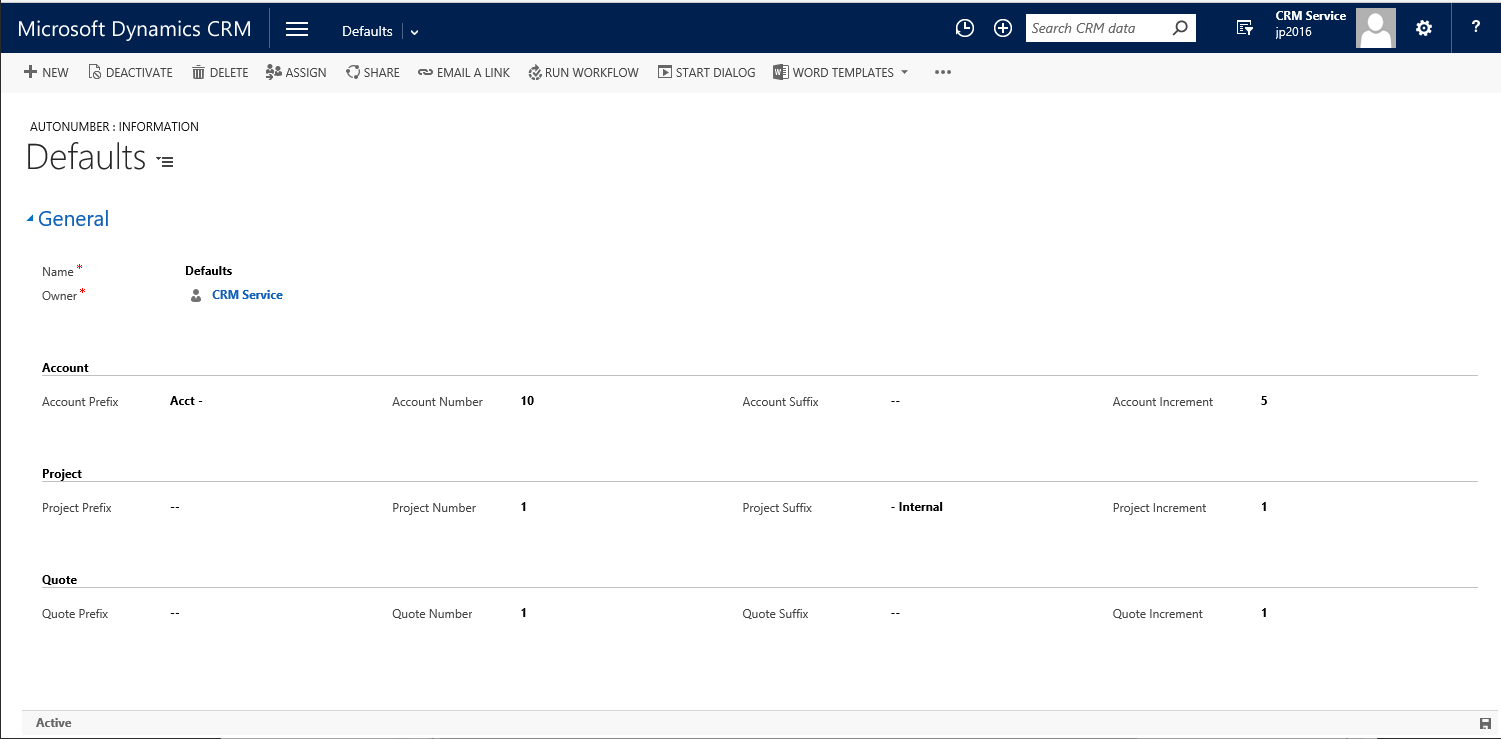
image8.png

*This post is locked for comments

I have the same question (0)
  • Verified answer
    Kokulan Profile Picture
    18,054 on at

    Hi

    No, if you drop the same field more than once, you are just displaying the same field on different parts of the form but underneath its stored in one field in the database.

    You wont be able to achieve what you wont just by dropping  the same field multiple times.

    You will have to use separate fields for each prefix/suffix if you want the values to be different

  • Verified answer
    Sreevalli Profile Picture
    3,264 on at

    Hi,

    Those are not same fields, they should be having different logical name. No matter how many times you added a field on the form, it reflects same(latest) data on all of them

  • Suggested answer
    Aric Levin - MVP Profile Picture
    30,190 Moderator on at

    HI Diksha,

    First of all the answer is that you would need different fields. Since you are using the same logic for the different entities, having only prefix and suffix once and duplicating the record might help.

    Second, It seems like you are using this for AutoNumbering. There are many autonumbering solutions that are available for you to use, and a lot of them are free. Why reinvent the wheel when you can just import the solutions.

    If you are on v9, there is a built-in autonumber that you can use (managed in XrmToolbox from Jonas Rapp): http://anm.xrmtoolbox.com/

    Hope this helps.

  • Community Member Profile Picture
    on at

    Yes this helps. But I have a query.

    Can we use this Xrm Toolbox to apply auto-numbering on custom entities as well?

Under review

Thank you for your reply! To ensure a great experience for everyone, your content is awaiting approval by our Community Managers. Please check back later.

Helpful resources

Quick Links

Introducing the 2026 Season 1 community Super Users

Congratulations to our 2026 Super Stars!

Meet the Microsoft Dynamics 365 Contact Center Champions

We are thrilled to have these Champions in our Community!

Congratulations to the April Top 10 Community Leaders

These are the community rock stars!

Leaderboard > 🔒一 Microsoft Dynamics CRM (Archived)

Last 30 days Overall leaderboard

Featured topics

Product updates

Dynamics 365 release plans
