web
You’re offline. This is a read only version of the page.
close
Skip to main content

Notifications

Announcements

Community site session details

Community site session details

Session Id :
Microsoft Dynamics 365 | Integration, Dataverse...
Suggested Answer

MAPS - Login to Dynamics Customer Engagement

(0) ShareShare
ReportReport
Posted on by 15

Hi!

We've just joined the Active Pack Solutions for MS Partner.

It's not clear how to access the Dynamic 365 Customer Engagement solution.

We've activated the licenses and associated them already to two users. When one of these users goes to the Office 365 portal it sees 'Dynamics 365' logo but once in that page (https://home.dynamics.com/) only the Customer Service Insights service is available (following image). The only other link available in that page is 'Get more apps'...

We're really lost! How can we login to Dynamic 365 Customer Engagement solution?

Thanks so much for your help!

Miguel Vale Oliveira
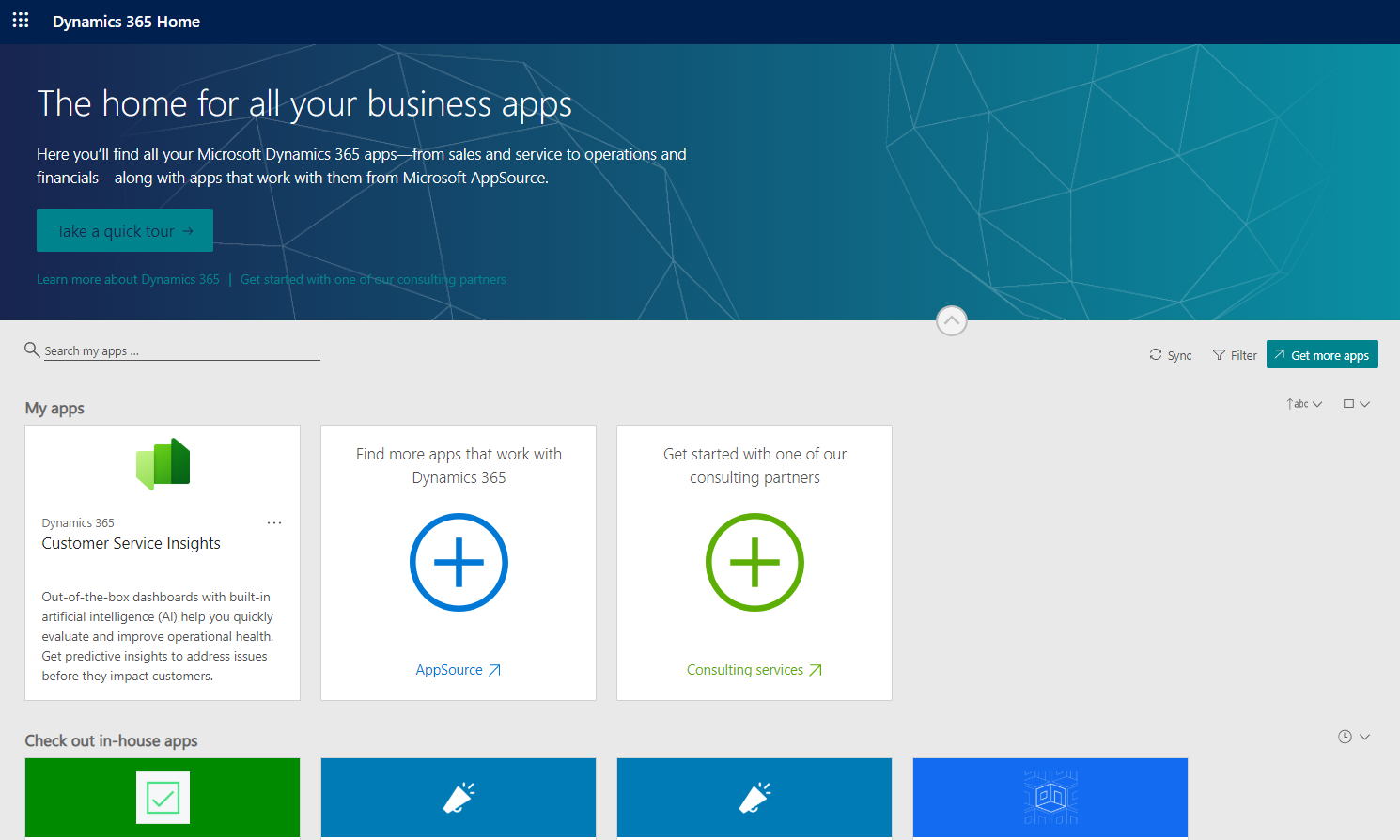
3554.How-to-access-Dynamics-365-Customer-Engagement.png

I have the same question (0)
  • Suggested answer
    Yiming  Profile Picture
    on at

    Hi,


    Do you mean this page?

     8883.2020_2D00_06_2D00_29_5F00_1.png


    If there are available environments in the tenant, then navigate to "Settings > Solutions" can see the above solution page.


    Please confirm users with correct CE licenses first.


    You can also login to https://admin.powerplatform.microsoft.com/ with the global admin account to check the CRM environments.

    Please refer to:

    https://docs.microsoft.com/en-us/power-platform/admin/create-users-assign-online-security-roles


    https://docs.microsoft.com/en-us/power-platform/admin/create-environment

  • Suggested answer
    Aric Levin - MVP Profile Picture
    30,190 Moderator on at

    With one of the users logged in try see if you can access https://make.powerapps.com once there, click on Apps and see if there are any apps that you can access. You should see from there a sales hub app or customer service hub app which you can click on and that will take you to your Dynamics instance.

    Not sure what role these users have within the Office 365 Tenant, but if they have no role, you might need to assign them a role. You will need to have at least one of the users as a Dynamics Service Administrator so that the user can assign roles to other users.

Under review

Thank you for your reply! To ensure a great experience for everyone, your content is awaiting approval by our Community Managers. Please check back later.

Helpful resources

News and Announcements

Season of Giving Solutions is Here!

Quick Links

Responsible AI policies

As AI tools become more common, we’re introducing a Responsible AI Use…

Neeraj Kumar – Community Spotlight

We are honored to recognize Neeraj Kumar as our Community Spotlight honoree for…

Leaderboard > Microsoft Dynamics 365 | Integration, Dataverse, and general topics

#1
iampranjal Profile Picture

iampranjal 65

#2
André Arnaud de Calavon Profile Picture

André Arnaud de Cal... 34 Super User 2025 Season 2

#3
Pallavi Phade Profile Picture

Pallavi Phade 24

Last 30 days Overall leaderboard

Product updates

Dynamics 365 release plans
