web
You’re offline. This is a read only version of the page.
close
Skip to main content

Announcements

No record found.

News and Announcements icon
Community site session details

Community site session details

Session Id :
Small and medium business | Business Central, N...
Answered

Business Central Item Card - "Bin Contents" option button is missing for a user with Super permission

(0) ShareShare
ReportReport
Posted on by

Hi all,

One of our BC user has no "Bin Contents" option button when navigate from Related -> Warehouse ->  No Bin Contents option button display, only display "Stock-keeping Units" option button.

This is weird and did anybody have similar issue?  How to fix this?  Thank you.

pastedimage1620867921352v1.png

I have the same question (0)
  • Suggested answer
    Suresh Kulla Profile Picture
    50,278 Super User 2026 Season 1 on at

    Is the user have an Essential or Premium license? the bin contents belong to Warehouse Application.

  • Suggested answer
    DynaExperts Profile Picture
    573 on at

    Hello,

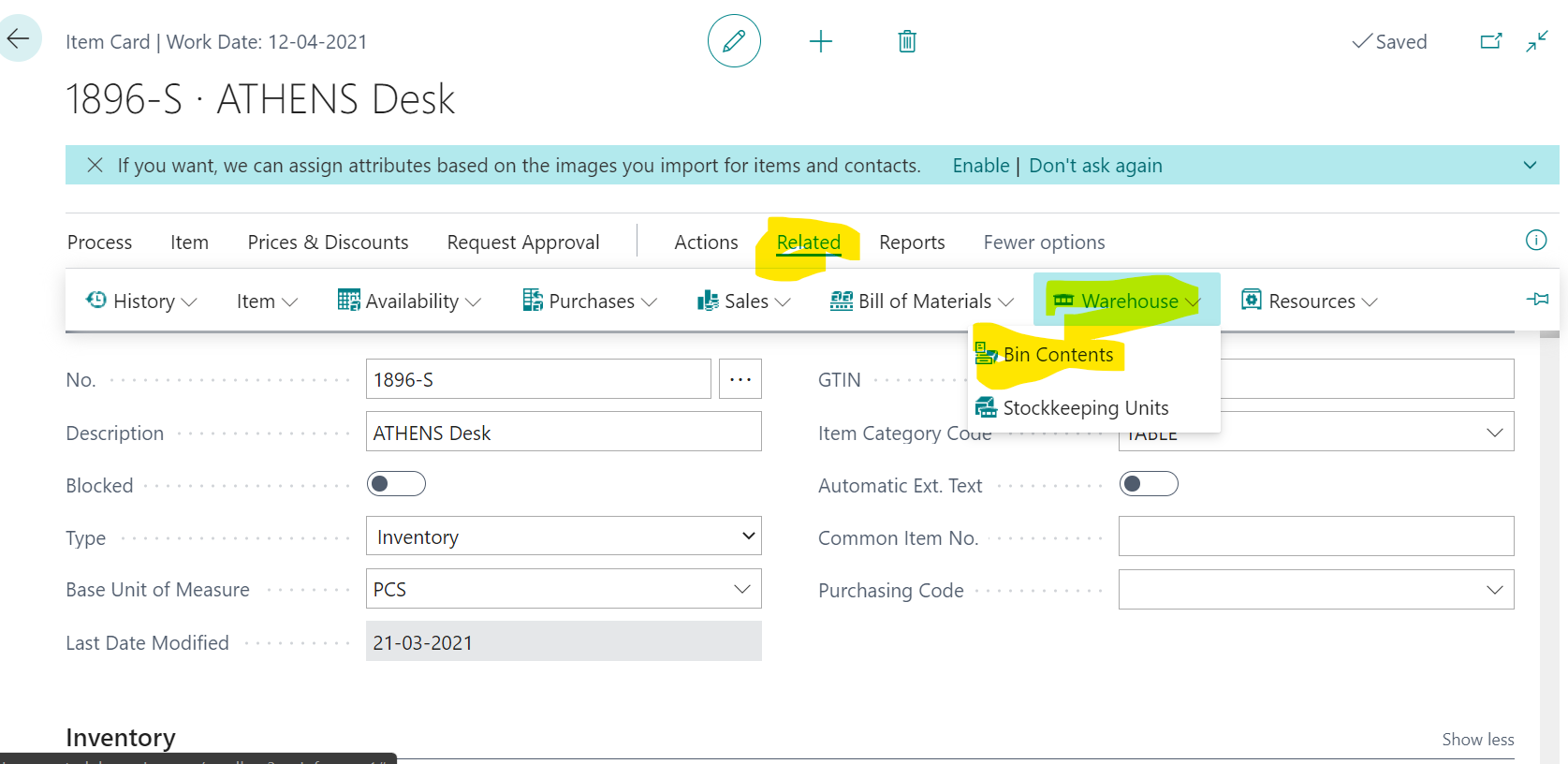
    you should be able to view the bin content from Item card irrespective whether the user experience is essential / premium. And you are right, the link for the same is Item > Related > Warehouse > Bin Content
    pastedimage1620884094054v1.png

    In your case, most probably, user's personalization is changed and "Bin Content" is hidden either by user himself or by the administrator. Why don't you ask user to check his personalization of the Item card and make it visible?

    If the above does not work, then -

    1. Note user's profile / Role

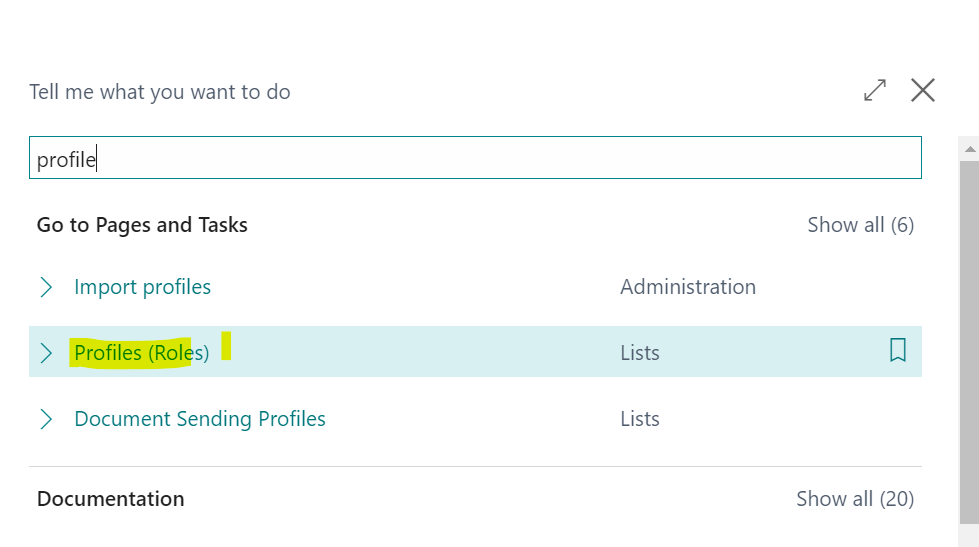
    2. Open Profiles (Role)
    pastedimage1620884509244v2.png

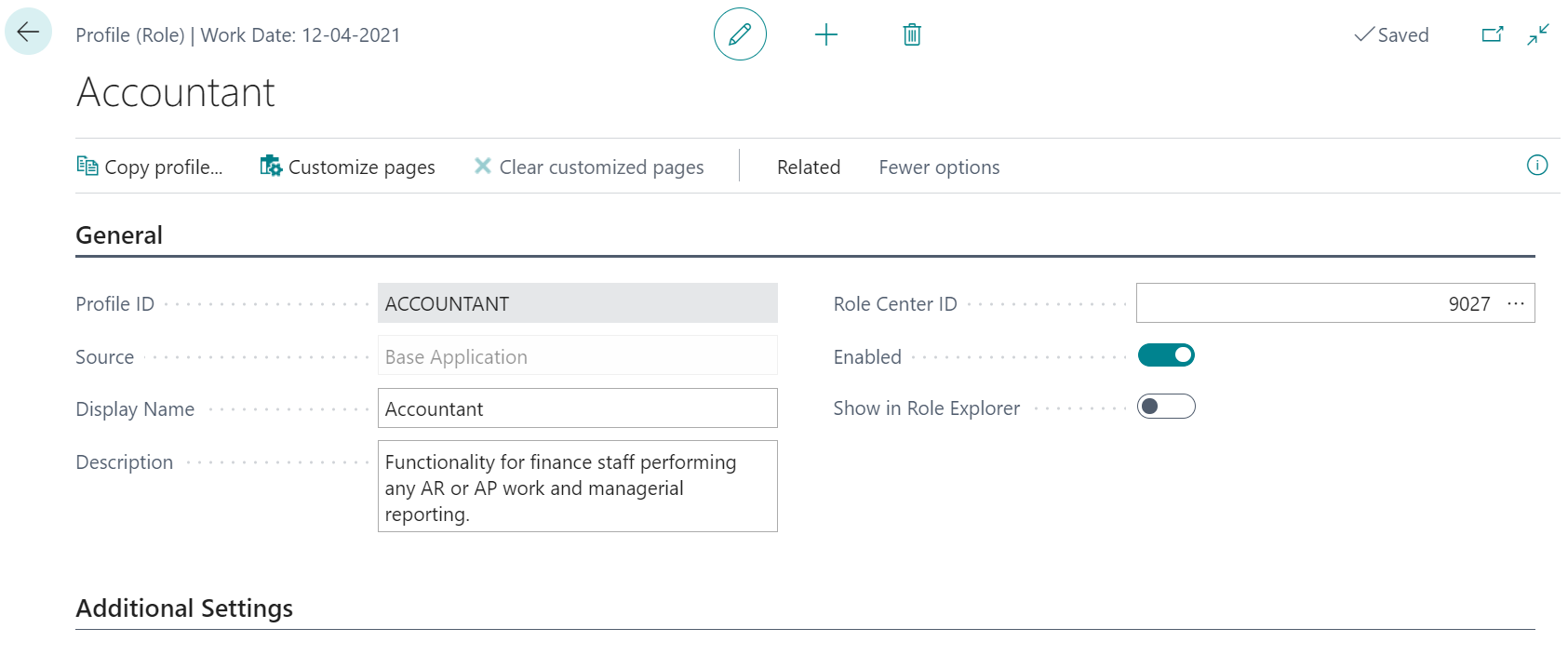
    3. Go to the his specific profile card
    pastedimage1620884533240v3.png

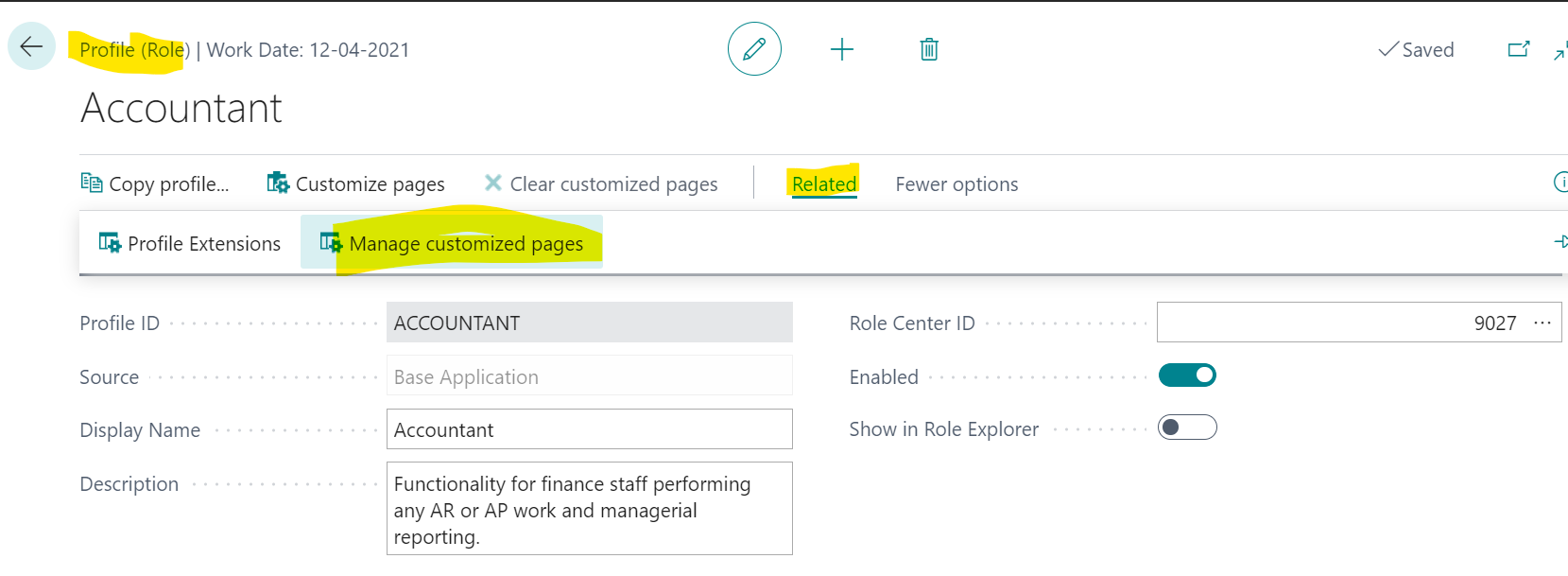
    4. Check if there is any specific Page customizations are there or not. You may need to clear them
    pastedimage1620884575854v4.png

  • B@houston Profile Picture
    on at

    Hi Suresh,

    User has Premium license and can access bin contents page from Tell me what to navigation. Thanks.

  • B@houston Profile Picture
    on at

    Thanks Snehanshu,

    I made a personalization to my Item Card page by hiding the Bin Content option button.  Then I went to the Role (Profile) -> Business Manager ->  Related -> Manage customized pages, then there seems nothing customization display.  Did i miss anything?

    pastedimage1620908285784v1.png

    Thank you.

  • Verified answer
    Suresh Kulla Profile Picture
    50,278 Super User 2026 Season 1 on at

    Customized pages will not show your personalizations, check Personalized Pages which will show personalization made.

    Try to clear the personalization for the user on that page for the actions and hopefully that will bring back those actions.

    usedynamics.com/.../

Under review

Thank you for your reply! To ensure a great experience for everyone, your content is awaiting approval by our Community Managers. Please check back later.

Helpful resources

Quick Links

Introducing the 2026 Season 1 community Super Users

Congratulations to our 2026 Super Stars!

Meet the Microsoft Dynamics 365 Contact Center Champions

We are thrilled to have these Champions in our Community!

Congratulations to the April Top 10 Community Leaders

These are the community rock stars!

Leaderboard > Small and medium business | Business Central, NAV, RMS

#1
OussamaSabbouh Profile Picture

OussamaSabbouh 2,059 Super User 2026 Season 1

#2
YUN ZHU Profile Picture

YUN ZHU 994 Super User 2026 Season 1

#3
Teagen Boll Profile Picture

Teagen Boll 664 Super User 2026 Season 1

Last 30 days Overall leaderboard

Featured topics

Product updates

Dynamics 365 release plans
