web
You’re offline. This is a read only version of the page.
close
Skip to main content

Notifications

Announcements

No record found.

Community site session details

Community site session details

Session Id :
Supply chain | Supply Chain Management, Commerce
Answered

D365 eCommerce/VisualStudio Code : (node:25180) UnhandledPromiseRejectionWarning: TypeError: Cannot read property 'substr' of undefined

(0) ShareShare
ReportReport
Posted on by 2,067

When setting up a eCommerce development environment as described here https://docs.microsoft.com/en-us/dynamics365/commerce/e-commerce-extensibility/setup-dev-environment I get the following error when running "yarn start".   Any idea on how to fix this ?

pastedimage1643986963663v1.png

I have the same question (0)
  • Sam Jarawan Profile Picture
    on at

    Hi Kurt,

    Can you confirm if you made any additional code changes or were you just following the direct steps in the document?

    Can you also confirm what version of Node you have installed, we don't curretly support the latest version only 12.x and that could be the root cause.

    If you open a command prompt and type in "node --version" it will print out the version name as shown below.
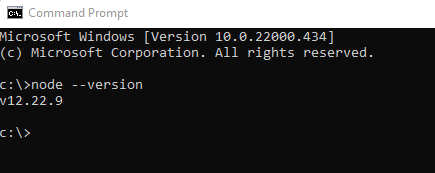
    pastedimage1643995747504v1.png

    If that's it, can you uninstall Node and reinstall 12.x.

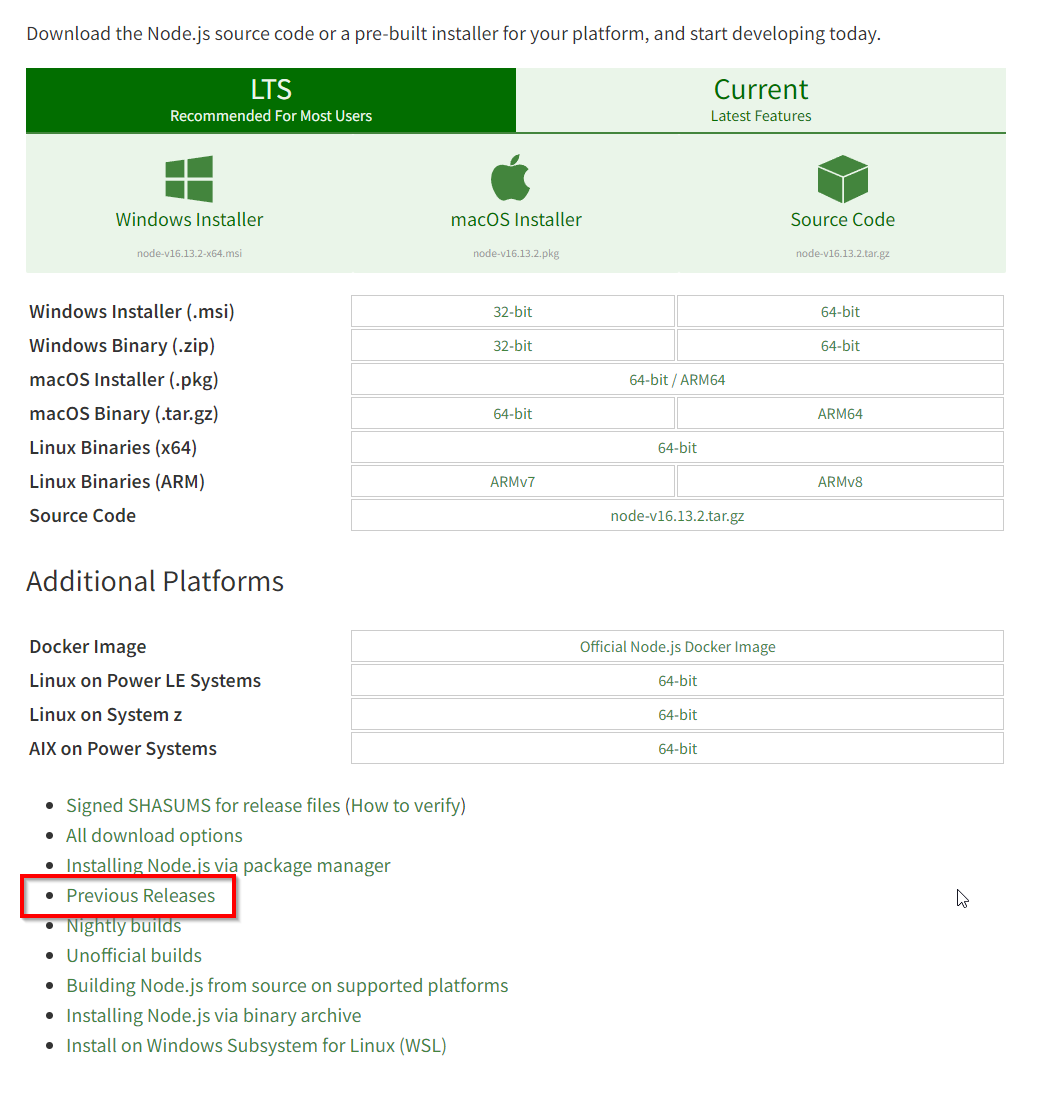
    To get version 12.x click on the "Other downloads" link on the Node.js website:

    pastedimage1643995838980v2.png

    Then "Previous Releases:

    pastedimage1643995895343v3.png

    Then you can find the latest version of 12.x:
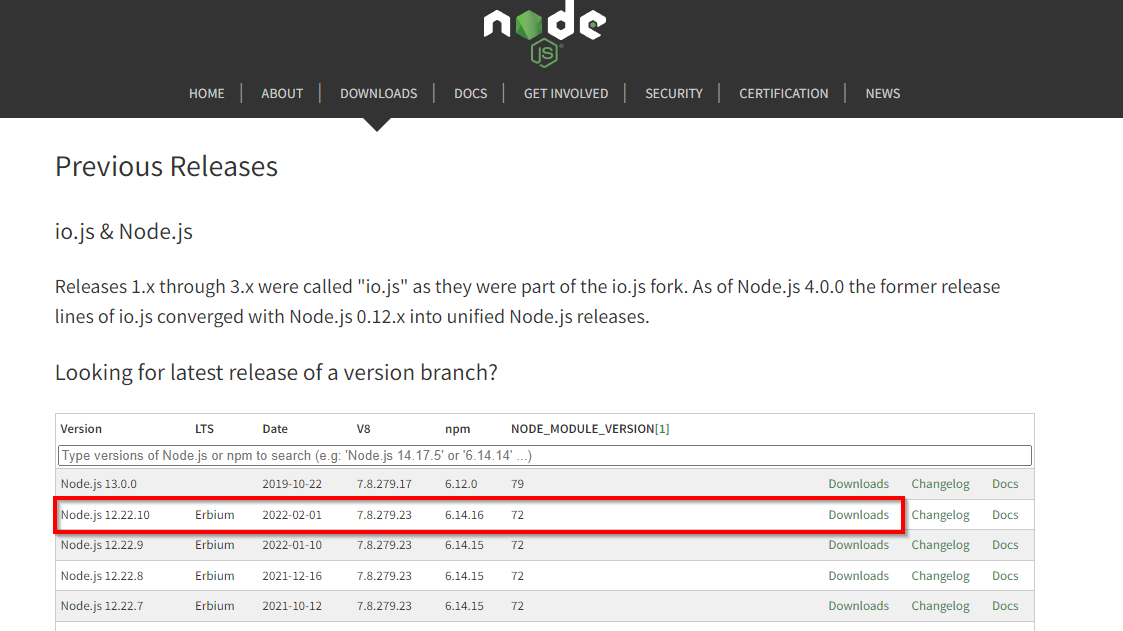
    pastedimage1643995976130v4.png

    I hope that helps,

    Sam

  • Verified answer
    Sam Jarawan Profile Picture
    on at

    Hi Kurt,

    Thanks for confirming you did have Node 12.x installed.

    I was able to repro the issue, there is a bug in the latest released SDK that just went live and we should have a fix published today.  In the mean-time here is the work around.

    1. Add "webpack-sources": "3.2.2" to "resolutions" section in package.json

    2. delete yarn.lock

    3. run yarn again

    Now run "yarn start" and all should be good.

    thanks,

    Sam

  • Suggested answer
    Kurt Hatlevik Profile Picture
    2,067 on at

    YES!   This works :-)

Under review

Thank you for your reply! To ensure a great experience for everyone, your content is awaiting approval by our Community Managers. Please check back later.

Helpful resources

Quick Links

Responsible AI policies

As AI tools become more common, we’re introducing a Responsible AI Use…

Neeraj Kumar – Community Spotlight

We are honored to recognize Neeraj Kumar as our Community Spotlight honoree for…

Leaderboard > Supply chain | Supply Chain Management, Commerce

#1
Laurens vd Tang Profile Picture

Laurens vd Tang 271 Super User 2025 Season 2

#2
Siv Sagar Profile Picture

Siv Sagar 171 Super User 2025 Season 2

#3
André Arnaud de Calavon Profile Picture

André Arnaud de Cal... 130 Super User 2025 Season 2

Last 30 days Overall leaderboard

Featured topics

Product updates

Dynamics 365 release plans