web
You’re offline. This is a read only version of the page.
close
Skip to main content

Announcements

No record found.

News and Announcements icon
Community site session details

Community site session details

Session Id :
Microsoft Dynamics CRM (Archived)

Remove contact relationship from Customer lookup field

(0) ShareShare
ReportReport
Posted on by

Hi experts, 

In the case record, there is an out of the box system required field called "Customer" 
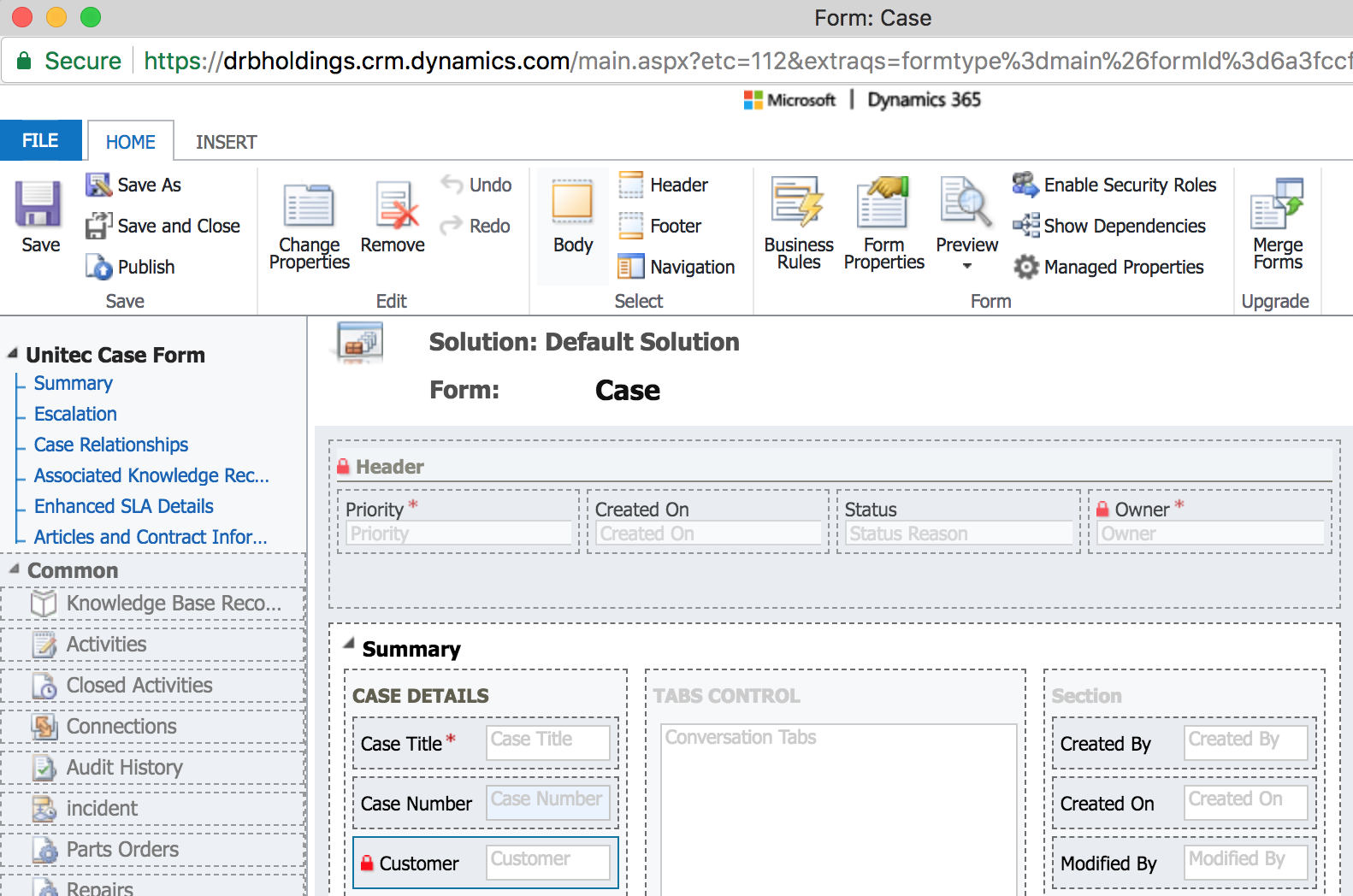
Screen-Shot-2018_2D00_03_2D00_26-at-1.04.44-PM.png

When we select the lookup field we can choose both contacts and accounts. However I don't want the lookup to search for contacts. How can I remove this and have the field exclusively search for accounts?
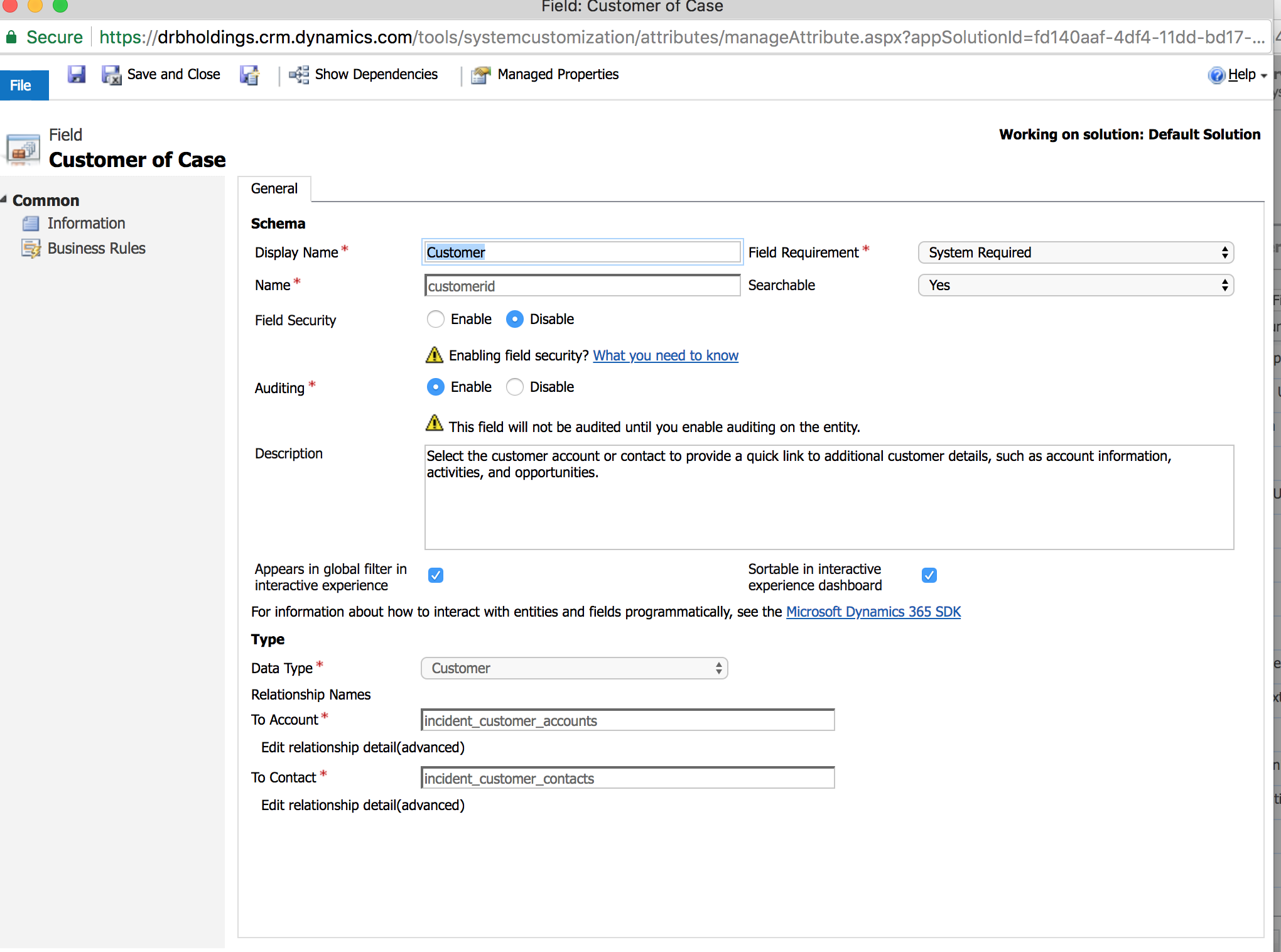
Screen-Shot-2018_2D00_03_2D00_26-at-1.05.02-PM.png

Thanks,

Jon

*This post is locked for comments

I have the same question (0)
  • Suggested answer
    Rawish Kumar Profile Picture
    13,758 on at

    Hi Jon,

    If its really needed you can create a simple javascript using preSearch function where you will get only accounts or contacts.

    refer below:

    www.powerobjects.com/.../restrict-customer-lookup-to-accounts-or-contacts-in-dynamics-crm

    I hope this helps.

  • Suggested answer
    RaviKashyap Profile Picture
    55,410 Moderator on at

    Hi Jon,

    There is no standard configuration to remove the contact reference from the customer field. You can however create a new field (lookup to account) and use this field instead of customer. You can then have a real time workflow to copy the value from this field to the customer field just to ensure the references to other related entities.

    If you still want to use the customer field then the above suggested option should work for you.

    Hope this helps

  • Community Member Profile Picture
    on at

    Hi Rawish,

    Thanks for your reply.

    I followed the link you provided however, I'm getting the following error:

    Screen-Shot-2018_2D00_03_2D00_26-at-1.37.43-PM.png

    Thanks,

    Jon

  • Suggested answer
    Rawish Kumar Profile Picture
    13,758 on at

    Hi Jon,

    Looks like some syntax error. Kindly post the screenshot of the script. Make sure all braces are properly opened and closed.

  • Community Member Profile Picture
    on at

    Hi Rawish,

    Please find below the syntax screenshot:

    Screen-Shot-2018_2D00_03_2D00_26-at-1.51.25-PM.png

    Thanks,

    Jon

  • Verified answer
    Rawish Kumar Profile Picture
    13,758 on at

    Hi Jon,

    Its to do with the Apostrophes , use below:

    function defaultcustomer(){

       Xrm.Page.getControl("customerid").addPreSearch(addFilter);

    }

    function addFilter()

    {

       var customerAccountFilter = "<filter type='and'><condition attribute='contactid' operator='null' /></filter>";

    Xrm.Page.getControl("customerid").addCustomFilter(customerAccountFilter, "contact");

    }

    call this function on change on change event of customer field.

  • Community Member Profile Picture
    on at

    Hi Rawish,

    That worked.

    Thanks so much!

    Jon

Under review

Thank you for your reply! To ensure a great experience for everyone, your content is awaiting approval by our Community Managers. Please check back later.

Helpful resources

Quick Links

Introducing the 2026 Season 1 community Super Users

Congratulations to our 2026 Super Stars!

Meet the Microsoft Dynamics 365 Contact Center Champions

We are thrilled to have these Champions in our Community!

Congratulations to the March Top 10 Community Leaders

These are the community rock stars!

Leaderboard > 🔒一 Microsoft Dynamics CRM (Archived)

#1
JS-09031509-0 Profile Picture

JS-09031509-0 3

#2
AS-17030037-0 Profile Picture

AS-17030037-0 2

#2
Mark Eckert Profile Picture

Mark Eckert 2

Last 30 days Overall leaderboard

Featured topics

Product updates

Dynamics 365 release plans
