web
You’re offline. This is a read only version of the page.
close
Skip to main content

Notifications

Announcements

No record found.

Community site session details

Community site session details

Session Id :
Small and medium business | Business Central, N...
Answered

FEFO and item tracking on warehouse pick

(0) ShareShare
ReportReport
Posted on by 25

Situation: I have a Warehouse shipment with 144 in total quantity of product 63051 that I want to pick according to FEFO AND get a suggestion of the Lot on the Pick line.
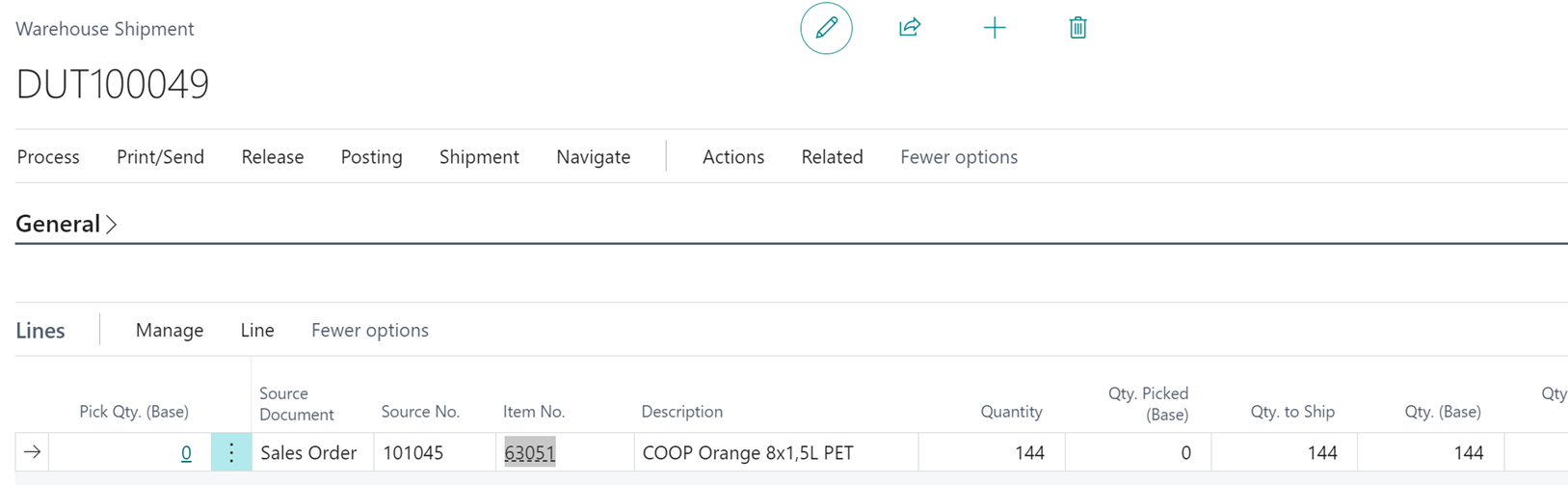
 pastedimage1665122951690v1.png

Product: 63051 bin content

 pastedimage1665122955875v2.png

(Utlev Bin Is a Shipment bin and all quantity is reserved to picked shipments)


Locations setup test 1:
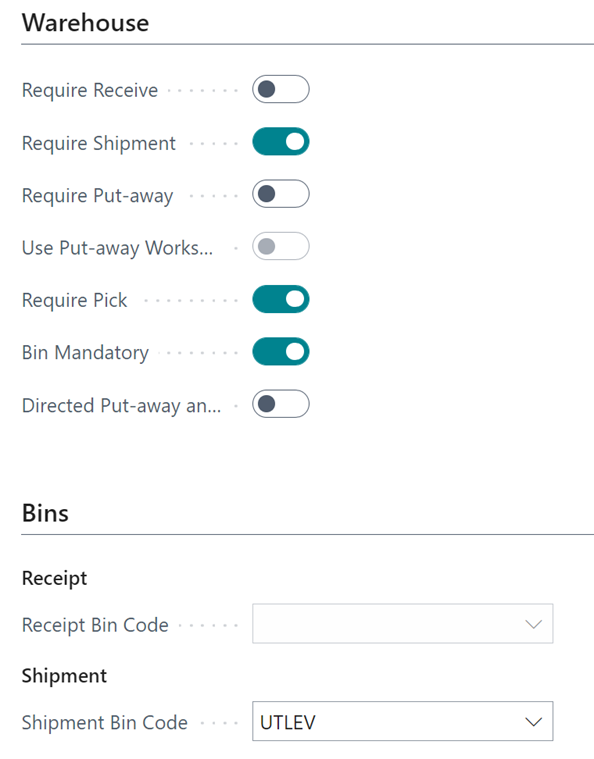
pastedimage1665122967426v4.pngpastedimage1665122972122v5.png

Item tracking code setup test 1: (No strict Expiration posting)

 pastedimage1665122977497v6.png

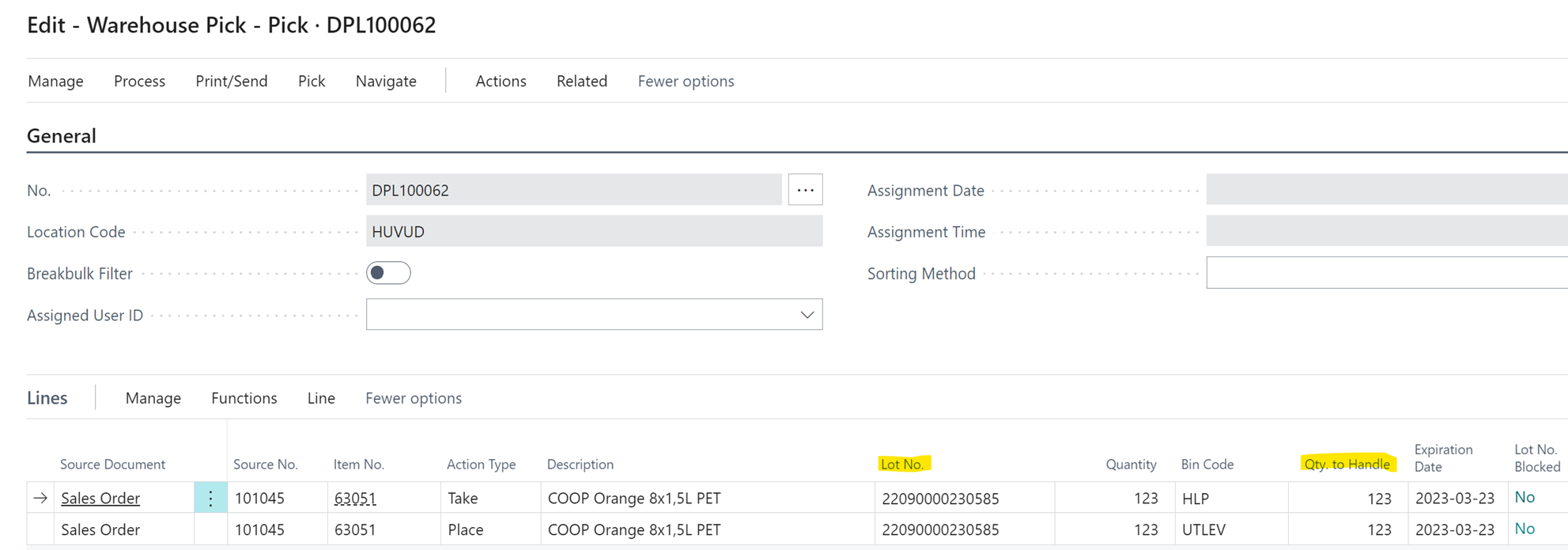
Create pick from Warehouse shipment: (The system suggests to pick only 123 on first pick so I have to create 1 more)

pastedimage1665122984971v7.png

(The system suggests to pick only 123 on first pick so I have to create 1 more before the shipment can be fully picked):

When I create 2:nd pick I get “Nothing to handle”:
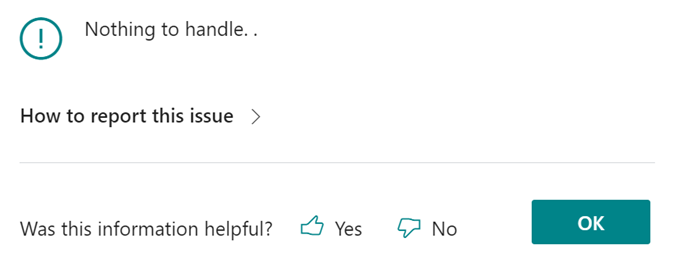
 pastedimage1665122989876v8.png


Test 2:

Same location setup as Test 1 but with Strict expiration posting:

 pastedimage1665122995098v9.png

Create Pick: (The system gives me the same first pick as test 1)
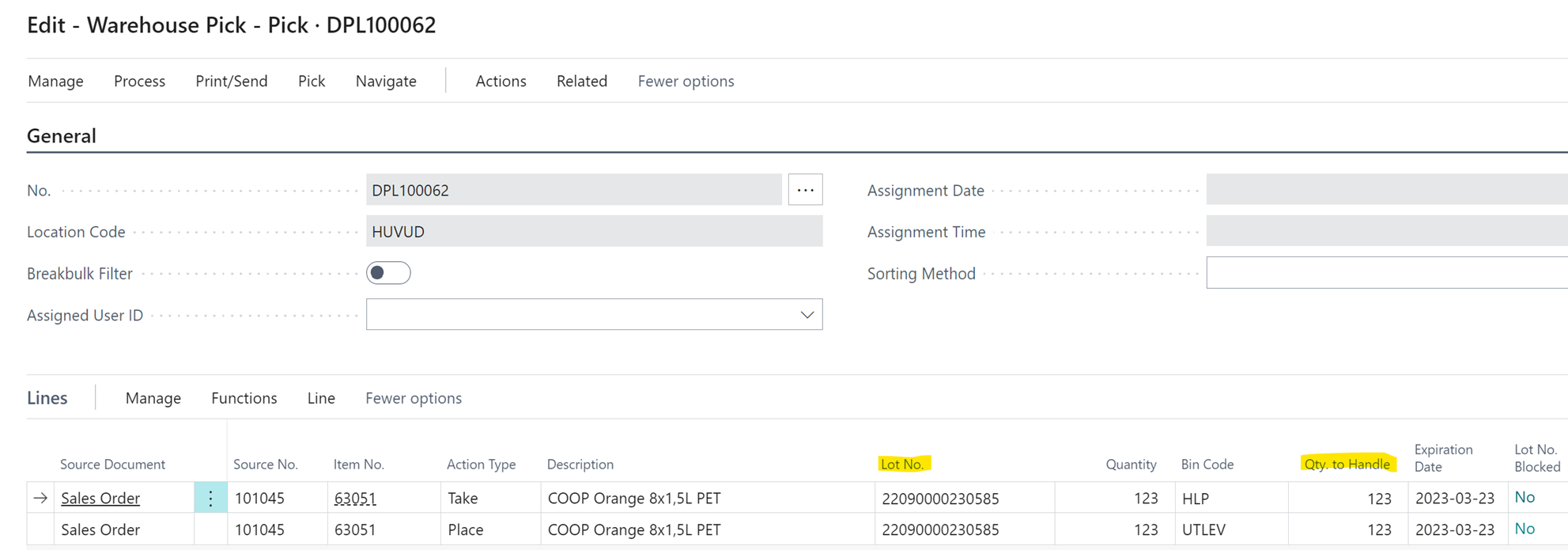
 pastedimage1665122999445v10.png

Lot no list (!!)

 pastedimage1665123004412v11.png

Test 3:

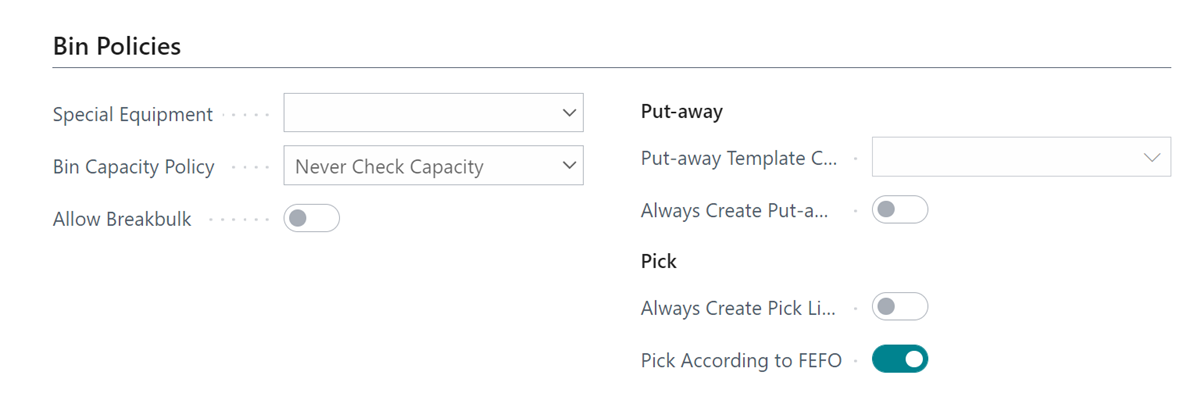
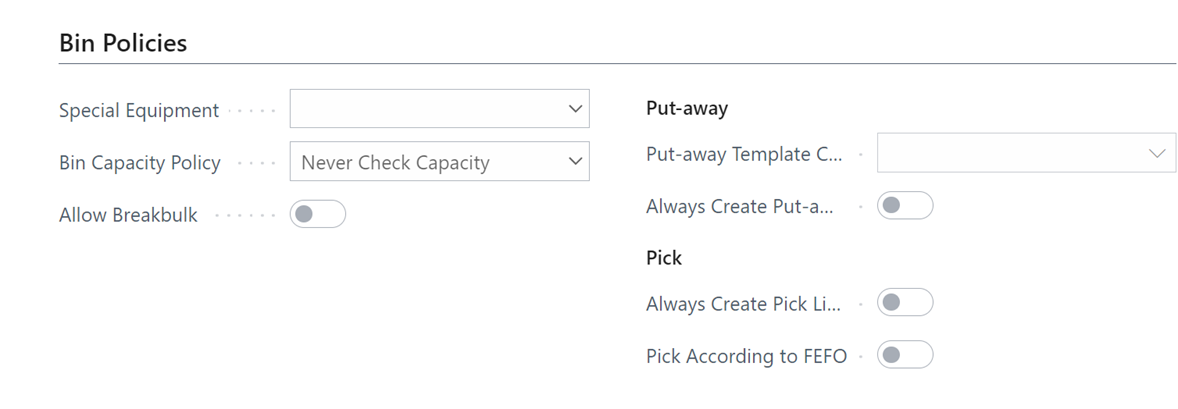
Location setup

pastedimage1665123009500v12.pngpastedimage1665123014641v13.png

Item tracking code setup:

 pastedimage1665123018778v14.png

Create Pick:

(The system wants me to pick 144, but gives me no Lot as a suggestion)
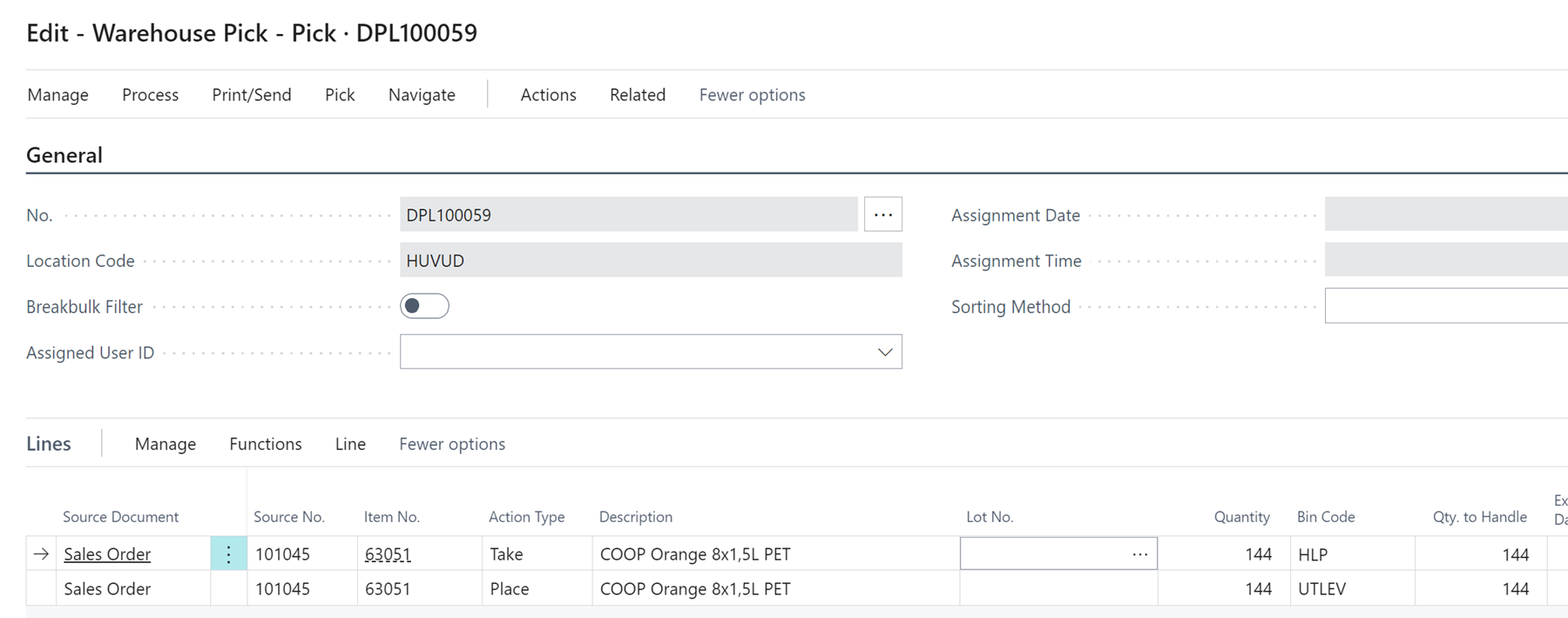
 pastedimage1665123028153v15.png

Test 4: (Same location setup as Test 3 but with strict expiration posting on item tracking code)

 pastedimage1665123034865v16.png

Create Pick: (The system created a pick for a total of 48 in quantity from 2 different bins)
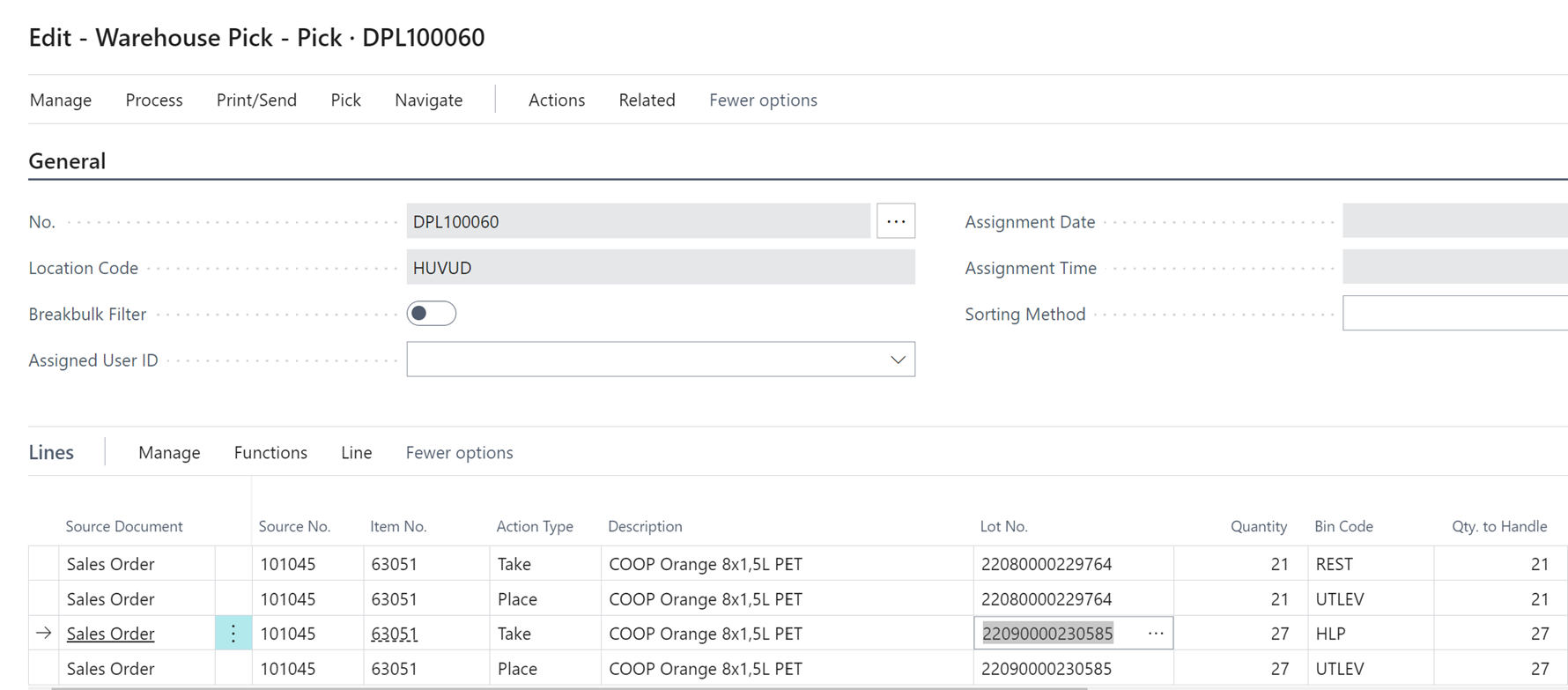
 pastedimage1665123039665v17.png

Bin Lot no information (21 On the “REST” Bin with an earlier expiration date and the rest is on HLP Bin):

 pastedimage1665123043668v18.png


I create a pick for the 2:nd time on test 4 and the system creates a pick for the remaining quantity:
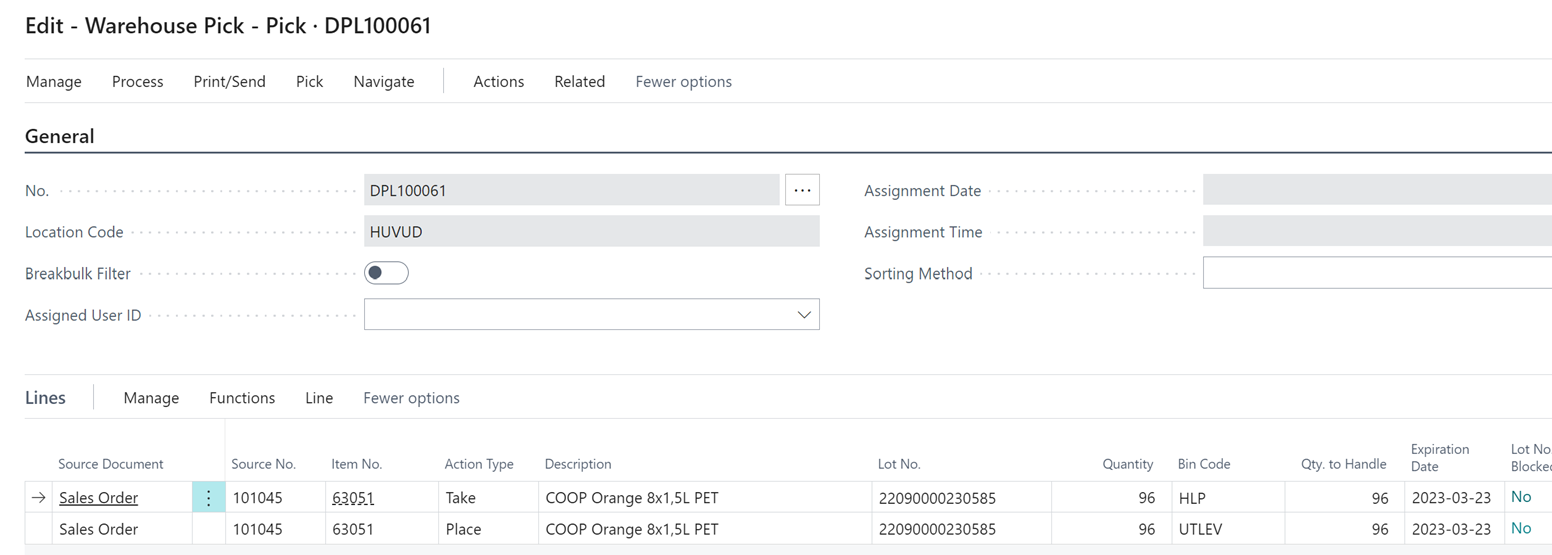
 pastedimage1665123049320v19.png


As described, my ideal scenario would be if the system created 1 pick for (similar to the one in test 3 but with the full quantity) – Would that be to much to ask? 

I have the same question (0)
  • Alfredo_Iorio Profile Picture
    1,262 on at

    Something doesn't add up to your test No. 3 and 4

    You seems to have a location where required pick is disables but you still managed to create a warehouse pick.

    The most likely explanation to the results of test 1 is that in HLP bin you only have 123 available to pick of that item. Either the rest of the stock is reserved to other demand or other picks have already reserved the inventory.

    This would explain why the second time you try to create a pick for the remainder, you get a "Nothing to handle" error. The Strict Expiration Posting flag does not control reservation or lot tracking. You can still get an expired lot in the warehouse pick but you will not be able to post the shipment line.  

  • elfiaa Profile Picture
    25 on at

    Regarding test 3 & 4 I have set up a shipment bin code so the system creates picks even though pick is not Required.

    pastedimage1665157636098v1.png

    Regarding Bin content I have plenty of quantity left on HLP bin: 

    pastedimage1665157769234v3.png

  • Bryan Tschosik Profile Picture
    on at

    Hi Elfia,

    Yes this can get a bit tricky.  So for some reason, in Test 1, it only pulls 123 qty, which is 21 short...is not pulling the 21 that it "maybe" should be pulling from Bin REST, since I see from Test 4, screenshot that has earlier exp. date with 21 Total Avail. Qty.   

    We can see in TEST 3, with 'Pick According to FEFO' = NO, it pull in full 144 qty from HLP Bin.   When we do Not Pick according to FEFO, we have more lenient availability....and we do not suggest Lot Number....so that explains that.

    Can you check to see if there is any other demand that has assigned that Lot Number that sits in REST Bin?   Maybe Sale, Purchase Credit Memo, or some movement...perhaps internal movement.   Also check the Physical Inventory Journal, Item Reclassification Journal (and be aware if other batches), to see if this item with assigned Lot is sitting in any of these.

    If non of this tells us anything, or we don't get very far, you may need to analyze the Warehouse Entries, in table 7312...for this item.  Sort it by Location > Bin > Entry No. and see if we can see anything there.  If that doesn't tell us anything, submit it to BC Support team.  Thank you.
    Bryan

  • Amit Profile Picture
    2,557 on at

    Hi,

    Adding info-:


    Regards

    Amit Sharma

    www.erpconsultors.com

  • Suggested answer
    elfiaa Profile Picture
    25 on at

    Thanks for great feedback Bryan!

    Regarding REST bin the only demand is the 21 from the pick pick I created

    pastedimage1665343385683v1.png

    pastedimage1665343518055v2.png

    However, there is other sales demand on the same item that has been picked to UTLEV-bin (reserved so should not be a problem anyway...)

    pastedimage1665344123322v5.png

    pastedimage1665343670876v3.png

    pastedimage1665343828302v4.png

    The only thing that sticks out when I look at the warehouse enteries is that we have some credit memos against UTLEV bin, however the same quantity and Lot No have been invoiced directly so should defenently not be a problem anyway. 

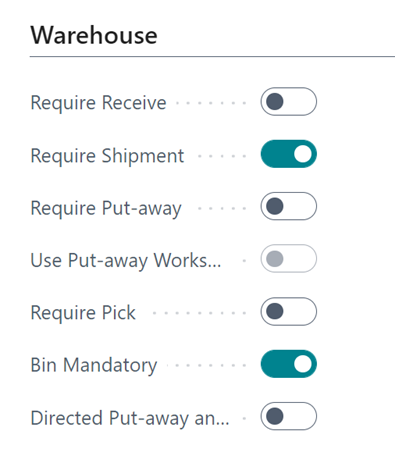
    However, when I have location setup to "Require pick" and "Require shipment" and below booleans: 

    pastedimage1665345022715v6.png

    I get the result that I want (21 from rest bin and 123 from HLP):

    pastedimage1665345073117v7.png

    But, since the manufacturing module is in use it would be ideal not to "require pick" so they have the option to post from the production Journal without picking. I think we will have to use this setup and maybe customize our way through the production problem if you don't have any other ideas? 

    Thanks again for great feedback!

Under review

Thank you for your reply! To ensure a great experience for everyone, your content is awaiting approval by our Community Managers. Please check back later.

Helpful resources

Quick Links

Responsible AI policies

As AI tools become more common, we’re introducing a Responsible AI Use…

Neeraj Kumar – Community Spotlight

We are honored to recognize Neeraj Kumar as our Community Spotlight honoree for…

Leaderboard > Small and medium business | Business Central, NAV, RMS

#1
OussamaSabbouh Profile Picture

OussamaSabbouh 3,226

#2
Jainam M. Kothari Profile Picture

Jainam M. Kothari 2,047 Super User 2025 Season 2

#3
YUN ZHU Profile Picture

YUN ZHU 1,257 Super User 2025 Season 2

Last 30 days Overall leaderboard

Featured topics

Product updates

Dynamics 365 release plans