web
You’re offline. This is a read only version of the page.
close
Skip to main content

Announcements

No record found.

News and Announcements icon
Community site session details

Community site session details

Session Id :
Microsoft Dynamics CRM (Archived)

Web Page not displaying in Partner Portal

(0) ShareShare
ReportReport
Posted on by 6,211

Hi All,

I have Lead View Web Page which is not rendering, when i click on it, it is showing Dashboard page.
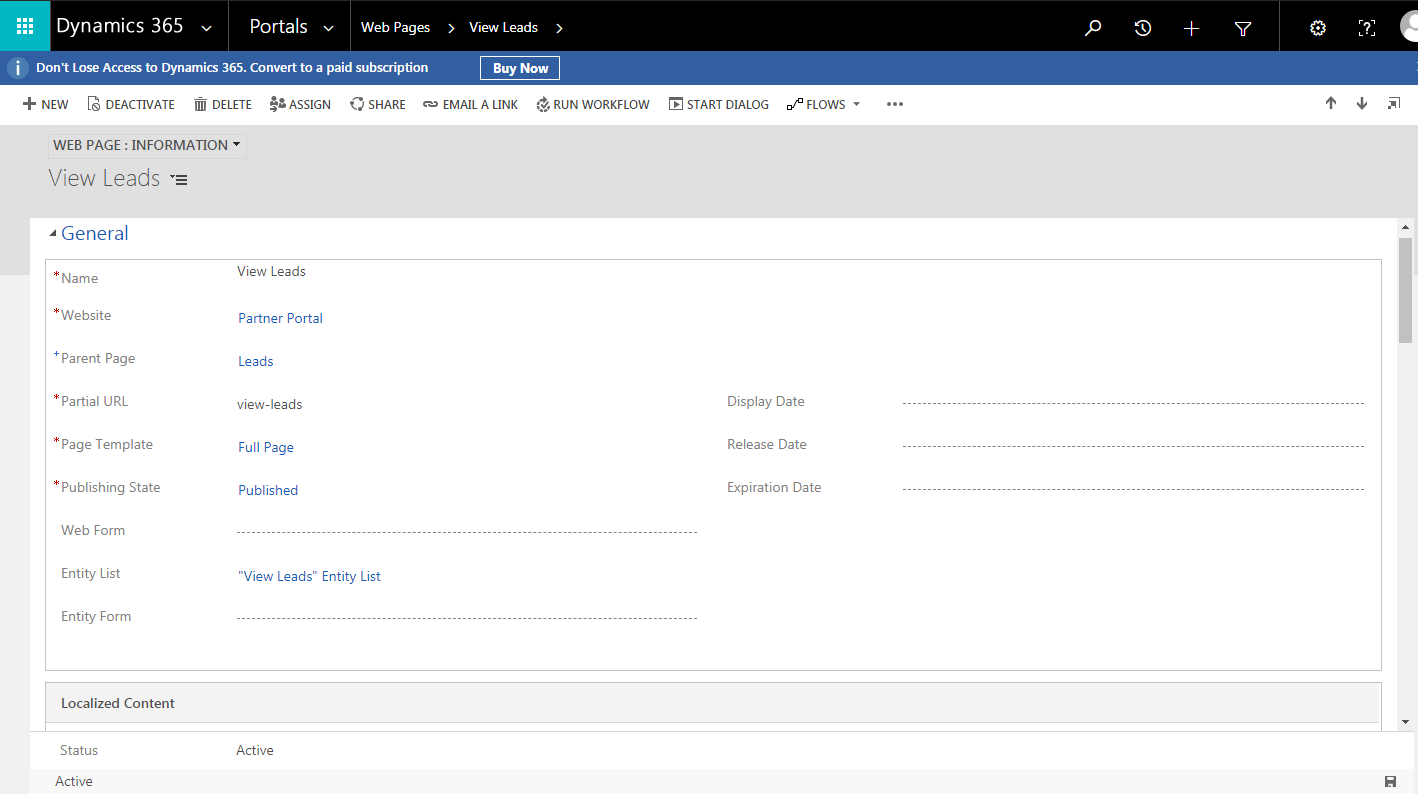
lead1.PNG

Note : I have set Proper Entity View and Access control Rule to View Lead Web Page.Created Web Roles which is assigned to contact and i have added Entity Permission in it. I have compare my setting with Opportunity Web page which is working fine.

Please suggest me what i am missing.

Thanks,

Shahbaaz

*This post is locked for comments

I have the same question (0)
  • Suggested answer
    Arpit Shrivastava Profile Picture
    7,518 User Group Leader on at

    Please make sure you have associated your Entity List with Localized Content record as well.

  • Shahbaaz Ansari Profile Picture
    6,211 on at

    Hi Arpit,

    Thanks for the response, entity list was already associated with it, i just opened Localized Content record, and it started working, it is showing web page as well as entity list...this is strange.

    Thanks,

    Shahbaaz

  • Shahbaaz Ansari Profile Picture
    6,211 on at

    how did that happened?

    Now I removed entity list from Localized content, it is not showing me the view which is fine, but it is showing that web page which was not displaying.

  • Verified answer
    Arpit Shrivastava Profile Picture
    7,518 User Group Leader on at

    Without having the proper configuration in localized content leads to create issue on webpages. And page will not display any information. it is expected.

    As you said, by simply opening the localized content, it started working. The reason might be few scripts, which loads on content page form load and save some configuration on it.

    Hope it helps.

  • Shahbaaz Ansari Profile Picture
    6,211 on at

    The reason might be few scripts, which loads on content page form load and save some configuration on it -- When i opened localized content page was in unsaved mode, i did save that and then refresh my portal page and it started working.

    Thanks arpit it was very helpful.

Under review

Thank you for your reply! To ensure a great experience for everyone, your content is awaiting approval by our Community Managers. Please check back later.

Helpful resources

Quick Links

Introducing the 2026 Season 1 community Super Users

Congratulations to our 2026 Super Stars!

Meet the Microsoft Dynamics 365 Contact Center Champions

We are thrilled to have these Champions in our Community!

Congratulations to the March Top 10 Community Leaders

These are the community rock stars!

Leaderboard > 🔒一 Microsoft Dynamics CRM (Archived)

#1
JS-09031509-0 Profile Picture

JS-09031509-0 3

#2
AS-17030037-0 Profile Picture

AS-17030037-0 2

#2
Mark Eckert Profile Picture

Mark Eckert 2

Last 30 days Overall leaderboard

Featured topics

Product updates

Dynamics 365 release plans
