web
You’re offline. This is a read only version of the page.
close
Skip to main content

Notifications

Announcements

No record found.

Community site session details

Community site session details

Session Id :
Microsoft Dynamics 365 | Integration, Dataverse...
Suggested Answer

Unable to open/edit/create rollup/calculated field

(0) ShareShare
ReportReport
Posted on by 55

Hi,

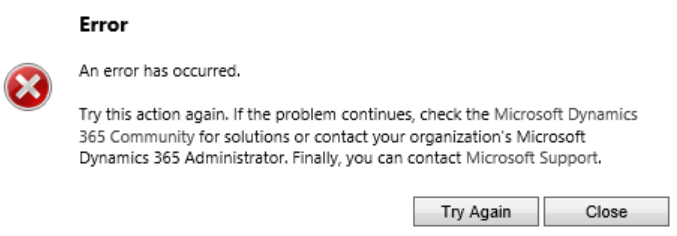
One of my colleague have a strange issue with a calculated field. Whenever she try to open/edit the field formula, she gets the below error

pastedimage1652087579656v2.pngpastedimage1652087526949v1.png

I myself can open and edit calculated fields and we have the same security role (system administrator).

We have tried different browsers, cleared the cash memory.

Is there a way to get more information about the error?

All suggestions are much appreciated!

I have the same question (0)
  • Suggested answer
    Nettsales Profile Picture
    20 on at

    It looks like a permissions issue to me.  While you have the same direct security role(s), could you be a member of a team that has a different security role assigned that your colleague does not have?

  • Suggested answer
    Bipin D365 Profile Picture
    28,983 Moderator on at

    Hello,

    Login to https://make.powerapps.com/ and follow steps mentioned on below article to open/edit calculated and rollup field using Modern experience.

    docs.microsoft.com/.../define-calculated-fields

  • ErikLm Profile Picture
    55 on at

    Hi Nettsales,

    Thanks for your reply!

    We are both admins and have the system administrator role. Sry forgot to mention that, i will update my post.

  • Suggested answer
    Nya Profile Picture
    29,060 on at

    Hi,

    Do the user you use belong to the same Business Unit as your colleague's user?

  • ErikLm Profile Picture
    55 on at

    Hi Nya

    Thanks for your reply!

    Yes we are in the same Business Unit as well

  • Suggested answer
    Bipin D365 Profile Picture
    28,983 Moderator on at

    Hi,

    Can you please ask your user to access Rollup field from Modern UI by navigating  to https://make.powerapps.com/ and select Enviornment then Data -> Tables -> Select your Table-> Columns

    CR104.PNG

  • kristy.rhoades Profile Picture
    5 on at

    I am getting this same error in the pop-up window (using modern view).  Any thoughts?  I am the creator of the environment & have sys admin role.  Any ideas would be welcome.

Under review

Thank you for your reply! To ensure a great experience for everyone, your content is awaiting approval by our Community Managers. Please check back later.

Helpful resources

Quick Links

Responsible AI policies

As AI tools become more common, we’re introducing a Responsible AI Use…

Neeraj Kumar – Community Spotlight

We are honored to recognize Neeraj Kumar as our Community Spotlight honoree for…

Leaderboard > Microsoft Dynamics 365 | Integration, Dataverse, and general topics

#1
Martin Dráb Profile Picture

Martin Dráb 49 Most Valuable Professional

#2
André Arnaud de Calavon Profile Picture

André Arnaud de Cal... 38 Super User 2025 Season 2

#3
#ManoVerse Profile Picture

#ManoVerse 31

Last 30 days Overall leaderboard

Product updates

Dynamics 365 release plans