web
You’re offline. This is a read only version of the page.
close
Skip to main content

Announcements

No record found.

News and Announcements icon
Community site session details

Community site session details

Session Id :
Microsoft Dynamics CRM (Archived)

security role to convert quote to order

(0) ShareShare
ReportReport
Posted on by 2,040

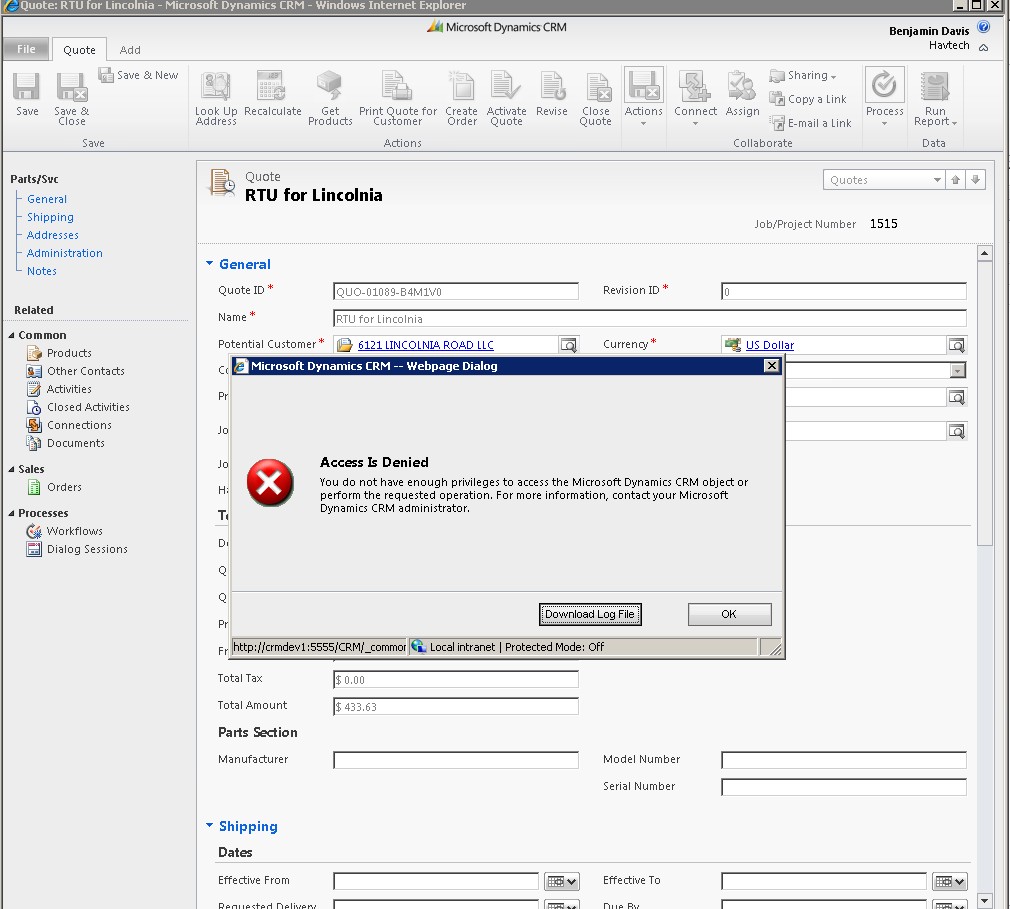
I'm hoping this will be a quick answer. I've duplicated the 'Salesperson' security role and am attempting (as a user with that role) to walk through a typical sales process. I would assume (apparently incorrectly) that salespeople would have the rights to convert a quote to an order. I've tried six ways from sunday to make the user have enough permissions to do this, but I always get an 'Access Denied' error. I get the feeling that there is a small permission (seemingly unrelated) that I'm not aware of to which the designated user would need to be granted permission(s) to make this happen; does anyone have any insight?


thanks,

~Brian


p.s. FWIW, I've also noticed that I can't revise the quote. odd, no? I can however create orders, so that's not the problem. 
*This post is locked for comments

I have the same question (0)
  • Verified answer
    Gus Gonzalez Profile Picture
    27,113 on at

    Brian,

    I had this problem before when creating a new contact from inside an Account record (I assume is the same issue) and it was a security permission within the "Customizations" tab. I can't remember what it was but I remember removing a bunch of permissions from the customization tab and it broke a lot of relationship (Coverting, Creating from inside another record) etc) type of processes.

    Go back and make sure that all permissions within the customization tab match the permissions that security roles that are able to convert these quotes have.

    If you find it, welcome to the "Avoid customizing security settings at the Customization Tab in the future" club. :)

  • Brian Geraghty Profile Picture
    2,040 on at

    Gus! You're a machine! So turns out it wasn't an issue with the role missing permissions so much; more along the lines of permissions that were granted at the user level needed to be upgraded to the business unit.

    I appreciate the help man! as always!

  • Gus Gonzalez Profile Picture
    27,113 on at

    Cool!

    I'm glad that worked out!

Under review

Thank you for your reply! To ensure a great experience for everyone, your content is awaiting approval by our Community Managers. Please check back later.

Helpful resources

Quick Links

Introducing the 2026 Season 1 community Super Users

Congratulations to our 2026 Super Stars!

Congratulations to our 2025 Community Spotlights

Thanks to all of our 2025 Community Spotlight stars!

Leaderboard > 🔒一 Microsoft Dynamics CRM (Archived)

#1
JS-09031509-0 Profile Picture

JS-09031509-0 3

#2
AS-17030037-0 Profile Picture

AS-17030037-0 2

#2
Mark Eckert Profile Picture

Mark Eckert 2

Last 30 days Overall leaderboard

Featured topics

Product updates

Dynamics 365 release plans
