web
You’re offline. This is a read only version of the page.
close
Skip to main content

Notifications

Announcements

No record found.

Community site session details

Community site session details

Session Id :
Microsoft Dynamics CRM (Archived)

Custom page on the CRM portal in ASP .NET ?

(0) ShareShare
ReportReport
Posted on by

Our company is using the Dynamics 365 online portal. The CRM portal allows extensions, i.e. I can create custom pages like this and then provide their HTML & JavaScript code:
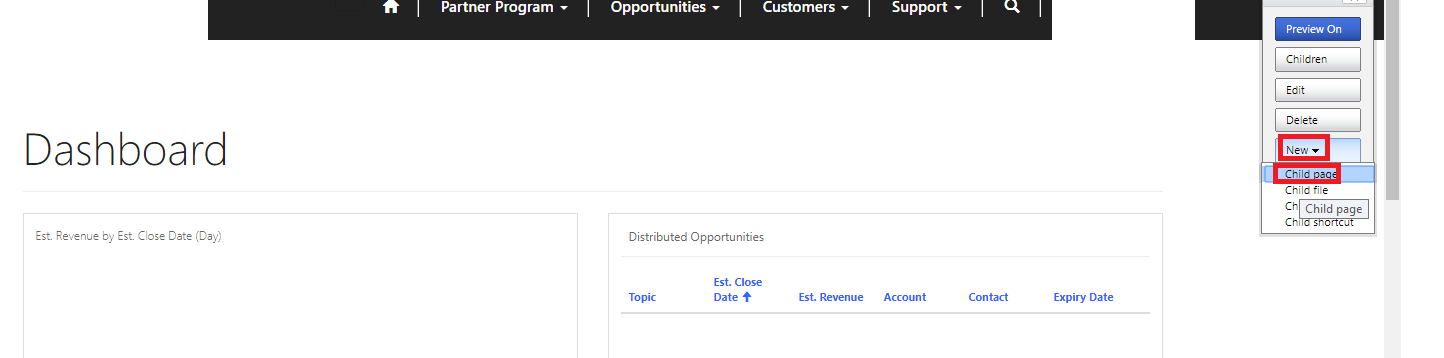
crm_2D00_extension.png

But this is not enough for us. We need to extend the CRM portal to create a custom page with backend code and front-end code. I would prefer this page to use ASP .NET for the backend, with C# logic and preferably MVC for the front-end. And I would like to include such a page on the portal and then have an option in the top menu to open it. It will then load custom data from various resources based on user identity.

I cannot find a way to do this. I have been reading through the documentation included (https://technet.microsoft.com/en-us/library/dn531143.aspx#BKMK_TypesOfForms) but it touches only on simple customization scenarios, including some templated codes, and JavaScript. Front-end JavaScript is not enough for us (because of security reasons and because we need a more advanced logic that I would prefer to code in C#). 


Can anybody direct me on how to achieve my goals? 

If this cannot be done with ASP .NET and C#, then basically any other popular programming language that would allow me to create a view with a backend would be great. 

*This post is locked for comments

I have the same question (0)
  • Suggested answer
    prt33k Profile Picture
    6,907 on at

    Hi Michal,

    CRM Portal wont allow you to host a ASP.NET or any server side scripting.

    If that is the requirement then you need to build a custom website and host it on Azure or elsewhere - Portal wont fit your needs.

    Thanks,

    Prateek

  • ashlega Profile Picture
    34,477 on at

    Best you can do is create a plugin that will prepare some kind of json data that you will, then, utilize in Javascript. That's not a replacement of the custom ASP.NET page by any means, of course, but might get you a bit closer to what you need.

  • Community Member Profile Picture
    on at

    Hi Michal,

    You can write the application, but it needs to be published somewhere. When you use on premise version you have a server where CRM is installed, and you can configure your application on IIS. But with CRM online there is no such access.

    I would suggest to write an application, place it/publish somewhere on the hosting, and connect the link for that application with to a button in the CRM.

    Hope this helps.

    Vlad

    dynamicalabs.com

    Please mark my answer as verified if it helped you. Thanks


Under review

Thank you for your reply! To ensure a great experience for everyone, your content is awaiting approval by our Community Managers. Please check back later.

Helpful resources

Quick Links

Responsible AI policies

As AI tools become more common, we’re introducing a Responsible AI Use…

Neeraj Kumar – Community Spotlight

We are honored to recognize Neeraj Kumar as our Community Spotlight honoree for…

Leaderboard > 🔒一 Microsoft Dynamics CRM (Archived)

#1
SA-08121319-0 Profile Picture

SA-08121319-0 4

#1
Calum MacFarlane Profile Picture

Calum MacFarlane 4

#3
Alex Fun Wei Jie Profile Picture

Alex Fun Wei Jie 2

Last 30 days Overall leaderboard

Featured topics

Product updates

Dynamics 365 release plans
