web
You’re offline. This is a read only version of the page.
close
Skip to main content

Notifications

Announcements

No record found.

Community site session details

Community site session details

Session Id :
Small and medium business | Business Central, N...
Suggested Answer

No. Series -- Automatic Population

(0) ShareShare
ReportReport
Posted on by 3,510

Hi:

How do you configure the No. Series to automatically place numbers in the respective fields, so that the end user does not have to hit the ellipsis button next to a field to simply pull in the next number?

Thanks!

John

I have the same question (0)
  • Suggested answer
    Mohana Yadav Profile Picture
    60,993 Super User 2025 Season 2 on at

    Are you referring to any standard table/page in Business Central or custom?

    How many No. Series do you have for that page?

  • Suggested answer
    Jarrod Case Profile Picture
    2 on at

    Hi john.ellis 

    I hope you are well mate.

    Here is a video I recorded a while ago on No series setup: https://www.youtube.com/watch?v=71DlbLYjLKA&t=4s 

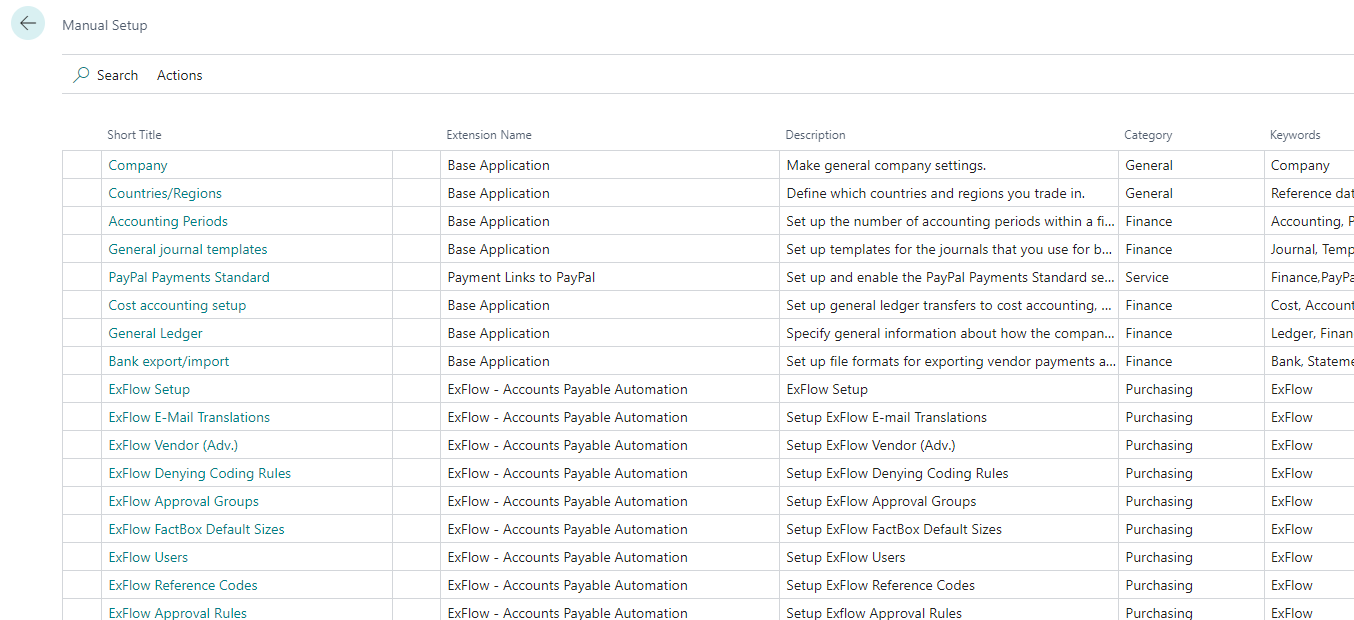
    Generally speaking you should consider searching Manual Setup
    pastedimage1673111888528v1.png

    In here check all the No Series settings for example under Purchase & Payables, or Sales & Receivables and ensure a default No Series is set.

    If the No Series is selected > and the No Series selected is setup properly, you shouldn't have any prompts requiring a user to manually make up numbers. 

    I hope this has answered you questions

    Thanks JC

    CLICK YES - if I have answered your question today, to help other community members know this is resolved.

    Follow Me/Subscribe - https://www.youtube.com/@learnbusinesscentral 
    Connect with me on linkedin: https://www.linkedin.com/in/jarrodcase/ 

  • Suggested answer
    Dallefeld Profile Picture
    211 User Group Leader on at

    You should just be able to tab or enter in the No. field to get the next number assigned.

  • Suggested answer
    Manan_Shah Profile Picture
    1,459 on at

    Hi John.

    In standard if you created multiple no. series for your single page then user have to click on ellipsis 3 dots. To choose specific no. series for that transaction or document. You can double check it from No. series and it's relationships. 


    Hope it will help.

    Many Thanks,
    Manan

  • KasparsSemjonovs Profile Picture
    4,751 Super User 2025 Season 2 on at

    For standard pages/cards - No Series has to have the checkmark "Default" - and it has to be provided in the related Setup for No.Series.

    When it has this checkmark, system can populate a number automatically from this when You hit Enter in No Field, or just click in any other number in the new card.

  • Suggested answer
    Ben Baxter Profile Picture
    6,565 Super User 2025 Season 2 on at

    Kaspars has the most direct answer to the question.  In the list of No. Series, check the "Default" Boolean to enable the next number to auto-populate.  Even if you have multiple No. Series available for a record type, the Default will control what series is used when you create a new record.

  • john.ellis Profile Picture
    3,510 on at

    @Kaspars and @Ben:

    Is this true, even if both "Default" and "Manual" are selected?

    John

Under review

Thank you for your reply! To ensure a great experience for everyone, your content is awaiting approval by our Community Managers. Please check back later.

Helpful resources

Quick Links

Responsible AI policies

As AI tools become more common, we’re introducing a Responsible AI Use…

Neeraj Kumar – Community Spotlight

We are honored to recognize Neeraj Kumar as our Community Spotlight honoree for…

Leaderboard > Small and medium business | Business Central, NAV, RMS

#1
OussamaSabbouh Profile Picture

OussamaSabbouh 3,316

#2
Jainam M. Kothari Profile Picture

Jainam M. Kothari 2,449 Super User 2025 Season 2

#3
YUN ZHU Profile Picture

YUN ZHU 1,431 Super User 2025 Season 2

Last 30 days Overall leaderboard

Featured topics

Product updates

Dynamics 365 release plans
