web
You’re offline. This is a read only version of the page.
close
Skip to main content

Notifications

Announcements

No record found.

Community site session details

Community site session details

Session Id :
Small and medium business | Business Central, N...
Answered

Setting up & processing EFT

(0) ShareShare
ReportReport
Posted on by 113

Greetings.

I'm trying to set up and process my first EFT in Business Central. I have set up everything that I think I'm supposed to, but still get this error message when I try to export the bank remittance saying that the bank account doesn't exist.

Image-10_2D00_1_2D00_21-at-8.40-AM.jpg

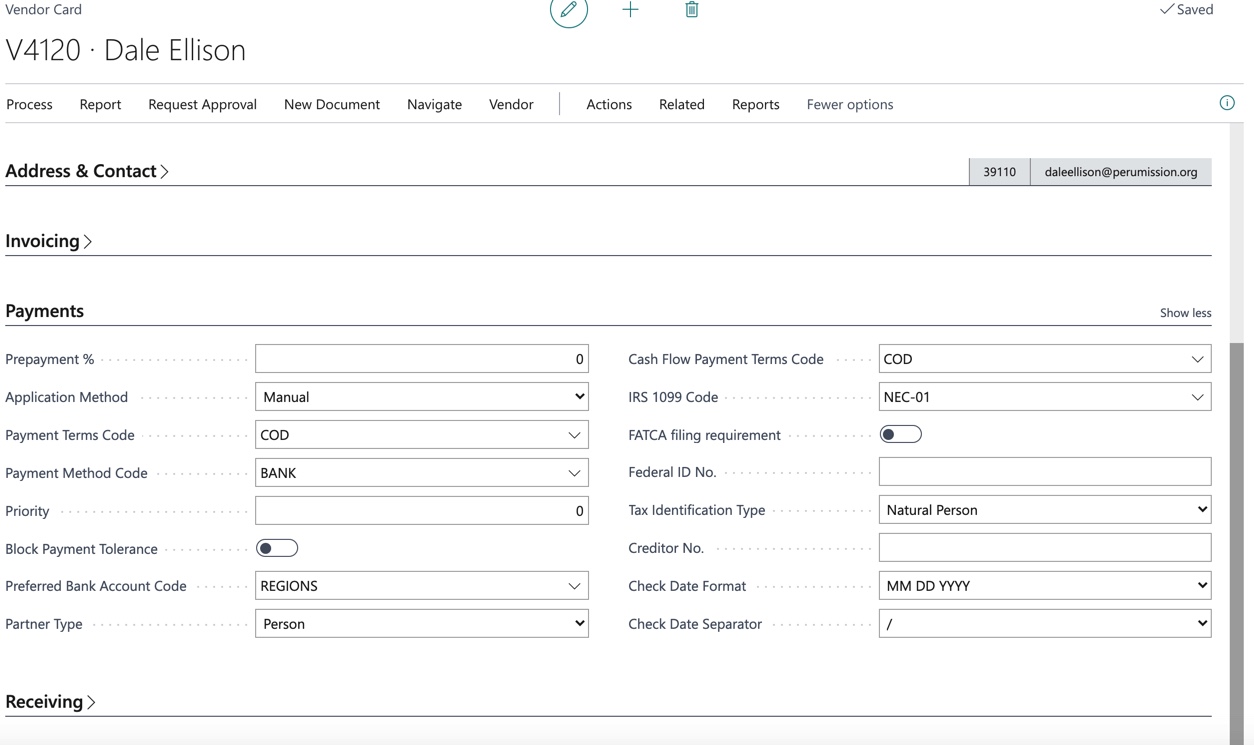
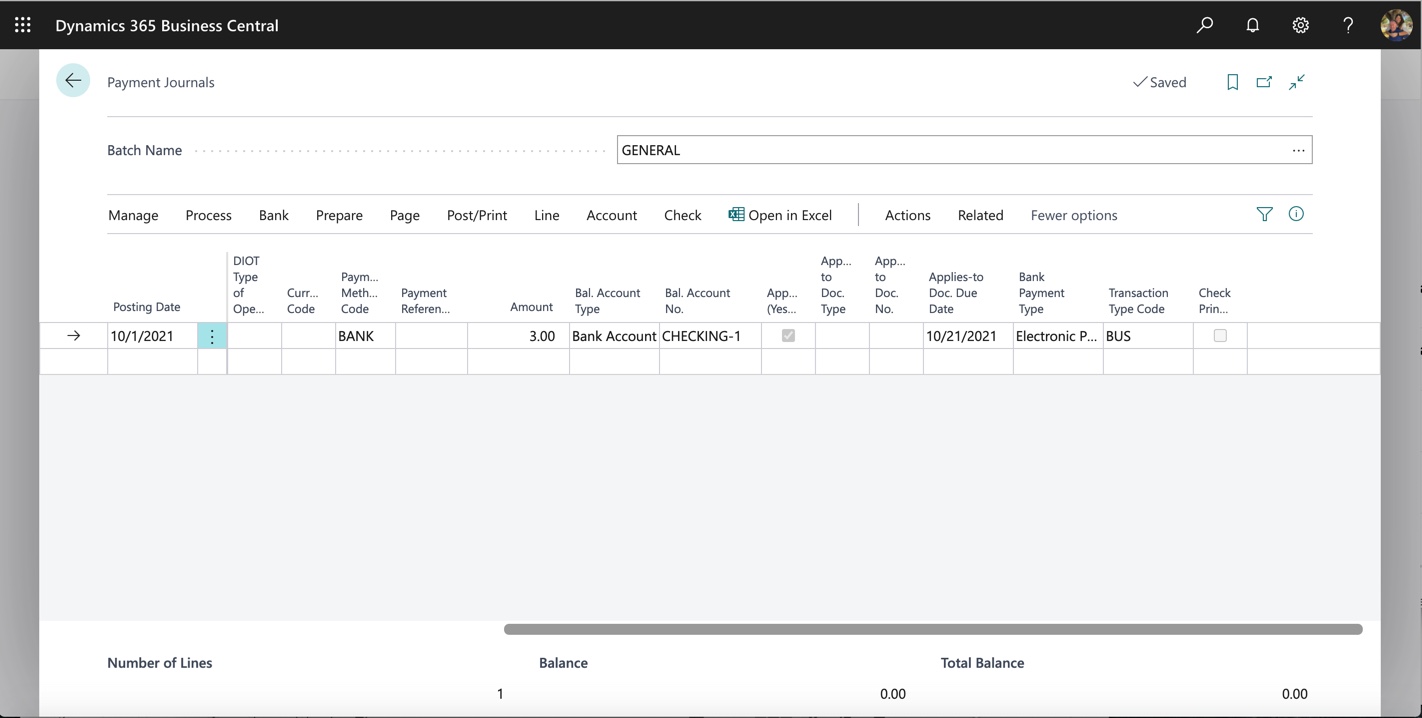
Here are some screenshots of my own bank card and the vendor bank card, plus the payment journal line. Obviously I'm missing something. I'd be very grateful for your help!
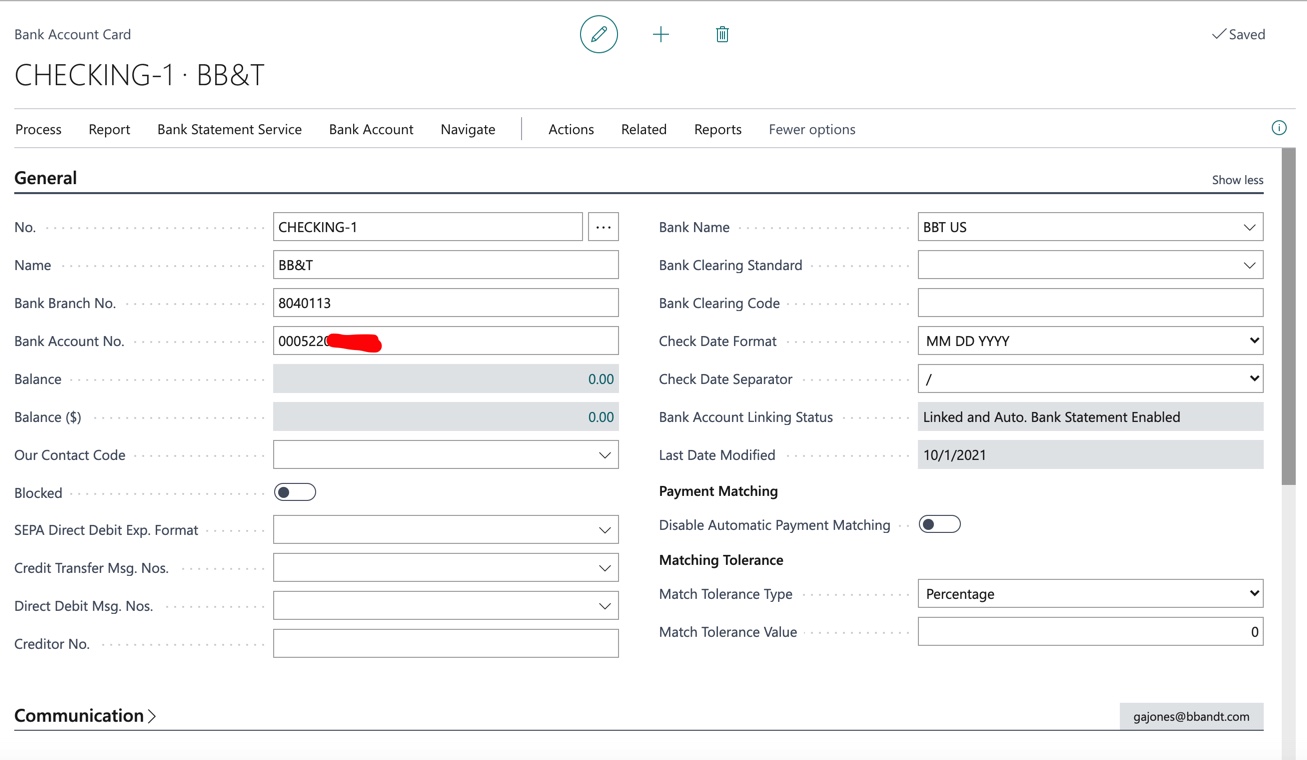
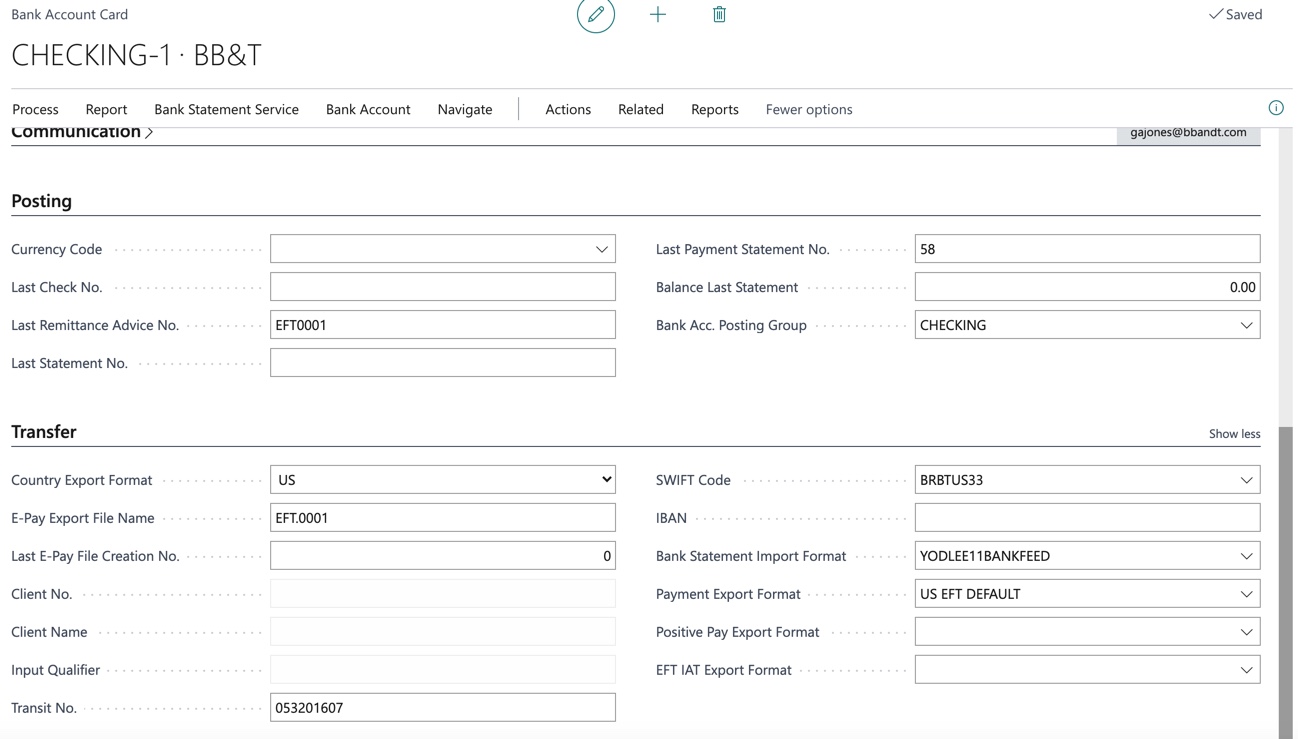
Image-10_2D00_1_2D00_21-at-8.53-AM.jpg

Image-10_2D00_1_2D00_21-at-8.54-AM.jpg

Image-10_2D00_1_2D00_21-at-8.56-AM.jpg

Image-10_2D00_1_2D00_21-at-8.59-AM.jpg

Image-10_2D00_1_2D00_21-at-8.42-AM.jpg

Image-10_2D00_1_2D00_21-at-8.44-AM.jpg

I have the same question (0)
  • Suggested answer
    Community Member Profile Picture
    on at

    Atahualpa,

    On the Batch Name General, please make sure you have setup the following:

    pastedimage1633117517057v1.png

    Hope this helps.

    Thanks,

    Steve

  • Atahualpa Profile Picture
    113 on at

    Hi Steve! Thanks for jumping in to help me again!

    I went to the setup options for the different batches as you mentioned and, as far as I can tell, I now have them set up as you mention, but I still get the same error saying that the "bank account does not exist." One question that arises for me is whether this is referring to the company bank account or the vendor bank account?

    Image-10_2D00_4_2D00_21-at-9.28-AM.jpg

    Image-10_2D00_4_2D00_21-at-9.25-AM.jpg

    Image-10_2D00_4_2D00_21-at-9.26-AM.jpg

    Image-10_2D00_4_2D00_21-at-9.24-AM.jpg

  • Suggested answer
    Community Member Profile Picture
    on at

    Atahualpa,

    Just so I can recreate this scenario, you have a Vendor who you have setup a Vendor Bank Account and want to pay an open Invoice. I see the Recipient Bank and you click Export and get the message, yes?

    Thanks,

    Steve

  • Atahualpa Profile Picture
    113 on at

    yes, that is correct.

  • Suggested answer
    Community Member Profile Picture
    on at

    Atahualpa,

    Here is my test. I used 1 Bank Account same EFT Payment Export Data Exchange and a Vendor with Bank Account EFT set.

    pastedimage1633470431424v1.png  pastedimage1633470456283v2.png

    Now I will click Bank/Export:

    pastedimage1633470497285v3.png  

    Remittance Created:

    pastedimage1633470522860v4.png

    Now I will click Actions/Functions/Generate EFT File:

    pastedimage1633470643425v5.png  Click Generate EFT Files and the actual file will be created.

    I cannot get your error. If you want to do a Teams call I can to see your information.

    Thanks,

    Steve

  • Suggested answer
    Rob F. Profile Picture
    503 on at

    Hi Wes,

    Try populating the Bal. Account Type and Bal. Account No. field of the journal batch with the bank account that you are using.

  • Atahualpa Profile Picture
    113 on at

    Thanks Rob.

    I think I'm good on those two. Here's a screen shot:

    1805.Image-10_2D00_4_2D00_21-at-9.25-AM.jpg

    2437.Image-10_2D00_4_2D00_21-at-9.26-AM.jpg

    I'm thinking that my problem most be in the Transfer Fast Tab on my bank account card.

    • Yodlee is the service through which I download bank statements (it has worked fine, but I wonder whether I should be using AMC Banking Service instead?)
    • I am in the US only working in USD so I can't use the SEPACT system
    • For export format I'm unsure of whether to use the AMC Banking Service Credit Transfer, or Yodlee Bank Feeds (is that only for bank statements?), or maybe one of the US EFT services?

    I'm going to re-read the MS BC documentation again and see if I ca wrap my mind around it all.

  • Verified answer
    Rob F. Profile Picture
    503 on at

    Hi, I'm referring to the defaults set on the journal batch itself, not the journal lines.  In your previous screenshot it looked like that was blank but I believe it needs to be filled in.

    pastedimage1633627033005v1.png

  • Verified answer
    Community Member Profile Picture
    on at

    Wes,

    The Export of the ACH/Wire NACHA is not related directly to YODLEE Statement import. AMC does offer the export of the file and that setup would be different to what you explained earlier. Normal US, I am in the Boston area, use the US EFT Default or the other 2 options you should have in BC. If you are in the US, I can do a Teams call with you to help resolve.

    Send me a message to my email and I will email back a Teams invite:  steven.chinsky@wipfli.com.

    Thanks,

    Steve

  • Atahualpa Profile Picture
    113 on at

    Thanks, Rob! That did it. Very grateful for your help!

Under review

Thank you for your reply! To ensure a great experience for everyone, your content is awaiting approval by our Community Managers. Please check back later.

Helpful resources

Quick Links

Responsible AI policies

As AI tools become more common, we’re introducing a Responsible AI Use…

Neeraj Kumar – Community Spotlight

We are honored to recognize Neeraj Kumar as our Community Spotlight honoree for…

Leaderboard > Small and medium business | Business Central, NAV, RMS

#1
OussamaSabbouh Profile Picture

OussamaSabbouh 3,226

#2
Jainam M. Kothari Profile Picture

Jainam M. Kothari 2,047 Super User 2025 Season 2

#3
YUN ZHU Profile Picture

YUN ZHU 1,257 Super User 2025 Season 2

Last 30 days Overall leaderboard

Featured topics

Product updates

Dynamics 365 release plans