web
You’re offline. This is a read only version of the page.
close
Skip to main content

Announcements

No record found.

News and Announcements icon
Community site session details

Community site session details

Session Id :
Small and medium business | Business Central, N...
Unanswered

Security filter on Purchase Line Table

(0) ShareShare
ReportReport
Posted on by 85

Hello all,

I am trying to add a security filter on Purchase Line table, for some users not to see a specific item on purchase lines.

For example, i dont want that user to see the item with number 10003 on the lines and i have added this security filter on permission sets : <>10003

But when i open an Purchase Order, that has on its lines this item 10003 , that it is not supposed to be seen but even other items that are supposed to be seen, it shows this dialog below:
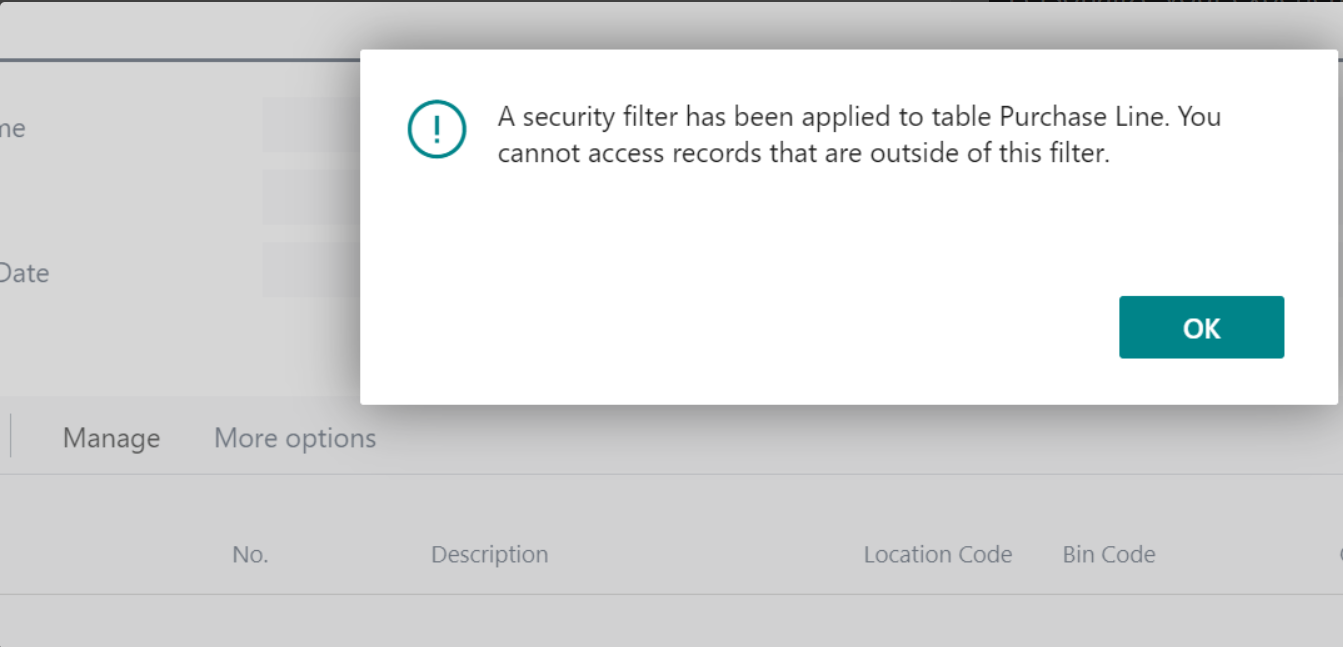
Cattura1.PNG

So, the problem is that even that we have other items that are supposed to be seen, because of the filter for one item the other items are not seen.How can i fix this to hide just one item not all of them?

Thank you in advance.

I have the same question (0)
  • Dallefeld Profile Picture
    233 User Group Leader on at

    Security filters are not designed to 'filter' what is displayed like a regular filter would do. But rather to restrict users from accessing records. Seems like you are wanting the security filter to filter the display and thus it will not work as you desire.

  • Nertila Tila12 Profile Picture
    85 on at

    Hi Kim,

    Thanks for the answer. Well, yeah i have used this even on other tables and works fine, but on this tables it hides even other items wich is not desired. Do you have any idea how can i fix this?

    Thanks.

Under review

Thank you for your reply! To ensure a great experience for everyone, your content is awaiting approval by our Community Managers. Please check back later.

Helpful resources

Quick Links

Introducing the 2026 Season 1 community Super Users

Congratulations to our 2026 Super Stars!

Meet the Microsoft Dynamics 365 Contact Center Champions

We are thrilled to have these Champions in our Community!

Congratulations to the April Top 10 Community Leaders

These are the community rock stars!

Leaderboard > Small and medium business | Business Central, NAV, RMS

#1
OussamaSabbouh Profile Picture

OussamaSabbouh 2,233 Super User 2026 Season 1

#2
YUN ZHU Profile Picture

YUN ZHU 1,360 Super User 2026 Season 1

#3
AndrewThomas81 Profile Picture

AndrewThomas81 1,216

Last 30 days Overall leaderboard

Featured topics

Product updates

Dynamics 365 release plans
